Amazon Athena
Use this guide to connect Amazon Athena to Wren AI and continue through table selection and relationship setup.
Included in all plans
Wren AI needs to access your Athena database via the outbound IP address of Wren AI Cloud. If you have applied network access controls on top of Athena, please add the IP address of the Wren AI service to the allowed IP list.
Scroll to the bottom of the data source connection page to find the IP address.
Choose your query engine
Amazon Athena supports two open-source query engines: Trino (the default for standard Athena workgroups) and Apache Spark. Wren AI supports both — pick the tab below that matches the engine of the workgroup you want to connect.
If you're not sure, check the Analytics engine column on the Workgroups page in the Athena console. Standard SQL workgroups use Trino; workgroups created with "Apache Spark" as the analytics engine use Spark.
Prerequisites
AWS account and permissions
You'll need an AWS account with appropriate permissions to access Amazon Athena. The user or role you use to connect should have the following permissions:
- AmazonAthenaFullAccess policy (for Spark workgroups, also AWSGlueServiceRole), or at minimum:
- Permissions to run Athena queries
- Full access to the S3 bucket where query results are stored
- Read access to metadata from AWS Glue Data Catalog
Connect
- Trino engine
- Spark engine
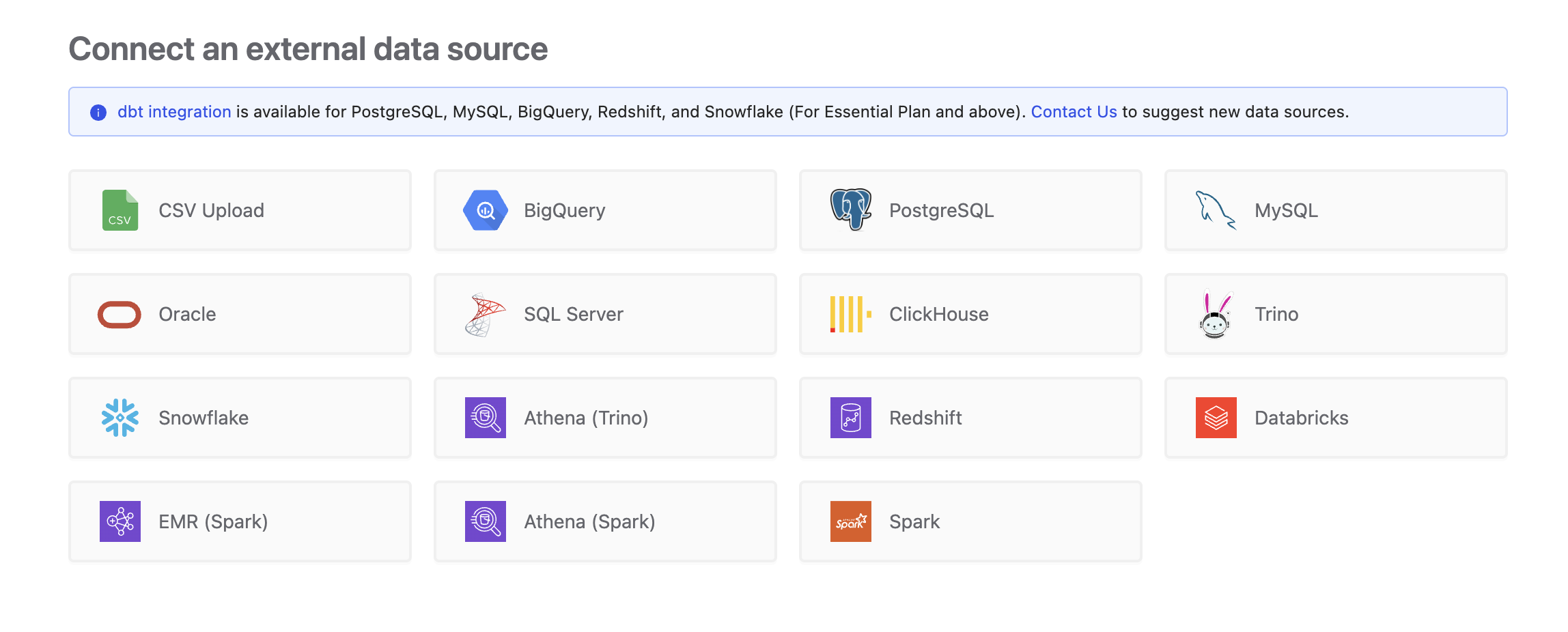
To add an Athena (Trino) connection, click on the Athena option in the Connect a data source section.
Fill in the connection settings:
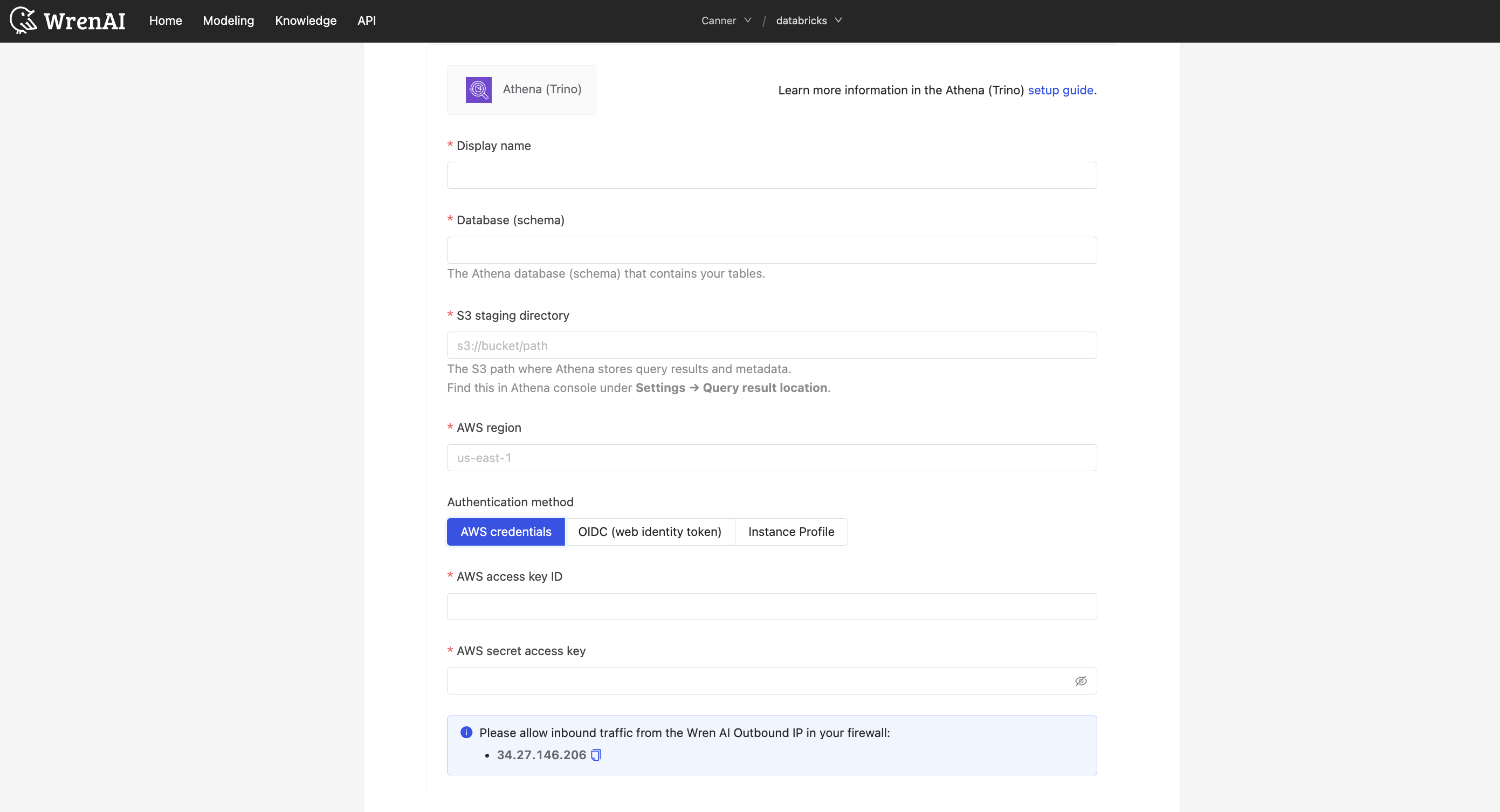
Display name
The display name for the database in the Wren AI interface.
Database (schema)
The Athena database (also called schema) that contains the tables you want to query.
S3 staging directory
The S3 path where Athena stores query results and metadata.
You can find this in the Athena console under Settings > Query result location.
AWS region
The AWS region where your Athena service is located (e.g., us-east-1, eu-west-1, ap-southeast-1).
AWS access key ID and secret access key
The AWS credentials used by Wren AI to authenticate with Athena. These credentials must have sufficient permissions to run queries, manage workgroups, and access the specified S3 staging location.
You must have an existing Athena Spark workgroup configured in your AWS account. Athena Spark workgroups use Apache Spark as the query engine and are distinct from standard Athena (Trino) workgroups.
To create a Spark workgroup:
- Open the Amazon Athena console.
- Navigate to Workgroups and click Create workgroup.
- Select Apache Spark as the analytics engine.
- Configure the workgroup settings (name, IAM role, S3 results location, etc.).
- Click Create workgroup.
For more details, refer to the AWS documentation on Athena Spark workgroups.
To add an Athena (Spark) connection, click on the Athena (Spark) option in the Connect a data source section.
Fill in the connection settings:
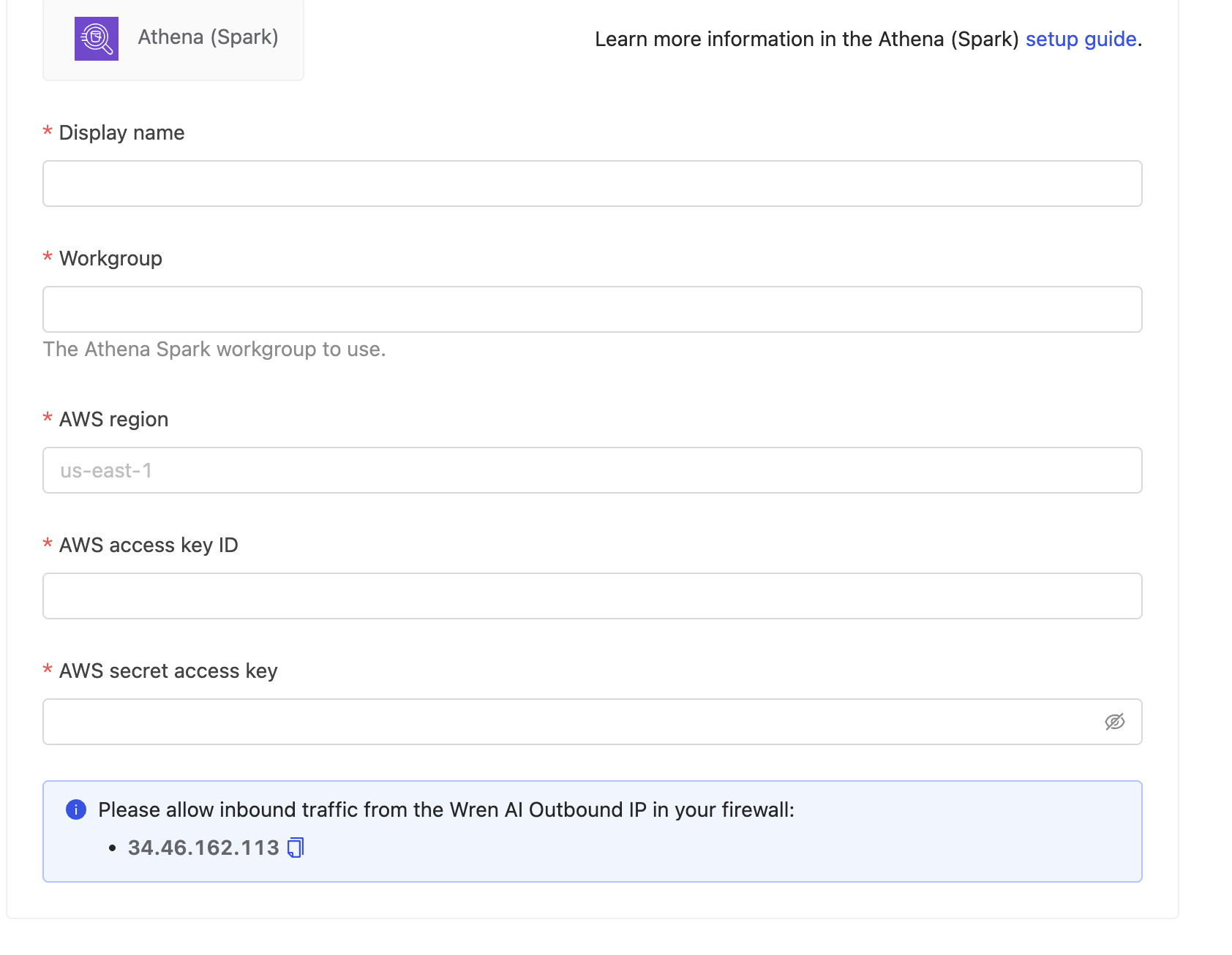
Display name
The display name for the database in the Wren AI interface.
Workgroup
The name of the Athena Spark workgroup to use for running queries (e.g., spark-workgroup).
The workgroup must be configured with Apache Spark as the analytics engine. Standard Trino workgroups are not compatible with this connection type.
AWS region
The AWS region where your Athena service is located (e.g., us-east-1, eu-west-1, ap-southeast-1).
AWS access key ID and secret access key
The AWS credentials used by Wren AI to authenticate with Athena. These credentials must have sufficient permissions to run queries, manage workgroups, and access the specified S3 staging location.
Click Next to start the connection and go to the next step.
Select Tables
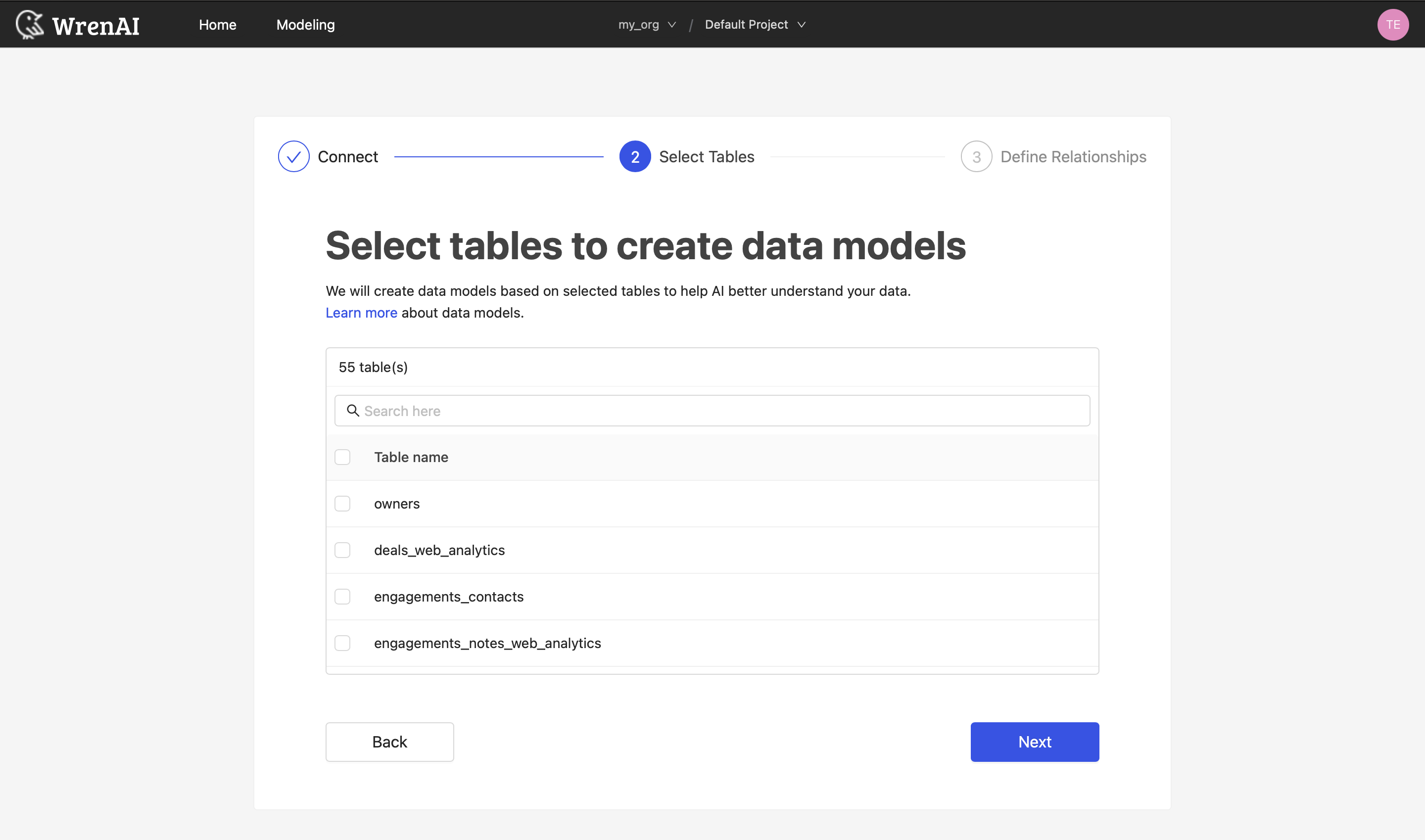
All tables of your connected Athena database will be listed in this step. Select which tables you want to use in Wren AI. Each selected table will be created as a data model. See the Modeling documentation to learn more about data models.
Define relationships
Define the relationships among selected tables in this step. If you have defined primary keys and foreign keys in your Athena dataset, we will list suggested relationships based on that information. If not, you can also add relationships by clicking the Add relationships button on the table blocks.
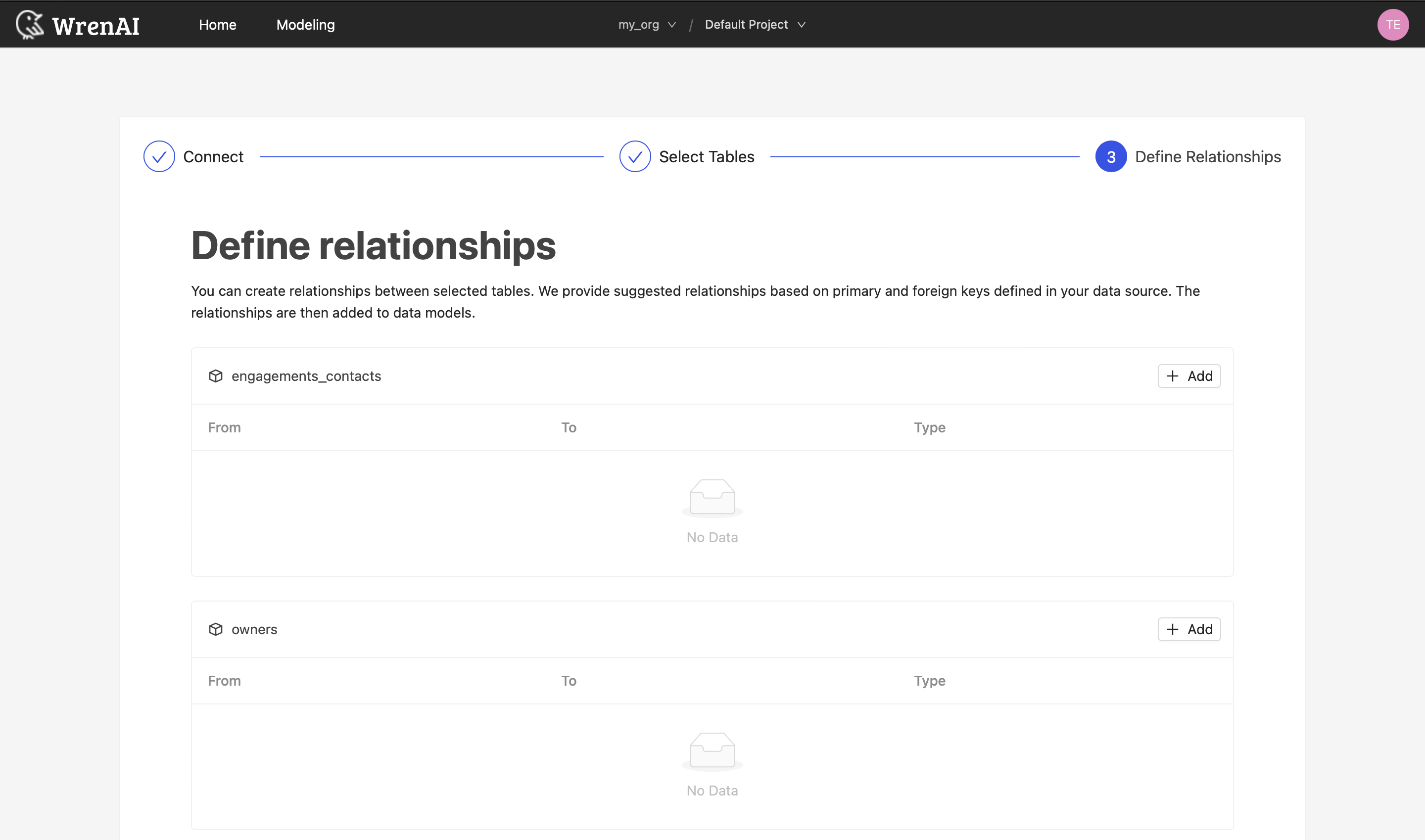
Define the following properties in a relationship:
- From: Select the left side table and column of this relationship.
- To: Select the right side table and column of this relationship.
- Relationship Type: Select the type of relationship.
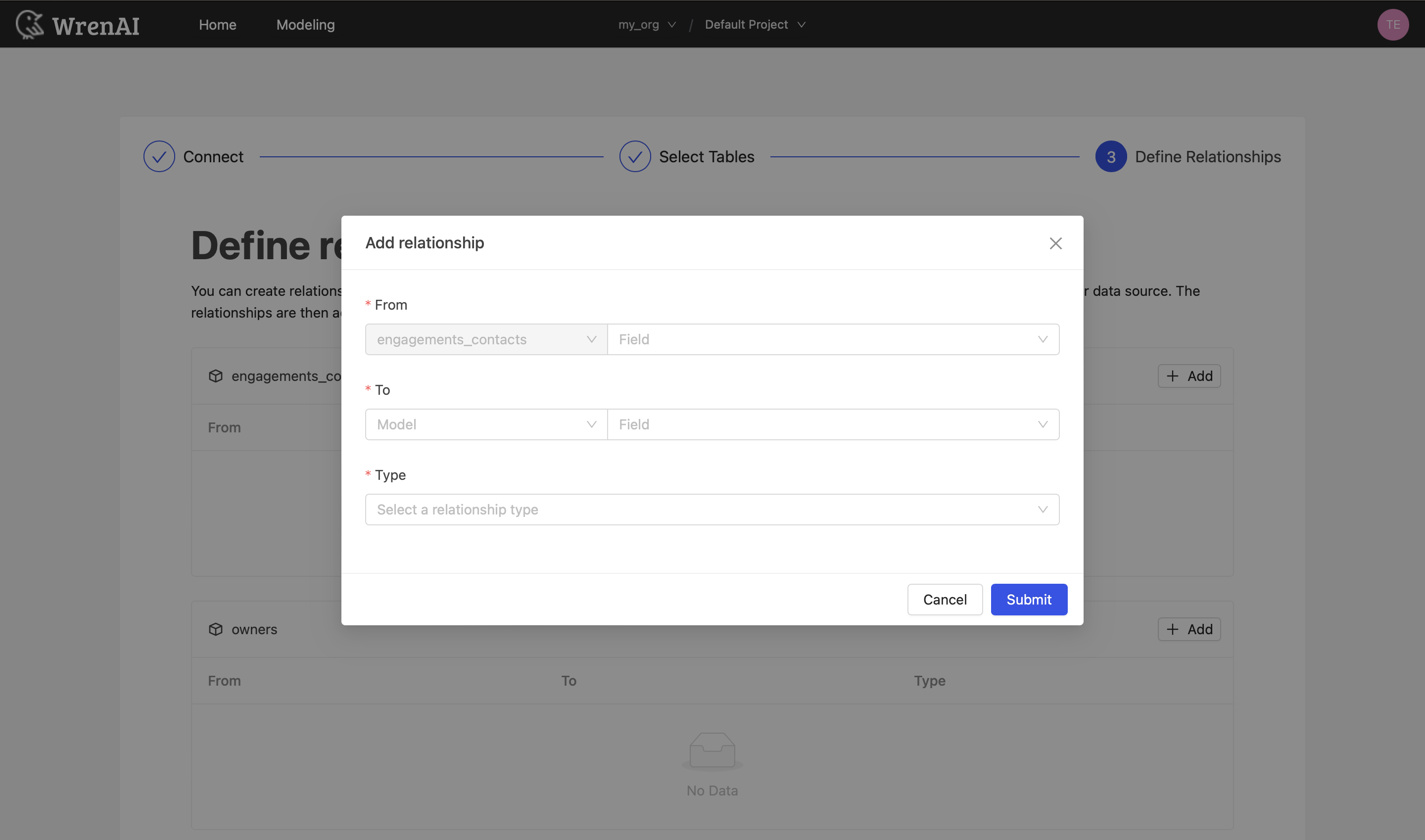
Find more information about relationships in Modeling - Working with Relationships.
You can also skip this step and finish the connection.
Known Issues
Athena queries may time out for complex operations or large datasets. Consider optimizing your queries or using partitioning to improve performance.
Some Athena data types may not be fully supported in Wren AI. If you encounter issues with specific data types, consider casting them to more standard types in your Athena queries.
Athena Spark sessions may take additional time to initialize when running the first query or after a period of inactivity. This cold start delay is expected behavior. Subsequent queries within the same session will execute significantly faster.