Skills
Skills are only available in Agentic projects.
Skills live at Settings → Agent → Skills. A Skill is a packaged capability the agent can pick up when a task calls for it. For example, "run a project health audit", "generate a weekly report", or "format SQL the way our team prefers". Skills are shared across the whole project.
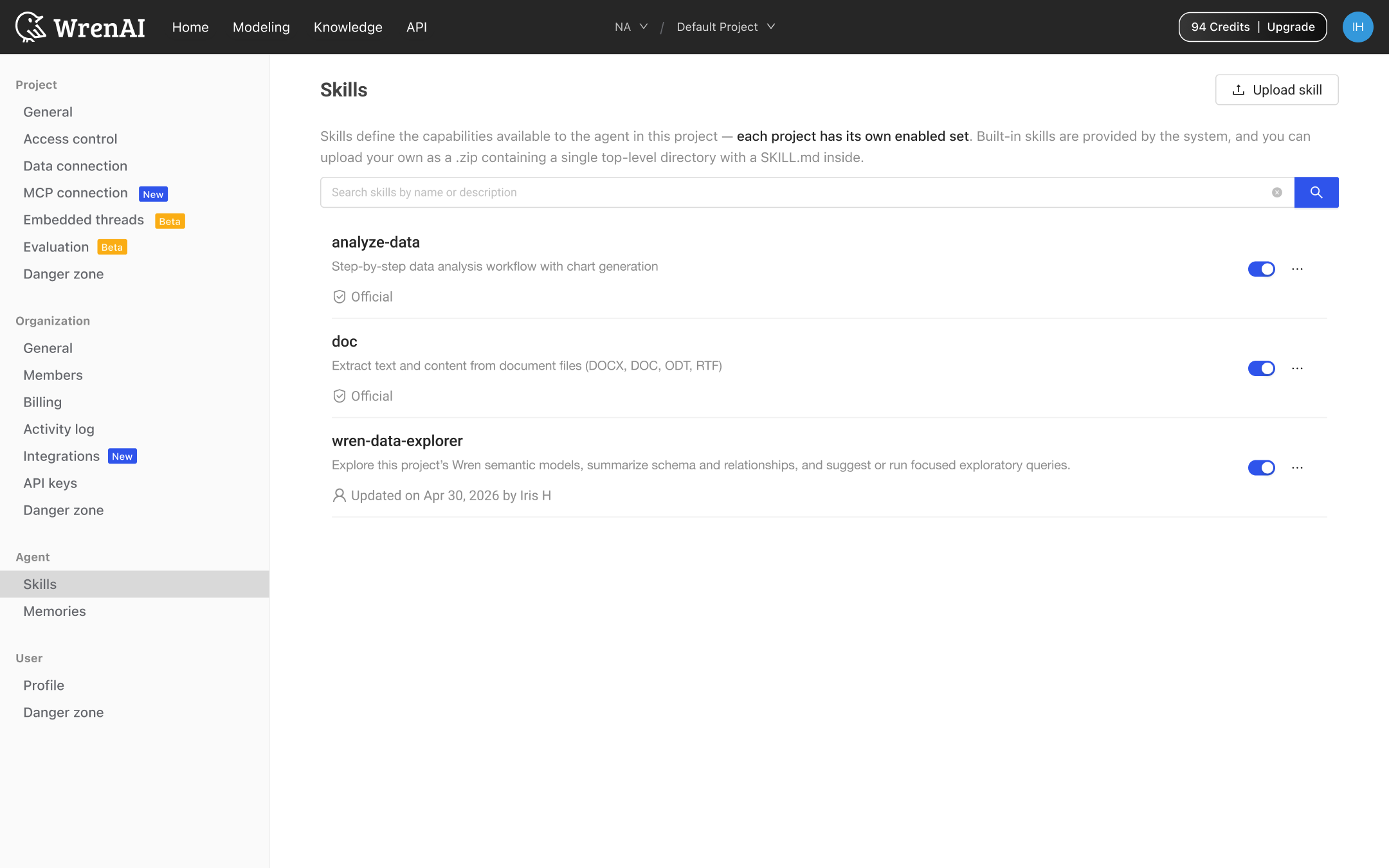
Built-in vs. your skills
- Built-in skills: Shipped with Wren, always available, tagged Official. You can toggle and try them, but not edit or delete.
- Your skills: Uploaded as a
.zipcontaining a single top-level folder with aSKILL.mdinside. Once uploaded, every member of the project gets access.
Toggle a skill on or off
Each row has an on/off toggle. Flipping it off shows a warning toast and silences the skill for the next session. Flipping it back on shows a success toast. State changes are scoped to the active project. Toggling here doesn't affect any other project.
Open the detail view
Click any row to open the detail modal:
- Built-in: Article-style description with a single Try it out action.
- Your skill: Two-pane file tree + code viewer so you can read every file before trusting it. Footer shows Download, Edit with Wren AI, and Try it out.
Try a skill
Click the More button → Try it out, or use the Try it out button in the detail modal. You land on the Home thread view with the composer prefilled Demo /{name} with some great examples. The slash command renders in blue to signal it's a structured command the agent will route.
Upload your own skill
Click Upload skill in the page header and drop a .zip. New rows appear at the top of the list. If the name collides with an existing skill, you'll be asked to Discard or Upload and replace.
The following actions are only available for your own skills. Built-ins are protected.
- Edit with Wren AI: Opens the Home thread with
Help me edit this skill /{name}staged in the composer. The agent does the file edits with you in chat. - Download: Triggers a
{name}.zipdownload for version-control, sharing, or moving to another project. - Delete: Shows a destructive confirm modal before removing the row.
The agent can author Skills too. When it figures out a useful new workflow during a conversation, accept its Save as skill prompt — a new row appears at the top of Skills, and every teammate picks it up automatically.