dbt Quick Start
Create a new Wren AI project from your local dbt project and learn how to keep it in sync.
dbt Integration is only available in Essential Cloud plan and above
Supported data sources:
- PostgreSQL
- MySQL
- BigQuery
- Redshift
- Snowflake
Use the Wren CLI to import your dbt project into Wren AI Cloud. We sync your analytics-ready dbt models (e.g., marts) — including model and column descriptions and relationships — as Models, ready for natural-language querying.
In this quick start, you'll:
- Install the CLI
- Log in to Wren AI Cloud
- Prepare your dbt project (
dbt build+dbt docs generate) - Sync your dbt models to Wren AI
- Optionally push updates later with
wren dbt update
1. Install the CLI
Follow the same installation steps as in the Installation and Login guide.
If you already have the CLI installed, verify your version:
wren version
2. Log in to Wren AI
Follow the same login steps as in the Installation and Login guide. If you are already logged in, verify your status:
wren auth status
If you are using the self-hosted version of Wren AI, enter your <self-host URL>/api/ as the API endpoint. For example:
https://myhost.com/api/
3. Prepare your dbt project
From your dbt project directory:
cd /path/to/your-dbt-project
(1) Build your dbt project
dbt build
This generates the manifest.json artifact, which contains a complete representation of your dbt project's resources (including model descriptions) that Wren AI uses to understand your models. See dbt's manifest docs: Manifest JSON file.
(2) Generate dbt documentation
dbt docs generate
This creates the required catalog.json file in your target/ directory. The catalog.json includes column types that Wren AI uses when importing your models. See dbt's catalog docs: Catalog JSON file.
4. Sync dbt models to Wren AI
wren dbt create
You will be prompted for the path to your dbt project and a project display name.
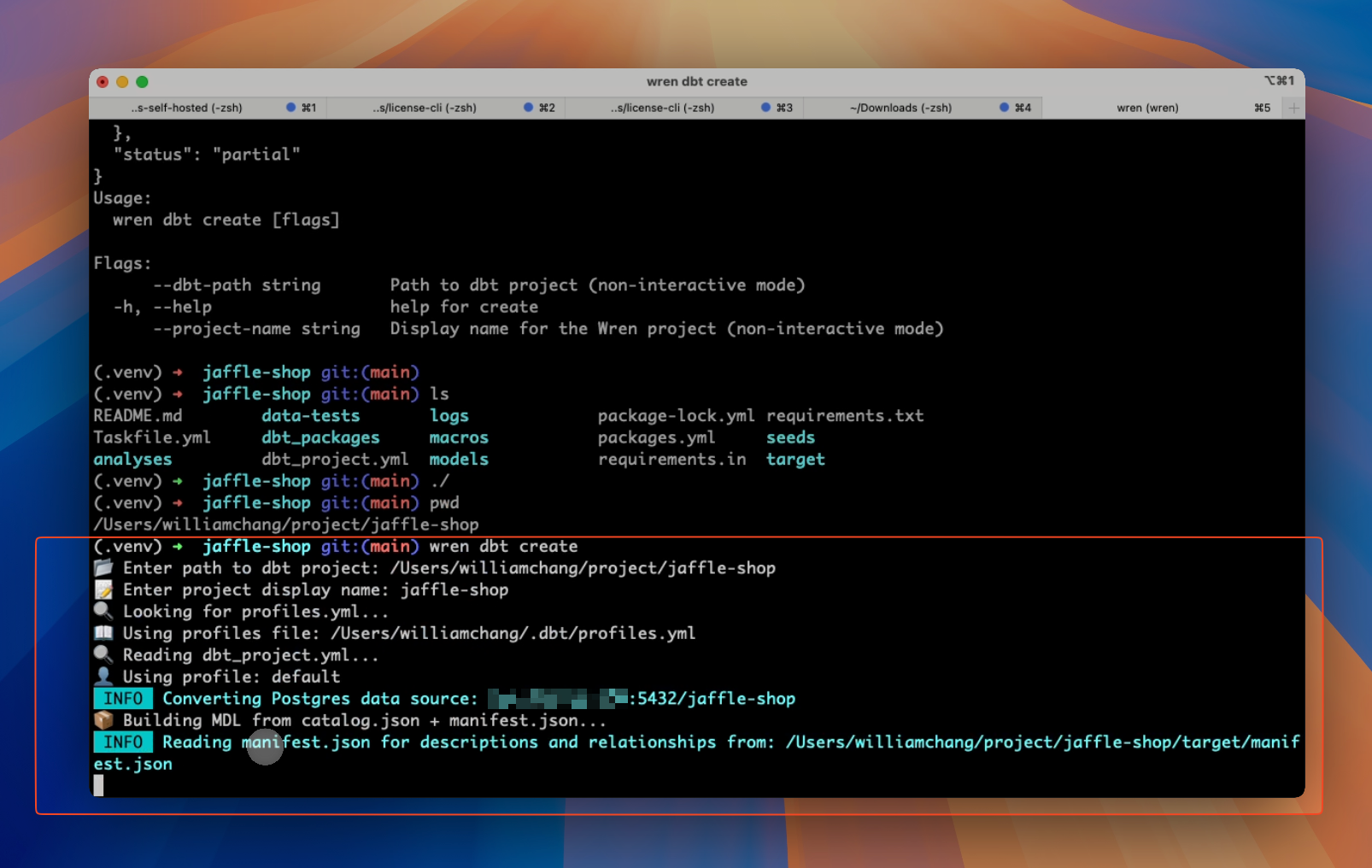
This command will:
- Locate and parse
profiles.yml - Read
catalog.jsonandmanifest.jsonfrom thetarget/directory - Build a Wren MDL (Model Definition Language), including models, columns, and relationships.
- Create the project in Wren AI Cloud
- Store the project configuration in the
.wrenconfigfile within your dbt project directory. This file contains the Wren AI Cloud Project ID. ⚠️ Ensure you commit this file to your dbt project repository, allowing other team members to executewren dbt updateto refresh the project.
Wren imports analytics-ready dbt models (e.g., models in the marts layer) and ignores staging/intermediate layers.
Filtering models
You can selectively sync models using regex filter patterns:
Include specific models
wren dbt create --include "marts_.*"
Exclude models
wren dbt create --exclude "calculate_.*"
Combine filters
wren dbt create --include "marts_.*" --exclude "marts_test_.*"
Preview before creating (dry-run)
wren dbt create --include "marts_.*" --dry-run
Filter patterns saved during creation will be stored in .wrenconfig and automatically applied to future updates.
After the project is created, you can visit the project page to see the models and relationships. The relationships are extracted from the manifest.json file and the tests of the models.
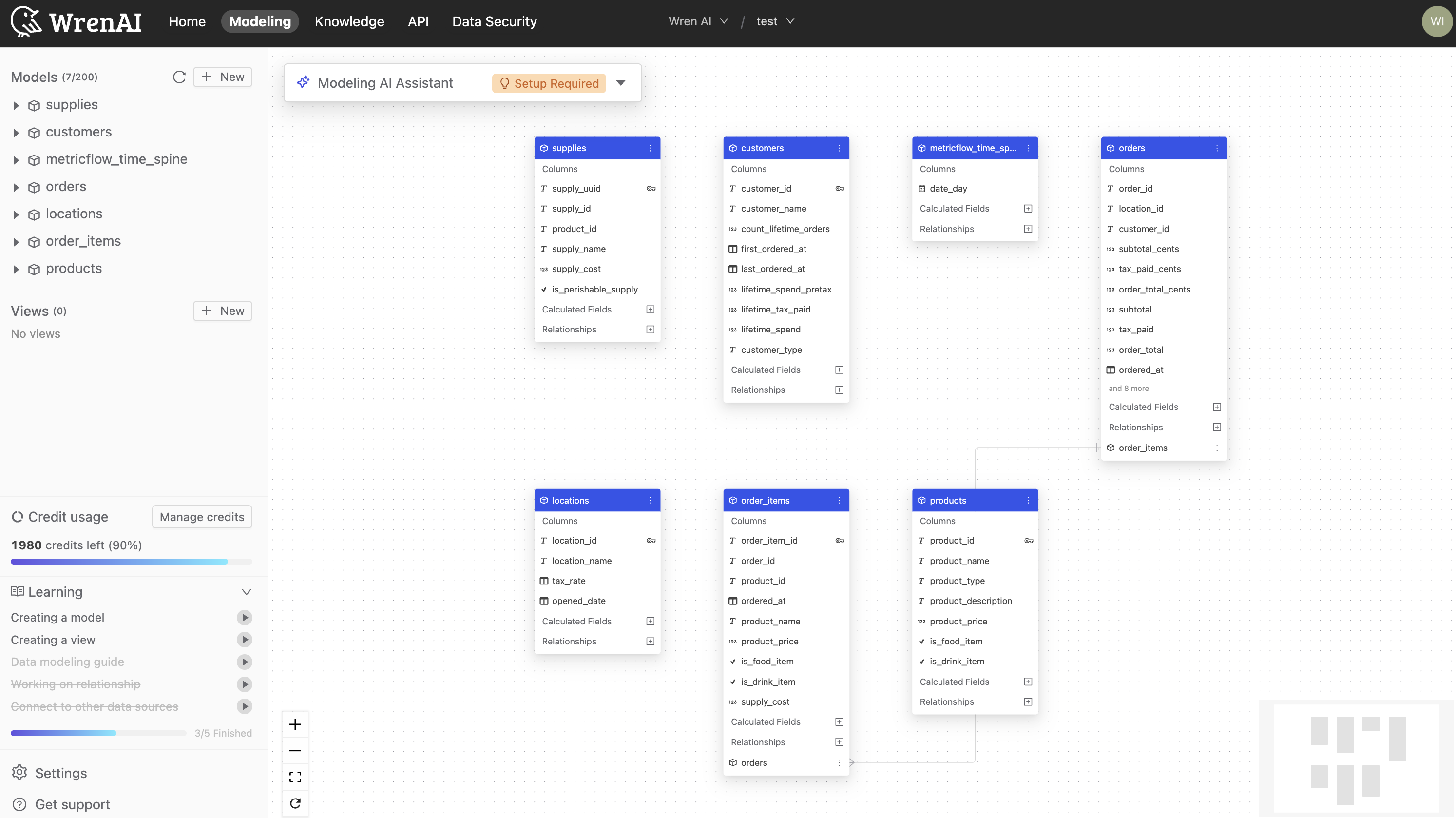
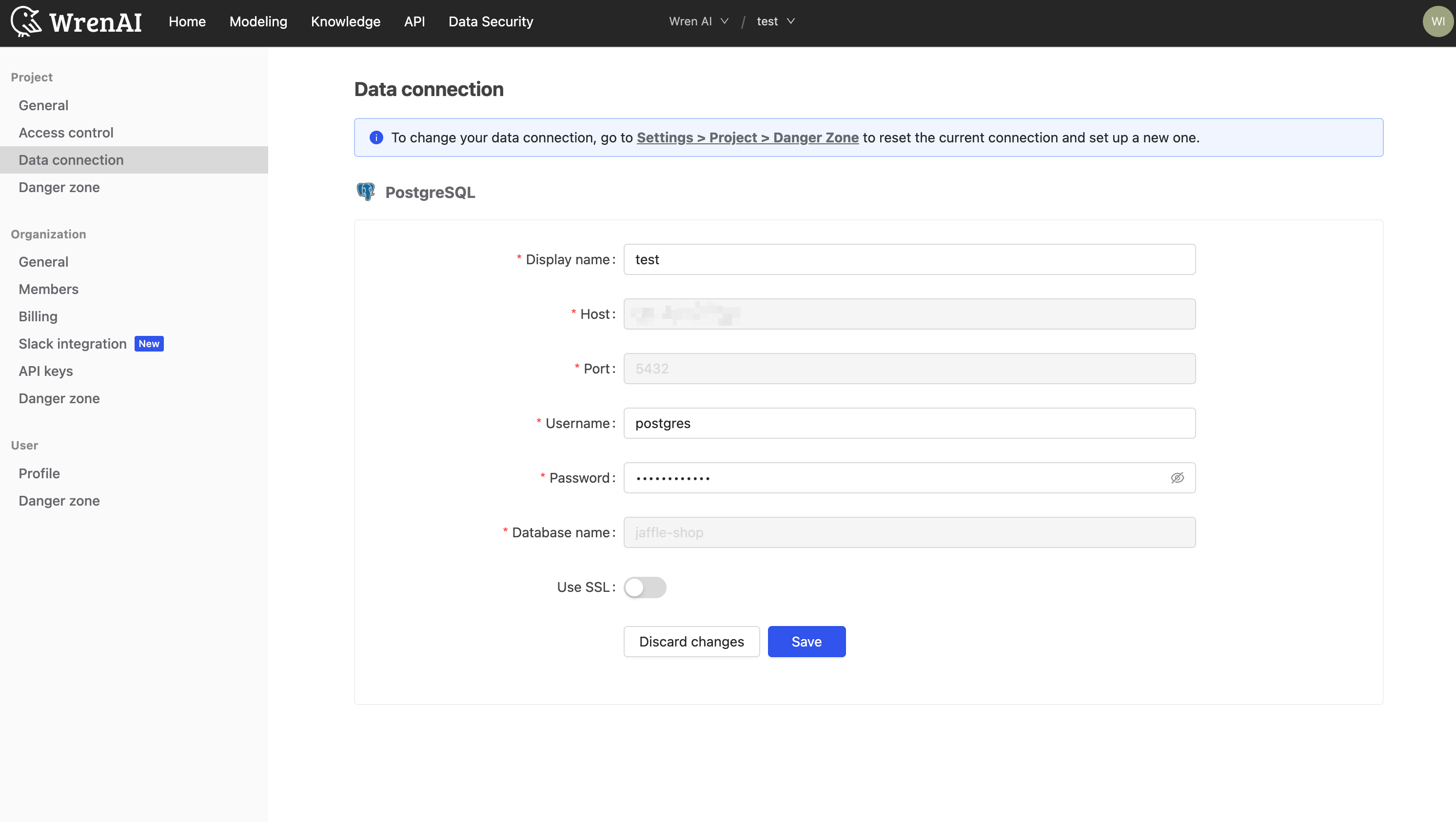
Additionally, you can check the connection details in the project settings.
5. Update an existing project
Synchronize your linked Wren AI project (referenced in .wrenconfig) with the latest changes from your dbt models.
wren dbt update --dbt-path /path/to/dbt-project
Skip confirmation prompt
wren dbt update --dbt-path /path/to/dbt-project --yes
The update command will use the filter patterns defined in .wrenconfig. To change which models are synced, edit the filter section in .wrenconfig:
# .wrenconfig
wren_project:
  id: "783"
  last_synced: "2025-12-24T10:00:00Z"

filter:
  include:
    - "marts_.*"
    - "dim_.*"
  exclude:
    - ".*_test"
Preview update with different filters (dry-run)
You can preview what would be synced with different filters without changing .wrenconfig:
wren dbt update --dbt-path /path/to/dbt-project --include "orders" --dry-run
Filter flags (--include, --exclude) can only be used with --dry-run on the update command. To change filters permanently, edit the filter section in .wrenconfig.
This command will replace the current MDL in your Wren AI project with the updated dbt models. Any manual changes made on the UI will be overwritten.