Memories
Memories are only available in Agentic projects.
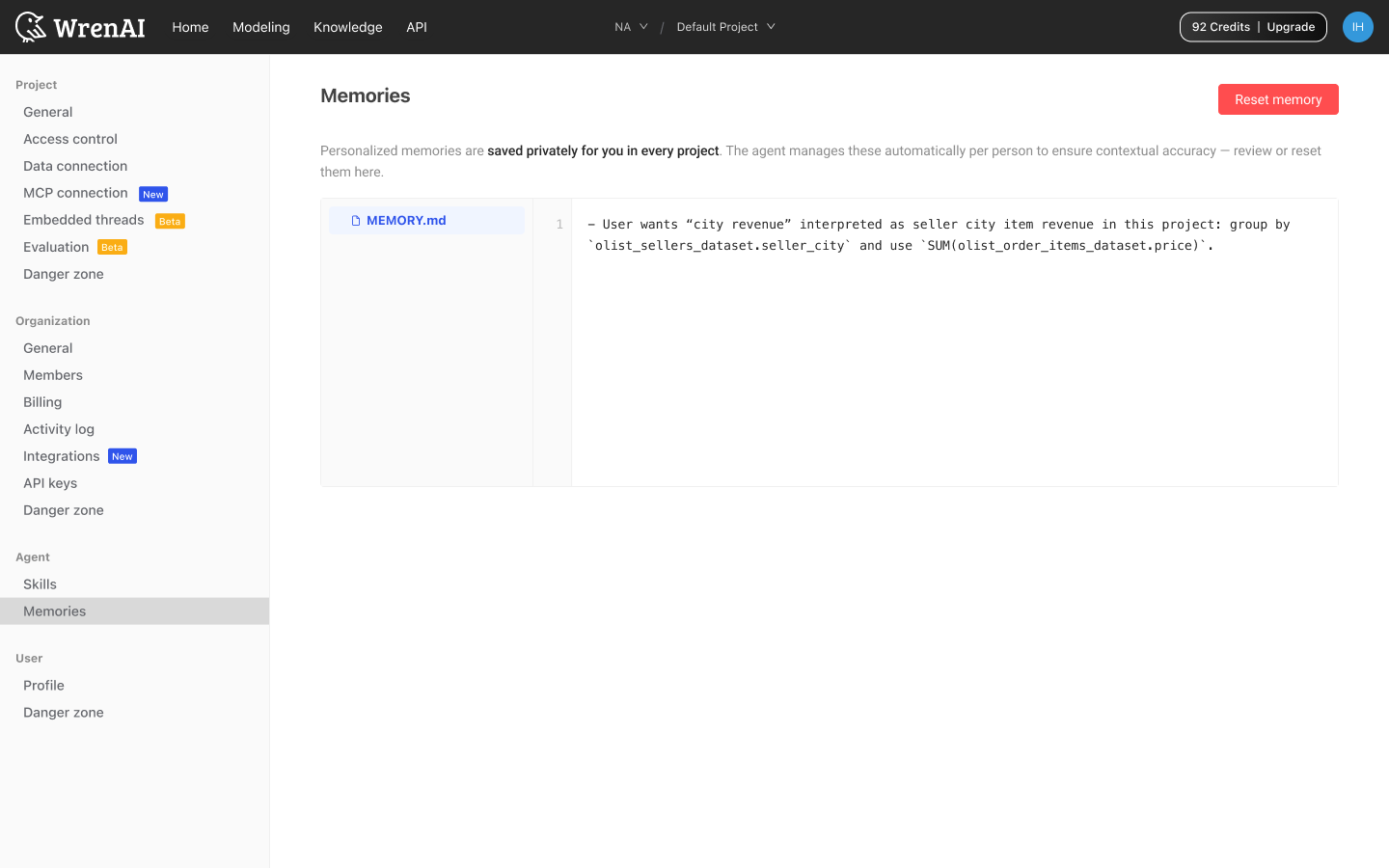
Memories live at Settings → Agent → Memories. They are personalized memories saved privately for you in every project. The agent manages them automatically per person to ensure contextual accuracy. Teammates can't see your memories, and what's remembered in Project A doesn't leak into Project B.
How memories work
The agent maintains a single MEMORY.md file behind the scenes. As you chat, it writes notes about your role, preferences, recurring corrections, and project-specific interpretations. Example entry the agent might write itself:
User wants "city revenue" interpreted as seller city item revenue in this project: group by
olist_sellers_dataset.seller_cityand useSUM(olist_order_items_dataset.price).
The page renders the live MEMORY.md in a read-only file viewer with line numbers, so there are no hidden notes and no surprises. Open the page any time to see exactly what the agent has written about you.
What triggers a memory
You don't author entries by hand. The agent writes, updates, and prunes them itself. Triggers include:
- Explicit asks: "Remember that we always exclude test accounts."
- Corrections: "Don't include canceled orders in revenue."
Reset memory
Click the red Reset memory button (top right) to wipe the notebook for this project. This is useful when:
- You've changed roles and your preferences have shifted
- The project has pivoted and old context is no longer relevant
- The agent keeps acting on a wrong assumption you can't pinpoint
Reset is scoped to the active project. Memories in other projects are untouched.
Reset cannot be undone. Once cleared, the agent starts fresh next session.