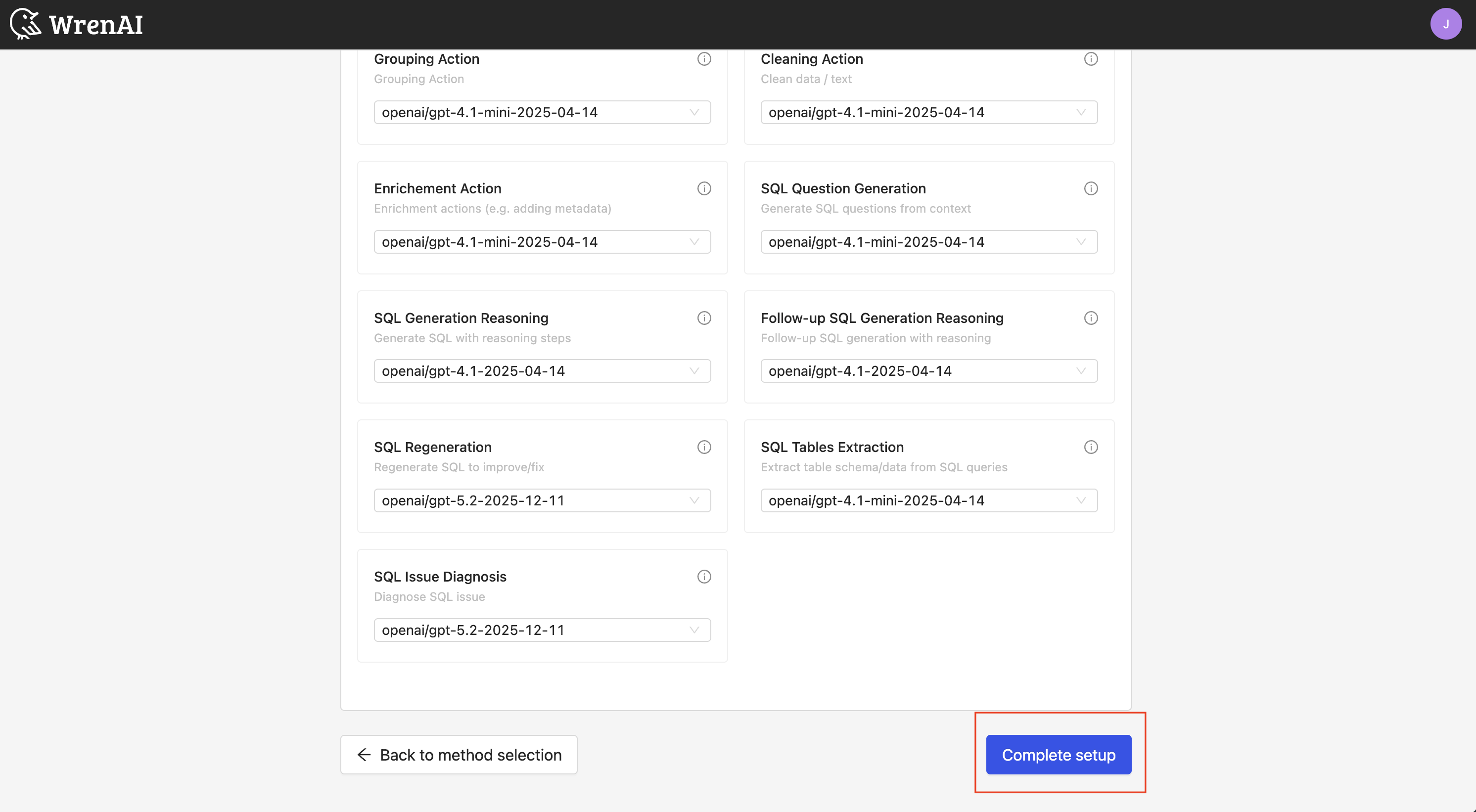
Quick start with OpenAI
Plan support
- Self-hosted: Enterprise Plus (existing Business plan customers keep access)
Prerequisites
- An OpenAI account and API key
Steps (Quick setup)
1. During onboarding, select "Quick setup" and then "OpenAI".
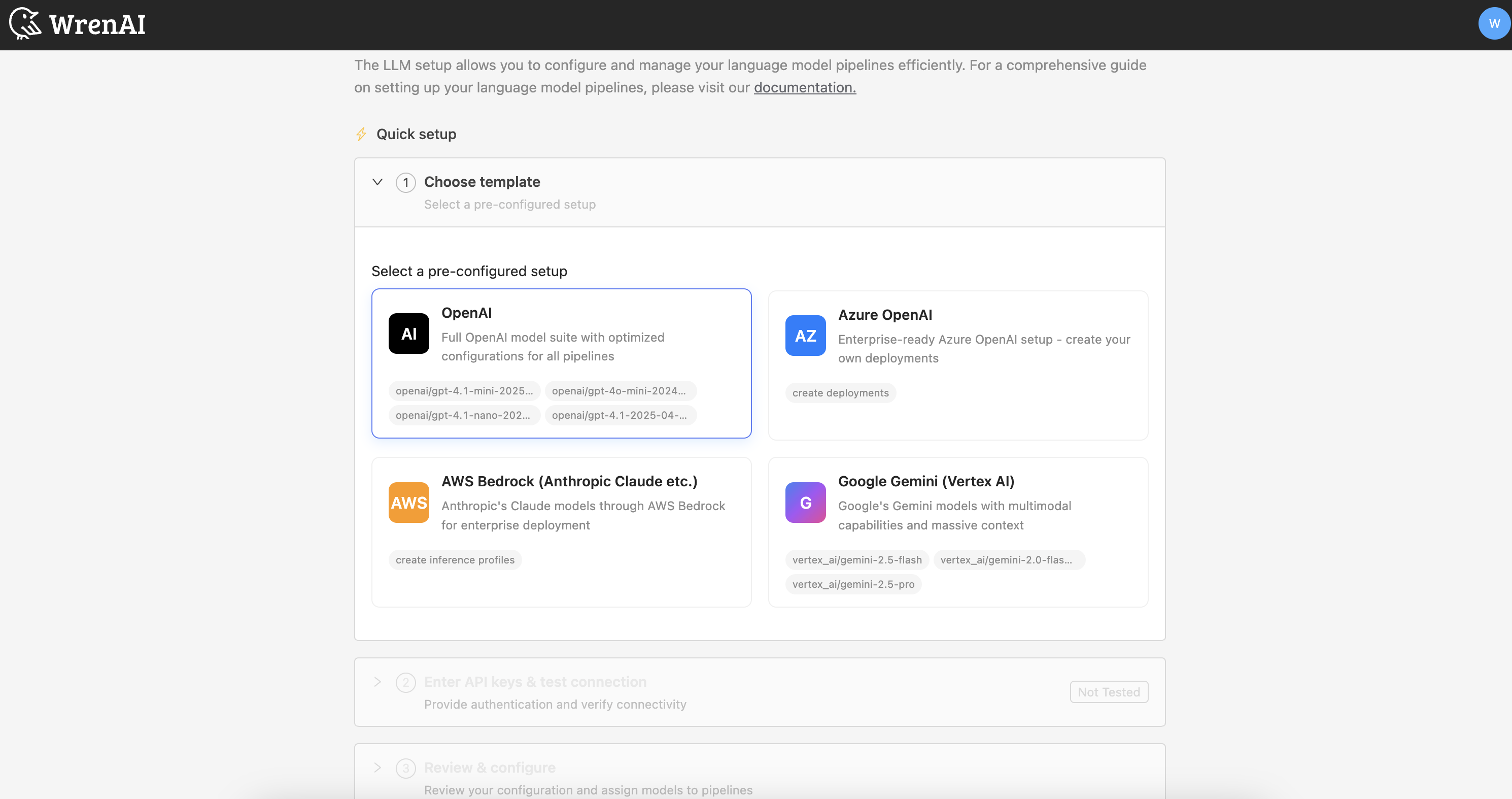
2. Enter your OpenAI API key.
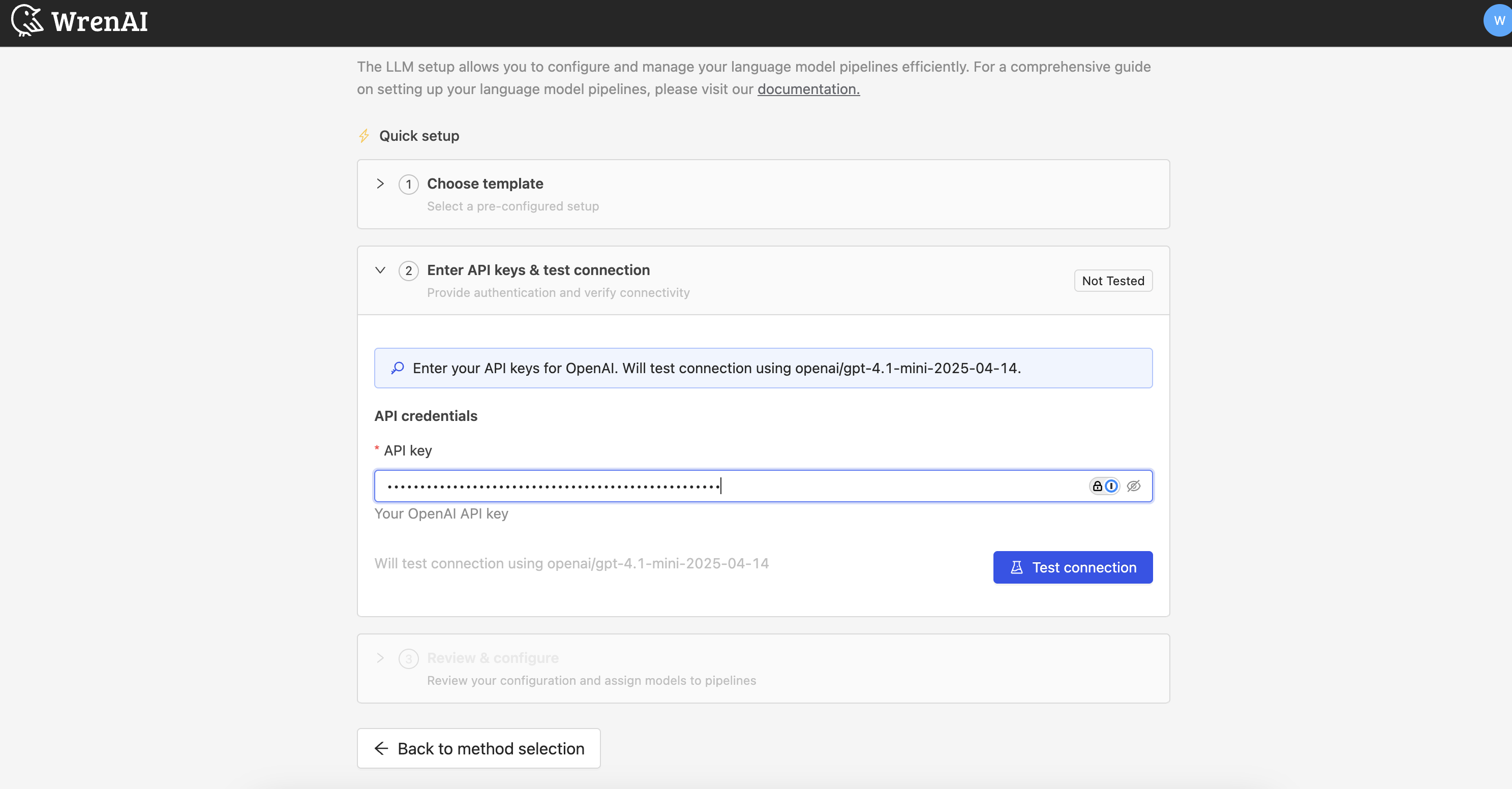
3. Click "Test connection" at the "Embedding model" section.
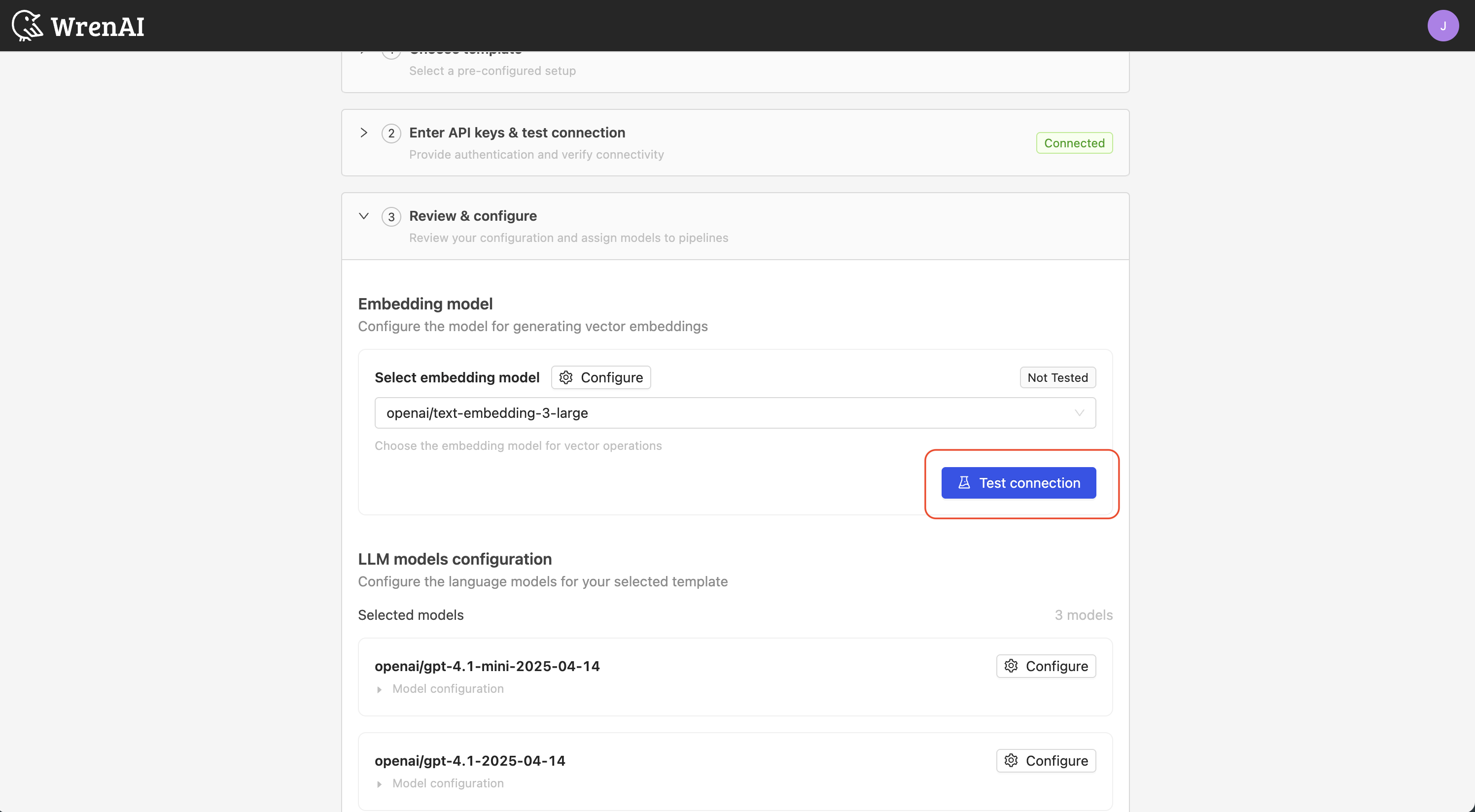
4. Review the default model selections and pipeline assignments.
Best Model Recommendation
The following screenshots use text-embedding-3-large as the embedding model and gpt-4.1, gpt-4.1-mini, and gpt-5.2 as the LLM models for illustration purposes only, and may not reflect the current best model configuration. For the latest recommended model combination and pipeline assignments, please contact your account manager or sales representative.
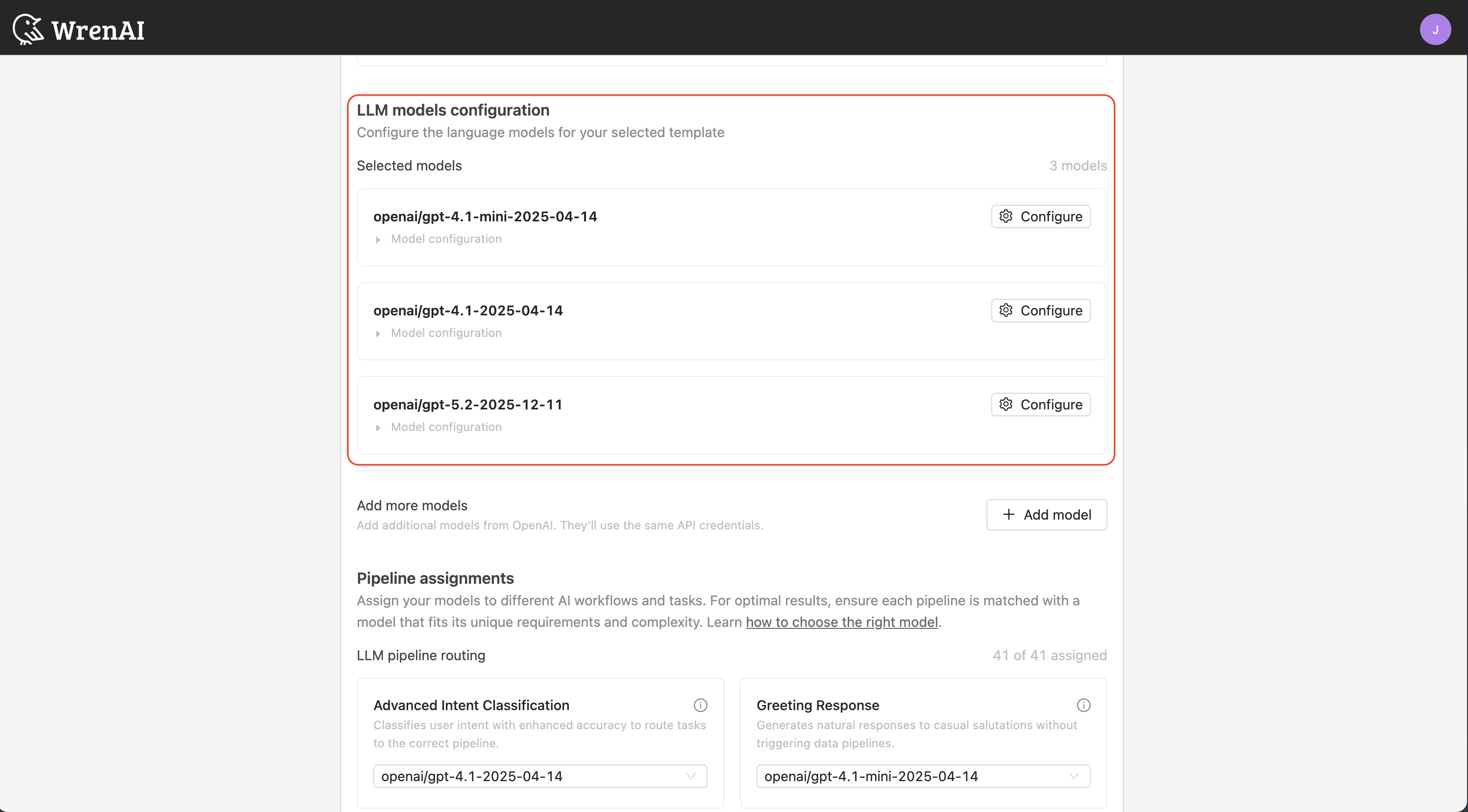
You can see that we've already selected the default models for you.
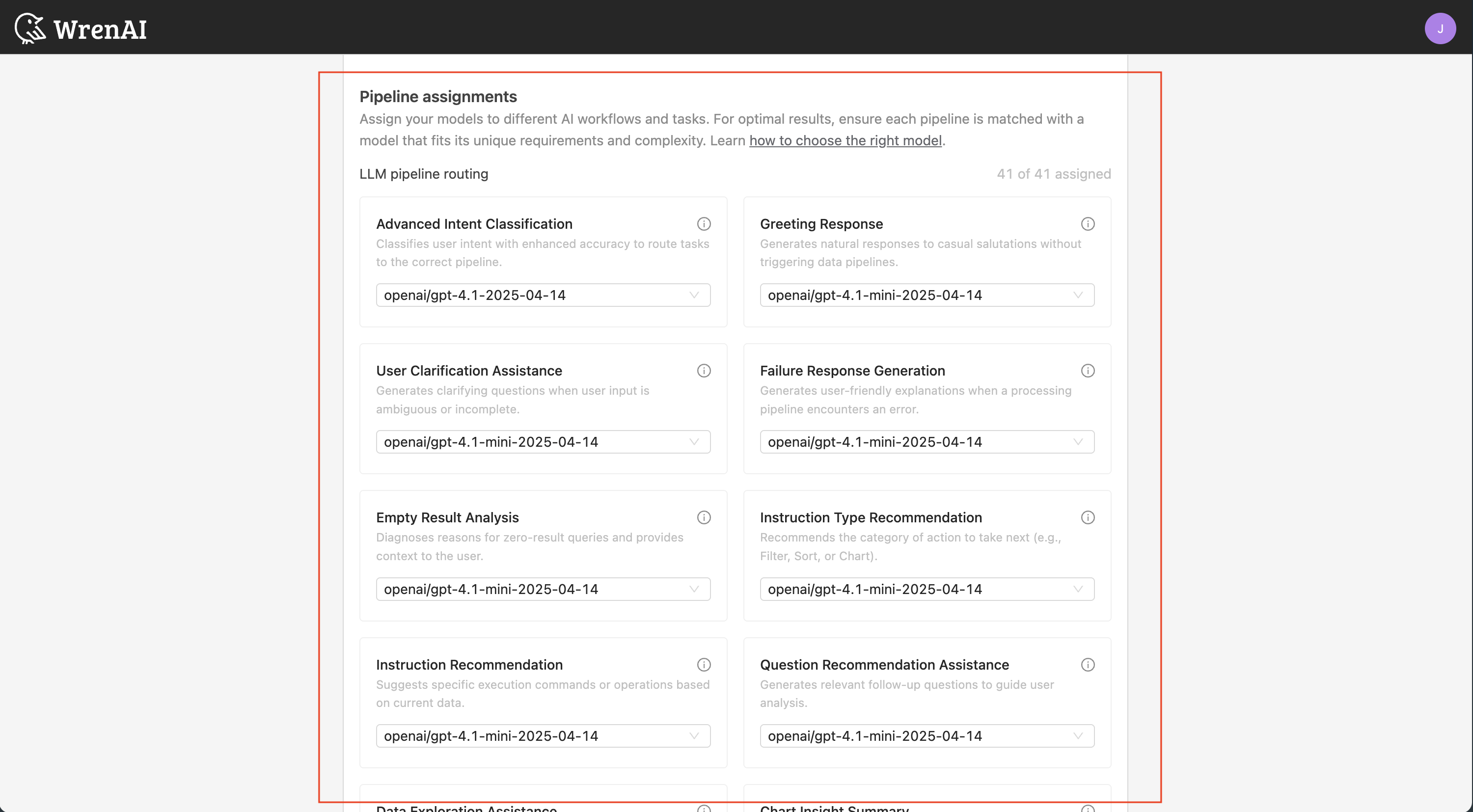
You can see that we've already assigned the default pipelines for you. This setup is optimized for OpenAI models.
5. Click "Complete setup" to finish.