GenBI Apps
GenBI Apps are only available in Agentic projects. Classic projects use Dashboards instead.
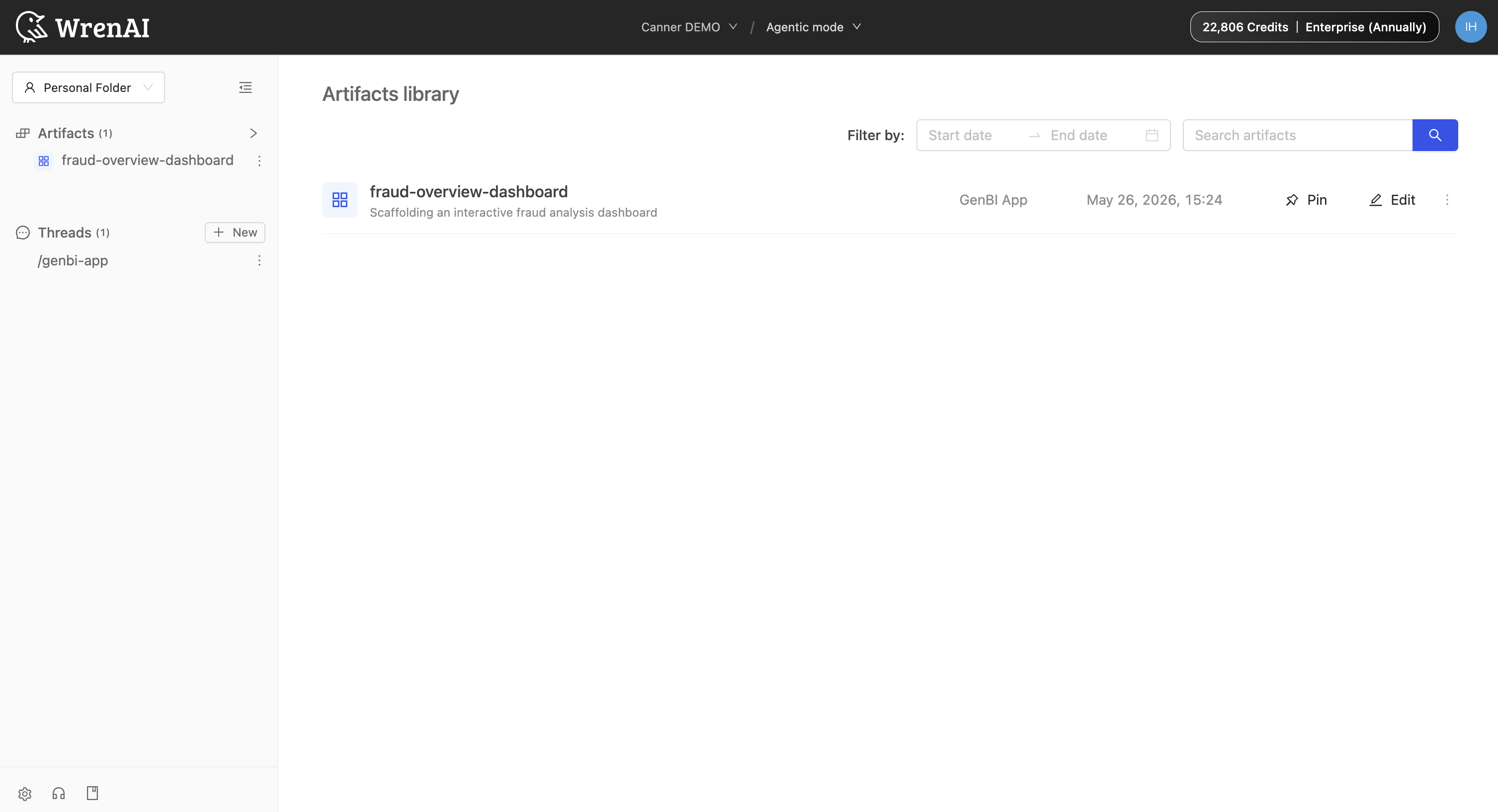
GenBI Apps are interactive dashboards and reports the agent builds on demand. They're saved as Artifacts: you'll see them in the left nav's Artifacts list and in the project's Artifacts library.
Build a GenBI App
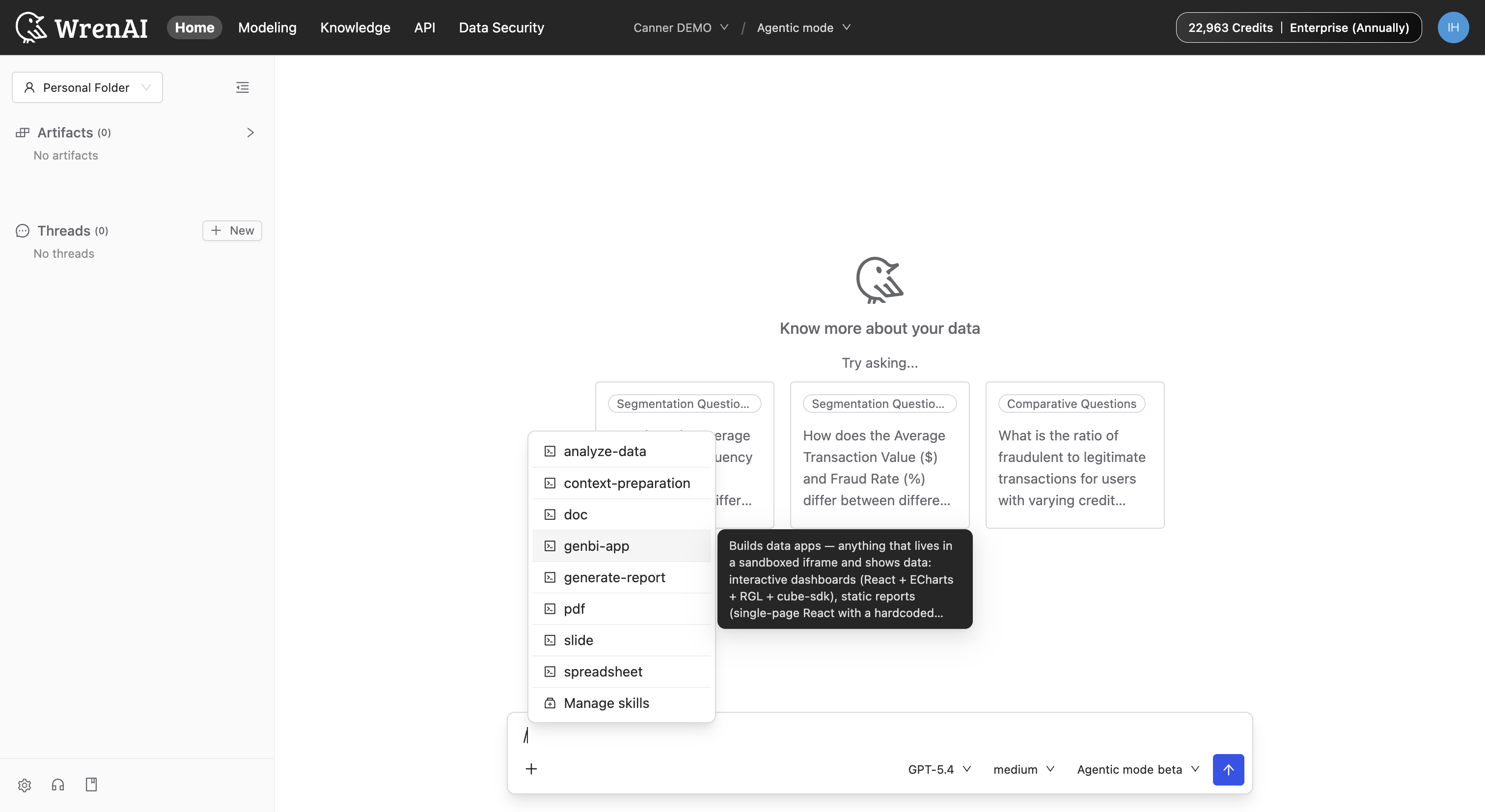
In a new thread, type / in the composer to open the menu, then pick genbi-app. You can ask for an interactive dashboard, a static report, or a custom view.
You can also skip the menu and just ask in plain language, like "help me build a fraud overview report" or "create a dashboard for monthly revenue". The agent recognizes the intent and runs the same flow.
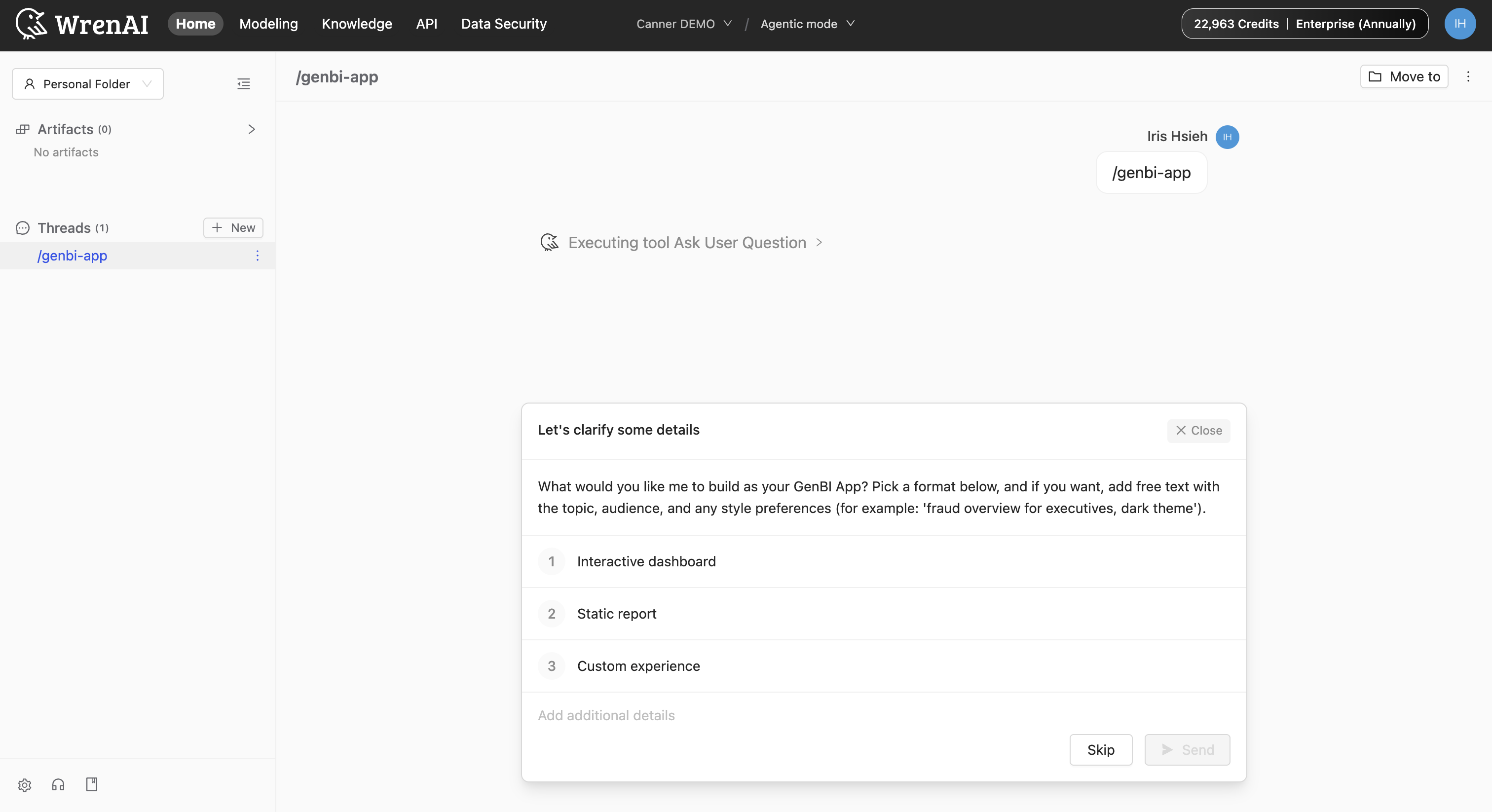
The agent then asks you a series of questions to clarify what you want, like the format, topic, audience, and any style preferences. Answer them to guide the build, or click Skip to let the agent decide from your original prompt.
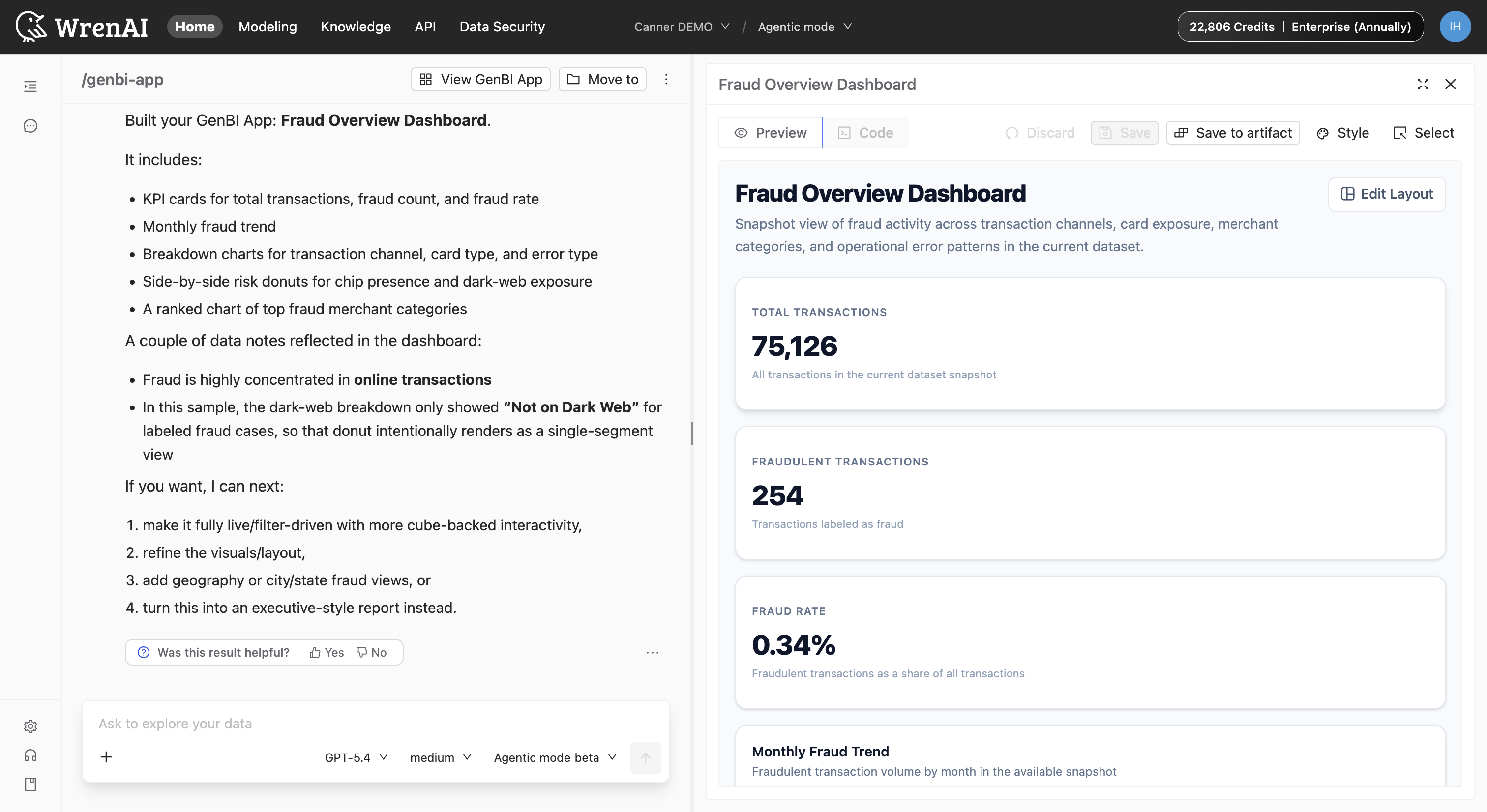
The agent builds the app and shows it in a side preview with Preview and Code tabs. Use the toolbar to iterate:
- Style: Adjust the overall look without re-prompting. (Not yet available for editing.)
- Select: Click a specific element (such as a chart) to refine just that piece.
- Discard: Throw the change away and revert.
- Save: Keep the current version in the thread.
- Save to artifact: Save it to the project so the whole team can find it.
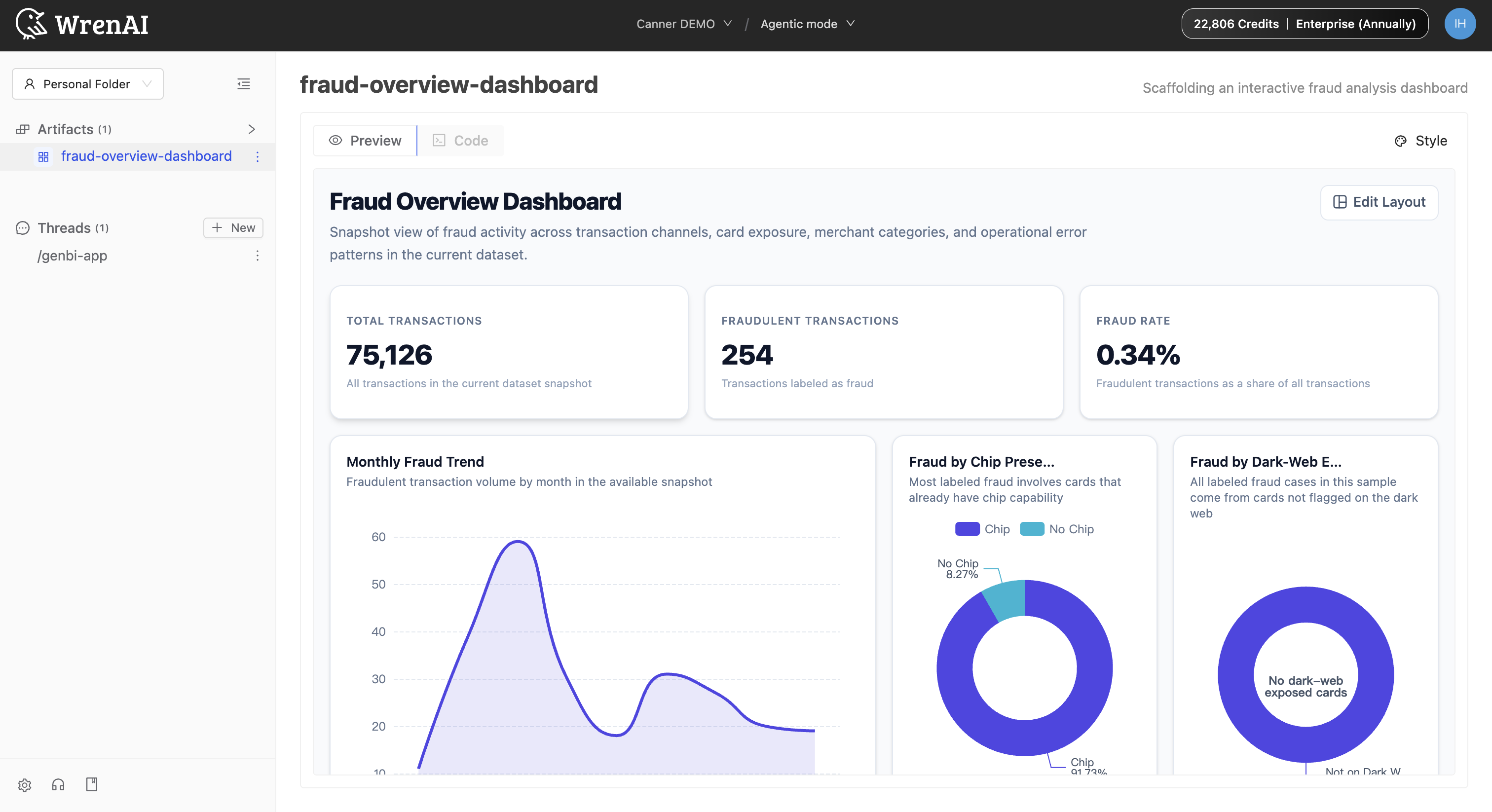
Open and manage saved Artifacts
Click an artifact in the Artifacts list to open the full-screen view with the same Preview / Code tabs and a Style button for restyling. You can also edit the app's title and subtitle directly in this view - the change is saved to the app itself.
Once saved as an Artifact, the app appears in three places:
- The thread header, where clicking View GenBI App expands it on the right side.
- The left sidebar, which automatically adds the new artifact. Click it to open the full-screen view.
- The Artifacts library, reachable from the artifacts tab in the sidebar. Each row has Pin, Edit, Modify in thread, and Delete actions. Use Modify in thread to jump back into the original conversation and continue refining the app.
Refine an existing GenBI App in plain language, like "make it filterable by month", "add a city breakdown", or "turn this into an executive-style report". The agent edits in place and you can save the new version over the old artifact.