Billing & Credits
Use this page to understand how Wren AI billing works: your active plan, the two kinds of credits (web and API), how each is consumed, and how to keep API traffic running with auto recharge.
Wren AI uses two credit pools:
- Web credits — included with your subscription and consumed when people ask questions in the Wren AI app.
- API credits — purchased separately and consumed by requests to the Wren AI API.
Both are managed from Settings → Organization → Billing.
Active plan
The active plan section shows which plan the organization is currently subscribed to. Your subscription plan determines the resources available to your team. Wren AI calculates usage from the combined activity of all users across all projects in the organization. Monthly usage tracking begins on your billing date.
The number of users and projects per organization is unlimited. Feel free to invite as many teammates as you need and create projects based on your analysis needs.
Web credits
Credit quota
Web credits are renewed at the start of each subscription period, based on your billing cycle. All web credits are granted upfront. Unused web credits roll over, up to 2x your plan's included credits. Additional credits cost $0.10 each.
Free trial
Essential Cloud and Enterprise Cloud start with a 7-day free trial. A credit card is required to begin. To activate without a card, talk to sales.
Free monthly credits
Essential Cloud and Enterprise Cloud include 20 free credits each month on top of the plan's included credits.
- Expiration: Free monthly credits expire at the end of the current month.
- Deduction priority: Free credits are deducted first before subscription-based credits.
How credit usage is counted
Web credits are consumed by the tokens each AI request uses, pooled across all users and projects in your organization.
- Requests: One request is one AI call. A simple question is usually one request; follow-up questions, Generate Reports, and GenBI Apps run several requests and consume proportionally more credits.
- Tokens: Most tokens in a request are context Wren AI sends on your behalf — your schema, context-layer definitions, and conversation history — not the question itself. Credits are charged separately for new input, cached input, and output tokens. Cached input costs a tenth of the new input rate.
- Model: Each model has its own credit rate per 1,000,000 tokens, so the same question costs more on a larger model. Requests with very long context (over 272K tokens) are charged at a higher rate.
See the pricing page for current per-model rates and a calculator that estimates how many requests your plan covers.
Token-based consumption
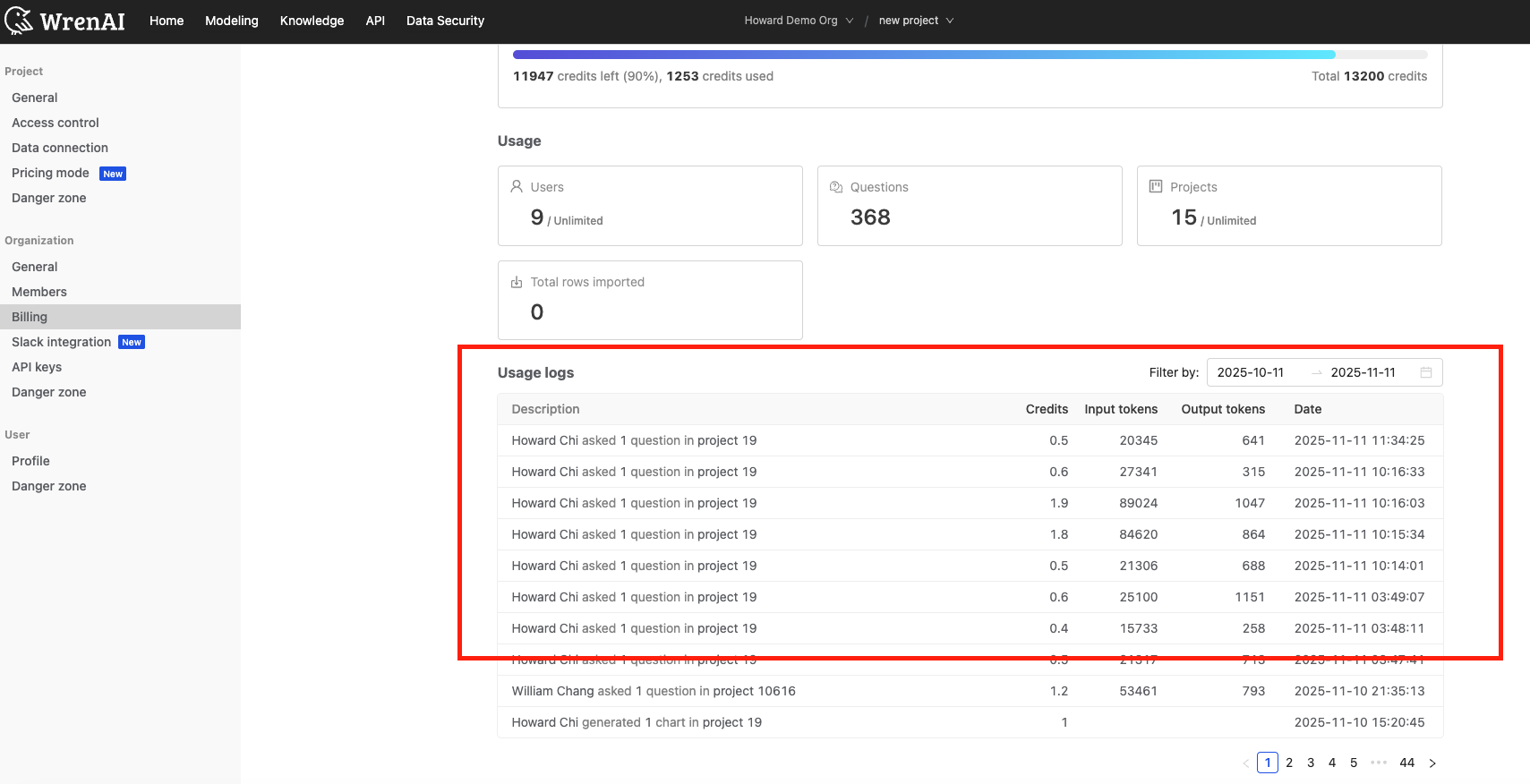
You can review token consumption for each question from the related snapshots, and you can review overall credit consumption from Settings > Billing.
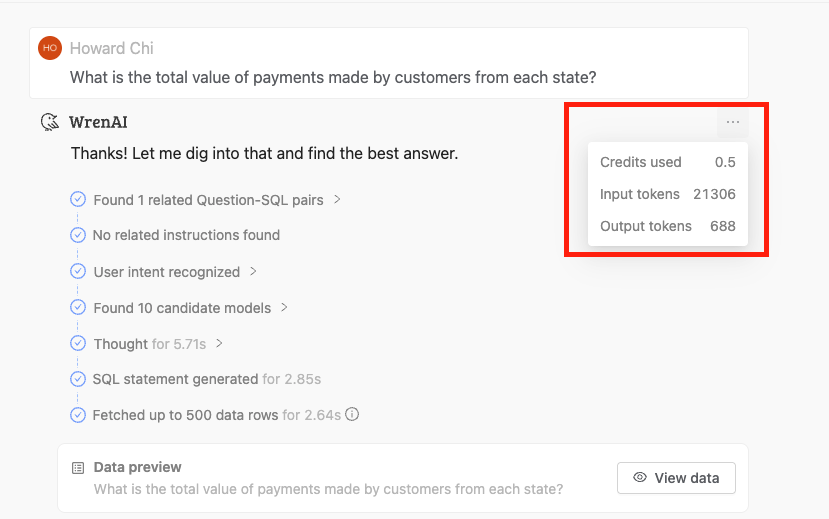
Interactive mode token consumption
You can check how many credits each interaction consumes, as shown below:
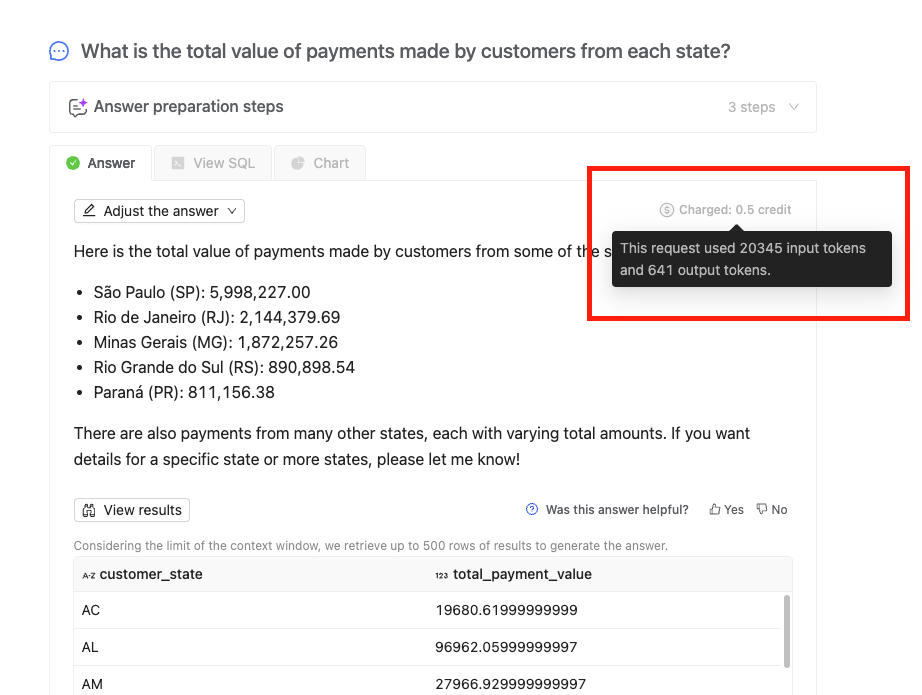
Ad-hoc mode token consumption
You can check how many credits each interaction consumes, as shown below:
API credits
API credits are separate from web credits and are required for making requests to the Wren AI API.
Open API usage billing
- Go to Settings in the left sidebar.
- Under Organization, select Billing.
- Click the API usage tab.
API credit usage
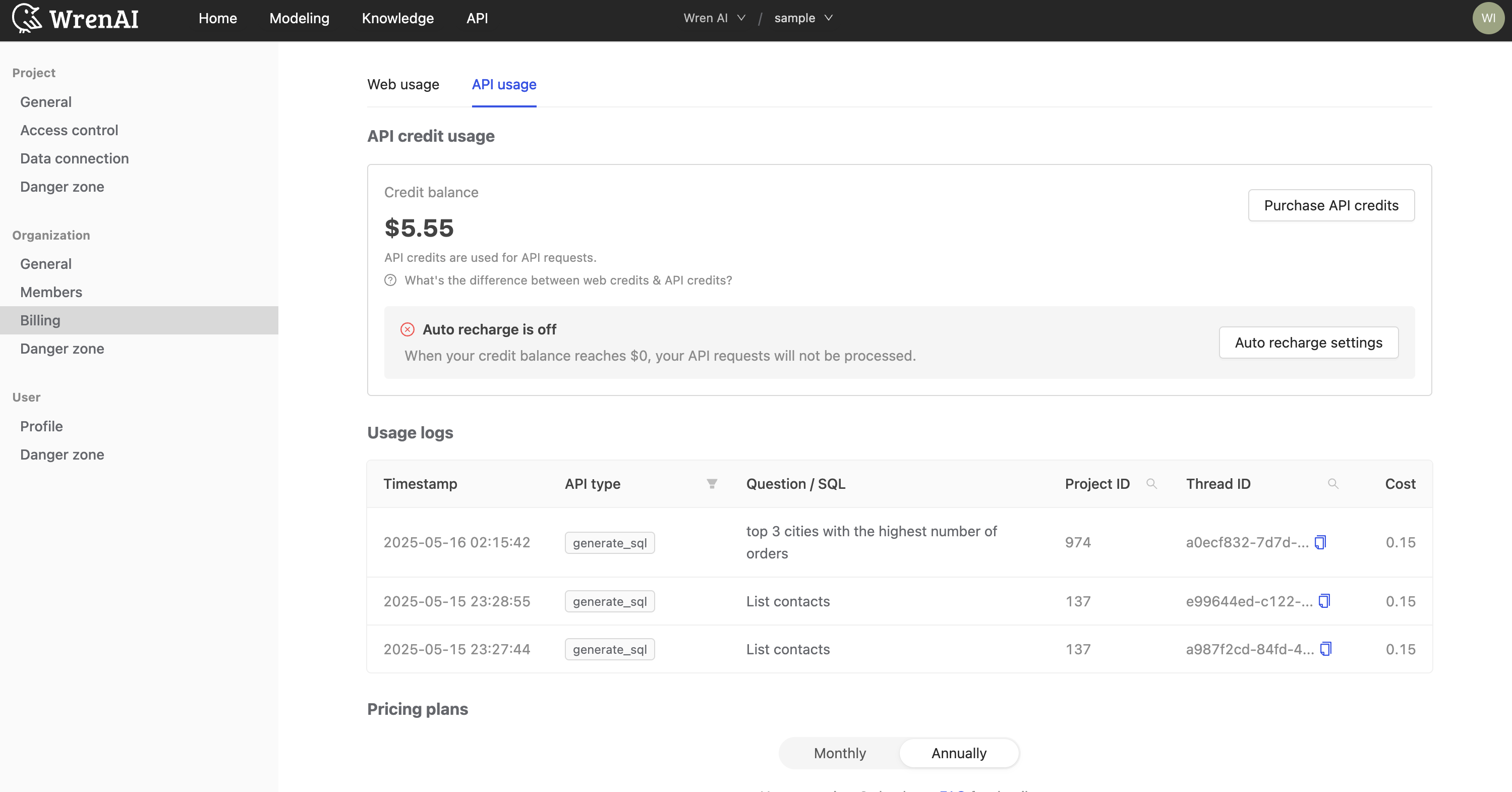
- Credit Balance: Shows your current available API credits.
- Purchase API Credits: Buy more credits when needed.
- Auto Recharge: You can enable or disable auto recharge. If auto recharge is off and your balance reaches $0, API requests will not be processed.
Auto recharge
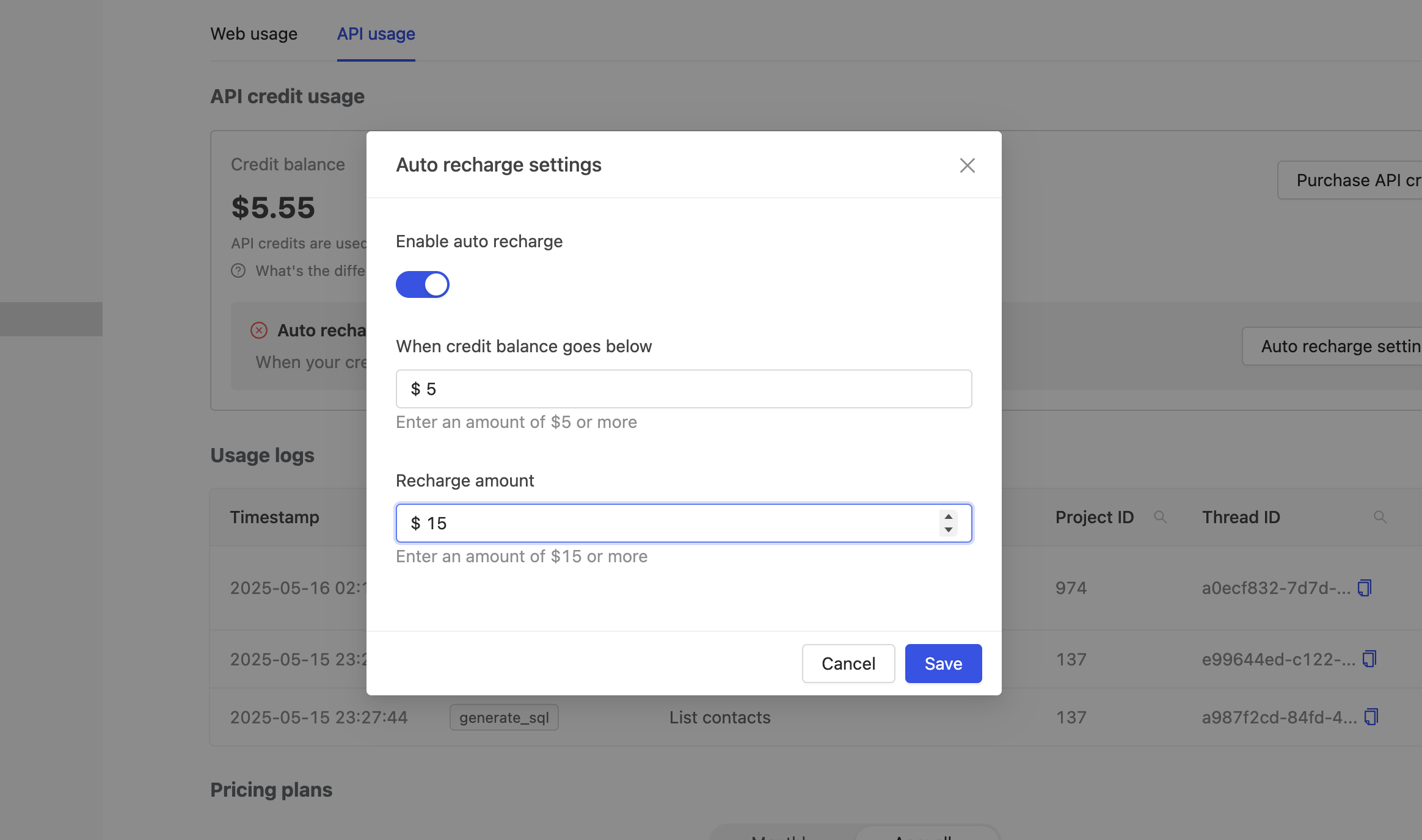
Auto recharge helps ensure your API requests are never interrupted due to a low credit balance. When enabled, your account will automatically purchase additional API credits when your balance drops below a specified threshold.
To configure auto recharge:
- Click Auto recharge settings on the API usage page.
- Toggle Enable auto recharge on or off.
- Set the threshold for When credit balance goes below (e.g., $5). The minimum allowed is $5.
- Set the Recharge amount (e.g., $15). The minimum allowed is $15.
- Click Save to apply your settings.
When your credit balance falls below the threshold you set, the specified recharge amount will be automatically purchased and added to your balance.
If auto recharge is off and your balance reaches $0, your API requests will not be processed.
Usage logs
The usage logs table provides a detailed record of your organization's API activity, including:
- Timestamp: When the API request was made.
- API Type: The endpoint called (e.g.,
generate_sql). - Question / SQL: The natural language question or SQL query sent.
- Project ID: The project associated with the request.
- Thread ID: The thread context for the request.
- Cost: The number of credits consumed by the request.
For the latest pricing details, visit the Wren AI Pricing page. You can also contact support if you have billing questions.