Question-SQL Pairs
Use this page to save trusted SQL for recurring questions so Wren AI can answer similar requests more accurately in the future.
Save a result to Knowledge
When you ask questions and get an answer, you can save the question and the SQL query to your knowledge base by clicking the Save to Knowledge button.
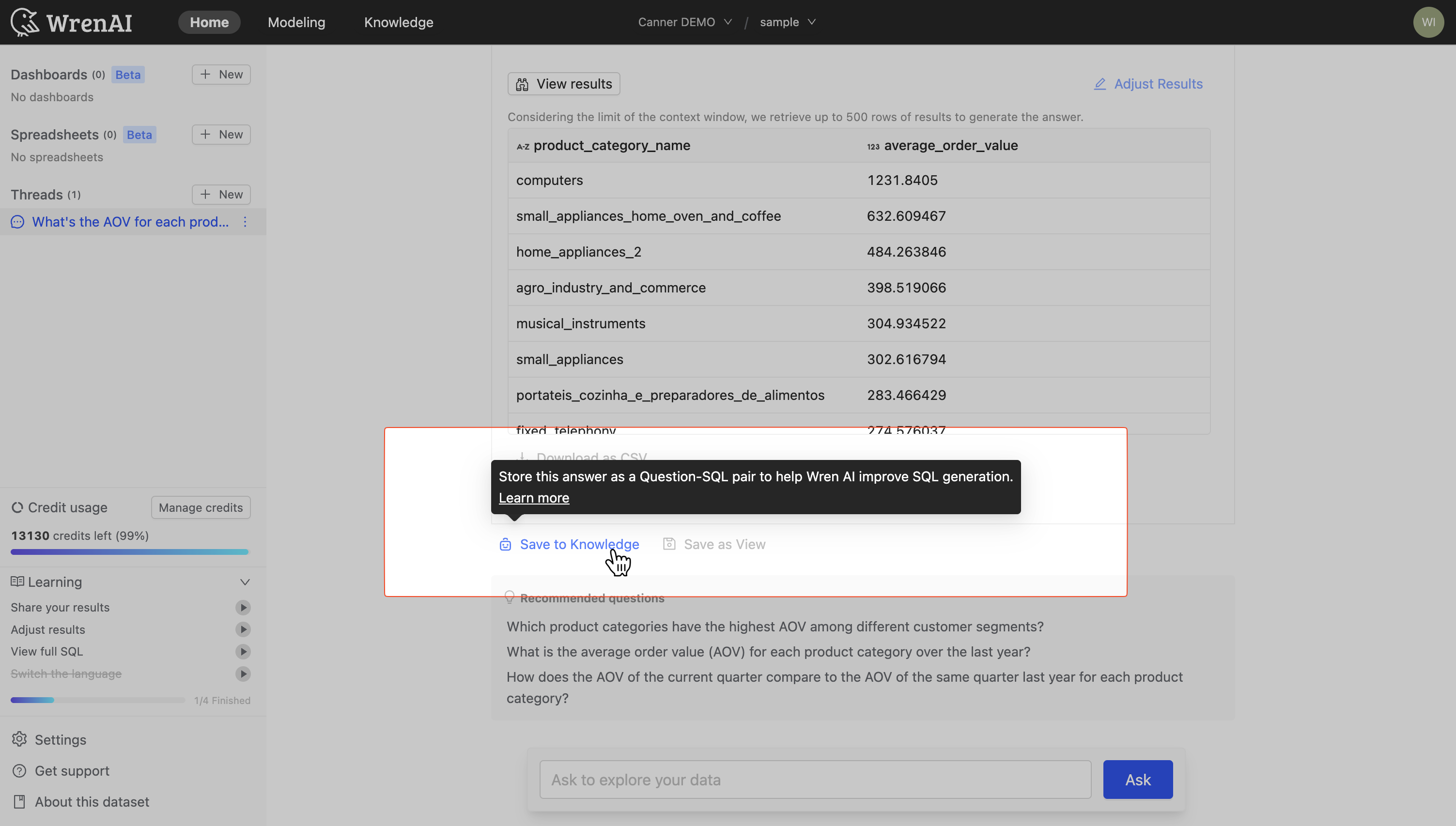
Saving successful queries ensures that Wren AI can quickly retrieve the same information in the future when users ask similar questions.
Add Question-SQL Pairs manually
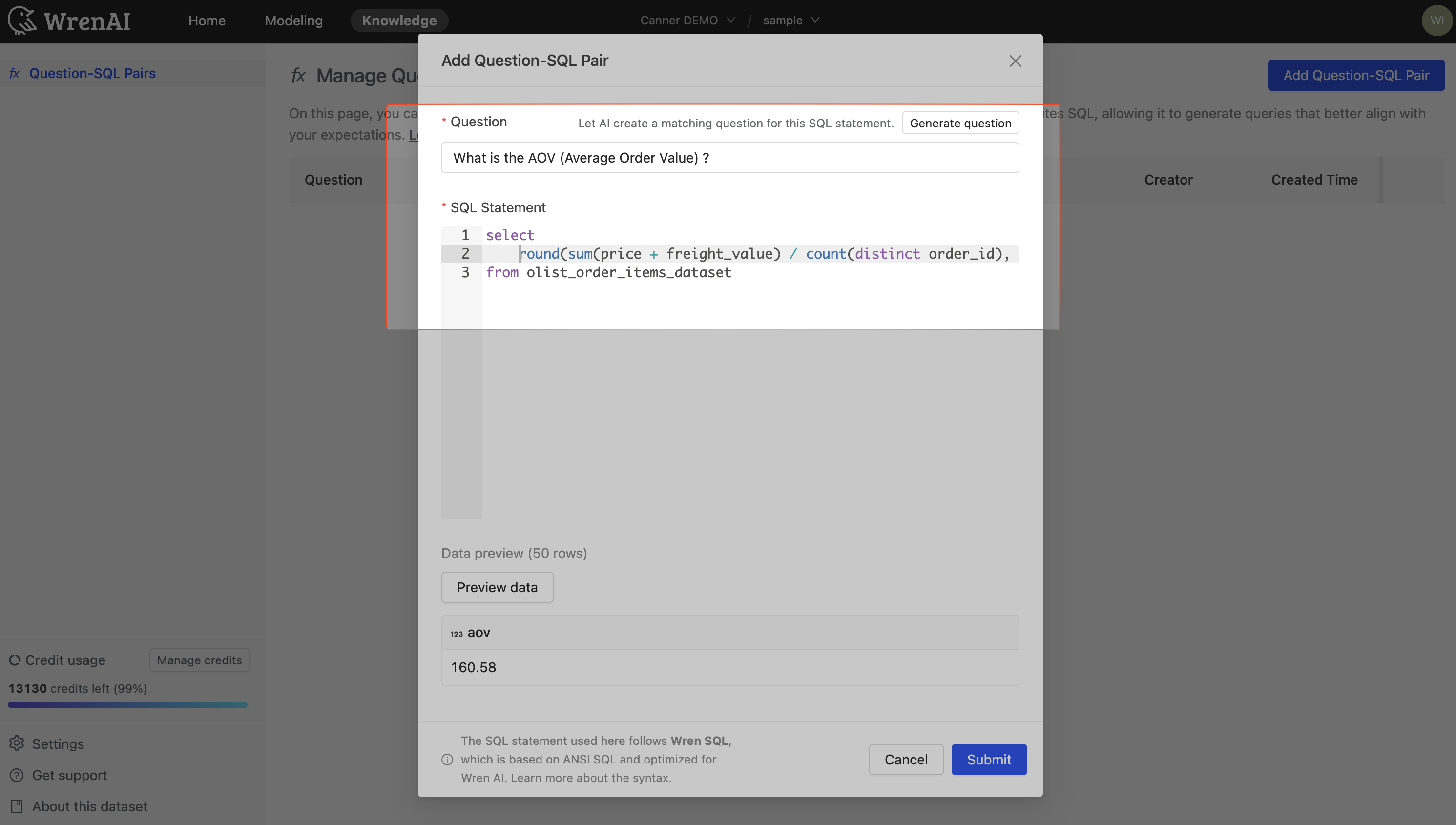
You can proactively add question-SQL pairs to your knowledge base:
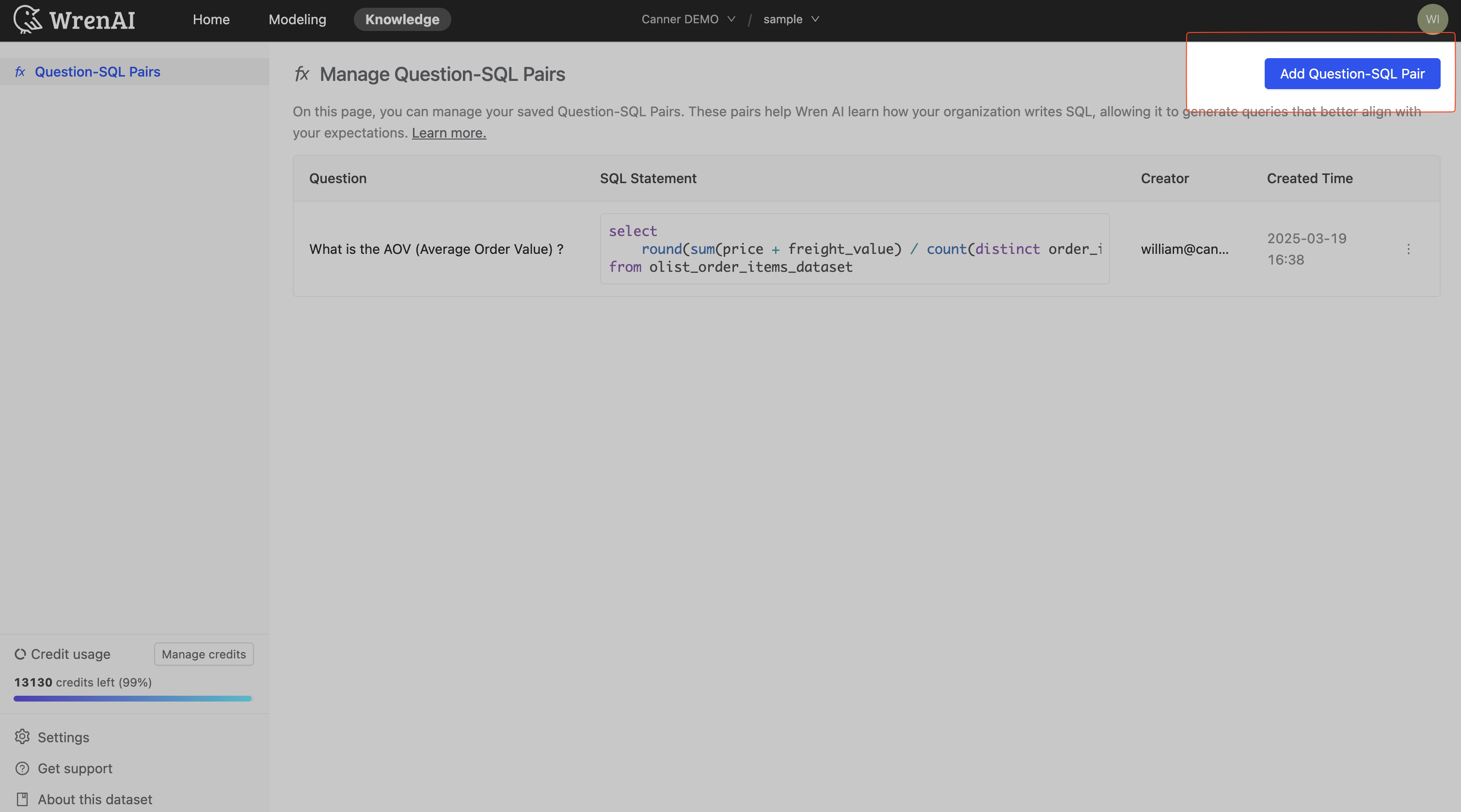
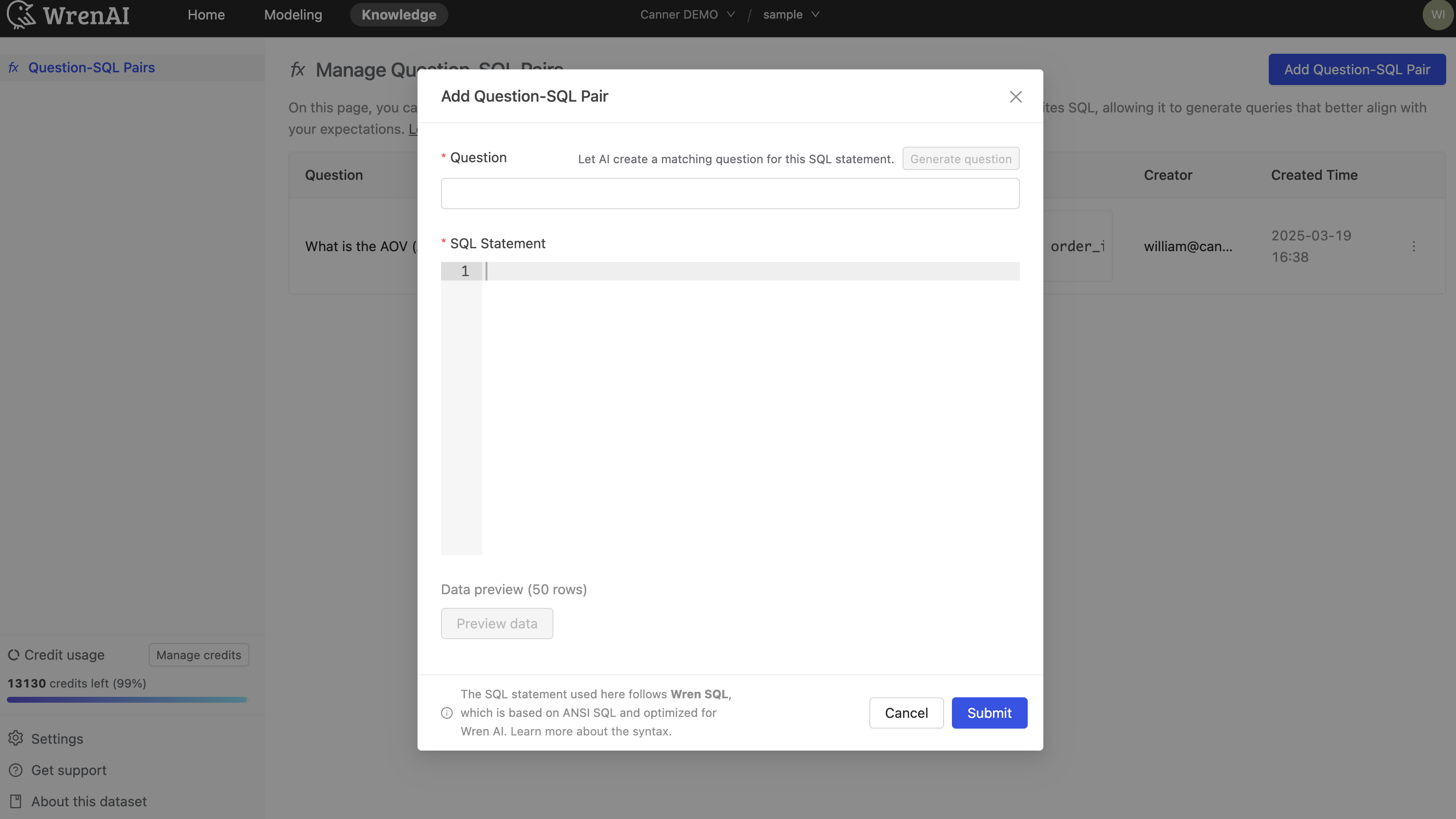
Manual addition is useful when you want to prepare your AI assistant to answer specific questions before they're asked, or when you want to optimize a query.
Manage Question-SQL Pairs
The Question-SQL Pairs management page allows you to view, edit, and delete your saved pairs.
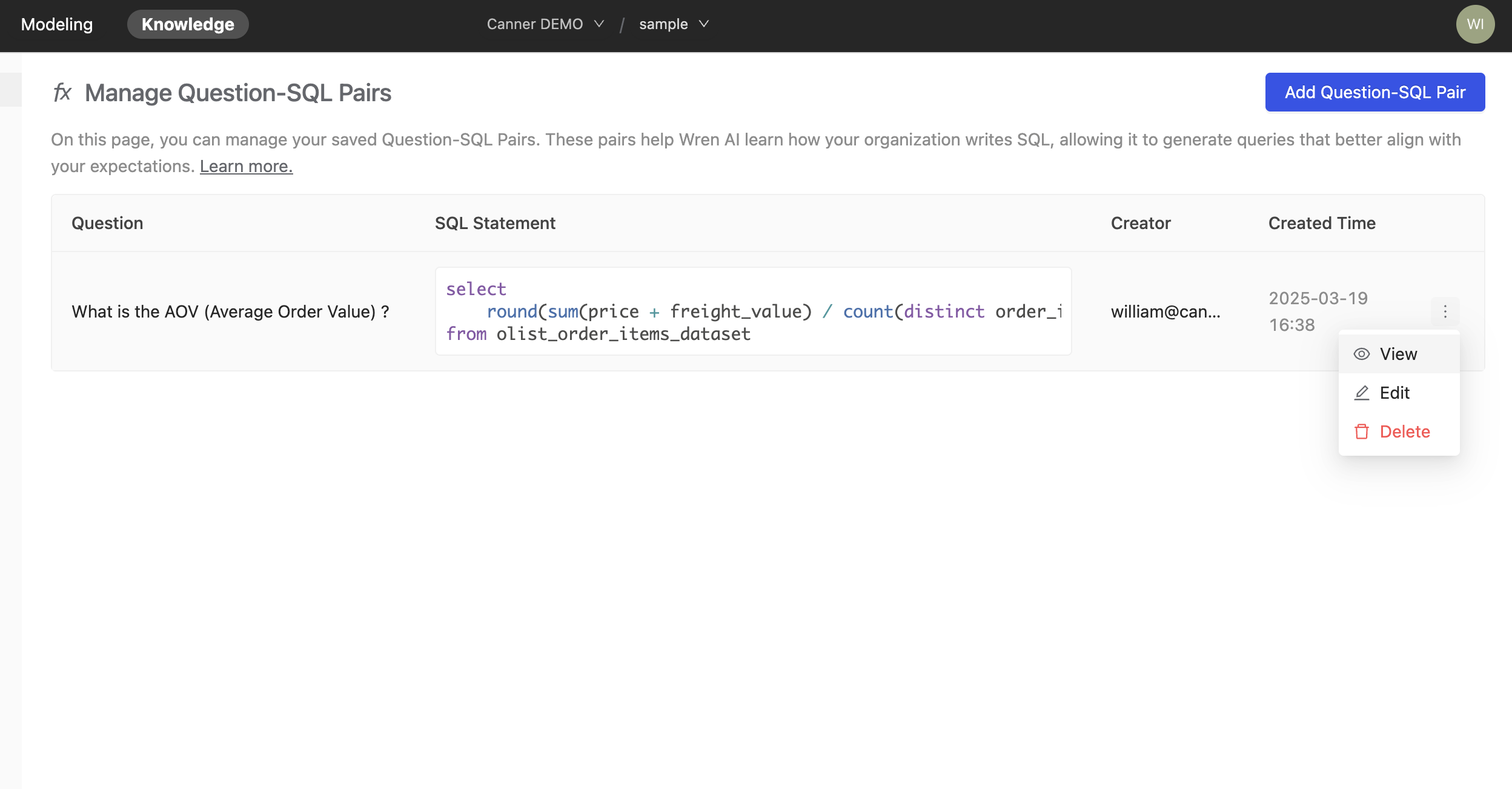
Example: metric definition
Let's say you want to calculate the average order value (AOV) for your business. You can save the question "What is our average order value?" along with the SQL query that correctly calculates this metric.
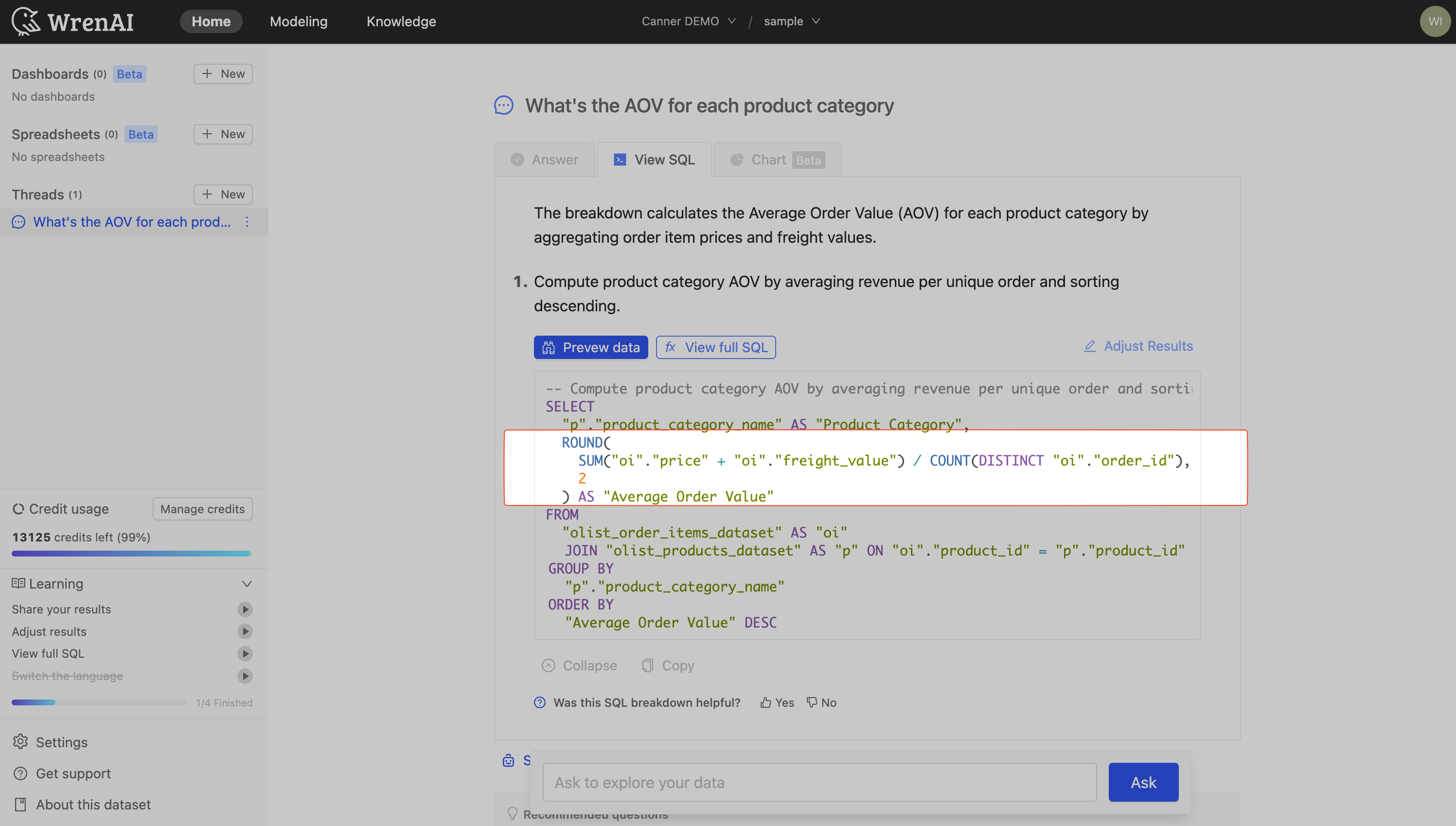
As you can see from the screenshot below, we saved a question What is the AOV (average order value?) and the SQL query that calculates the average order value, which is ROUND(SUM(price + freight_value) / COUNT(DISTINCT order_id), 2).
Now, when you ask Wren AI to calculate the average order value, it will learn the definition of AOV you provided and use it to generate the answer.
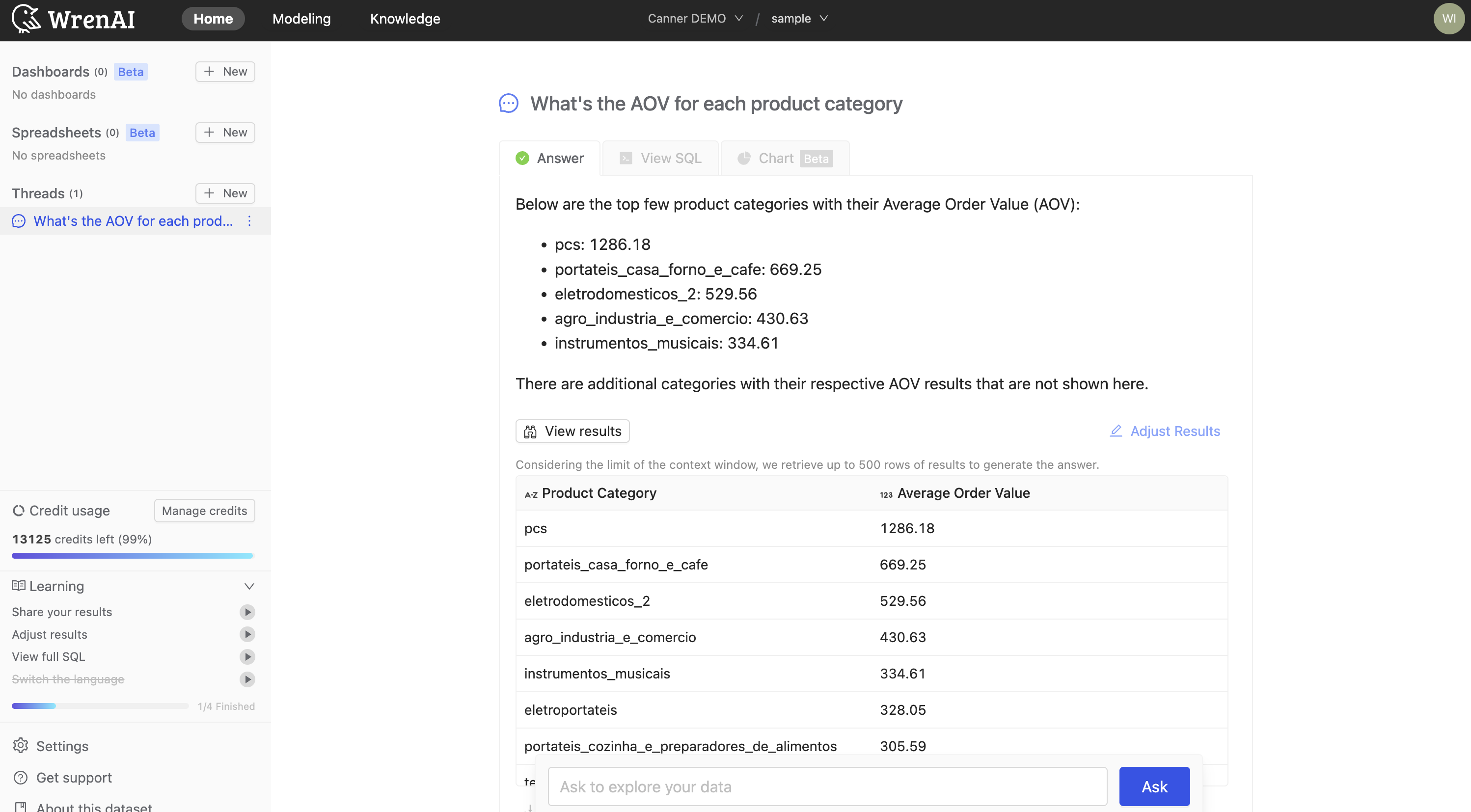
You can view the SQL query behind the answer to confirm that it is correct.