Claude.ai Integration
Wren AI is available as a connector in Claude's connector directory - claude.ai/customize/connectors/id/wren-ai. Instead of pasting an MCP endpoint URL by hand, open the listing and connect in one click - then ask questions about your data warehouse directly in a Claude conversation.
The Claude.ai connector runs on the same organization-level MCP endpoint as Wren AI MCP, so it requires the Essential Cloud plan and above, and an org admin must enable MCP first.
Like Wren AI MCP, the Claude.ai connector runs in Interactive Mode only. Requests from Claude use Interactive Mode even if the connected project has Agentic Mode available.
Overview
Once connected, Claude can reach the exposed projects your account is allowed to see in the connected Wren AI organization. Claude picks a project, reads its schema through the semantic layer, and answers in natural language - with SQL and charts generated by Wren AI rather than guessed from raw tables.
- Where: Claude web and desktop apps - the listing at claude.ai/customize/connectors/id/wren-ai
- Auth: OAuth with your Wren AI account - no API key, no local proxy, no URL to copy
- Security: Row/column-level security (an Enterprise Cloud feature) is enforced per user, server-side
Before You Begin
-
Wren AI Essential Cloud plan and above.
-
An org admin has enabled MCP and exposed projects. In Wren AI, go to Settings → Organization → MCP, turn on Enable MCP for this organization, and toggle Exposed for each project you want reachable from Claude. See Wren AI MCP → Before You Begin for details.
noteOnly exposed projects are reachable, and each user still only sees projects they're a member of.
-
A Claude account that can add connectors. Connectors are available on the Free, Pro, Max, Team and Enterprise plans - Free accounts are limited to one custom connector.
On Team and Enterprise plans, an Owner or Primary Owner must enable the connector for the organization first, under Organization settings → Connectors → Browse connectors → Add to your team. Until they do, members can't add it themselves.
noteEnabling the connector at the org level doesn't grant anyone data access on its own - each person still signs in with their own Wren AI account. On Enterprise Cloud, this also keeps RLS/CLS scoped per user.
Connect Wren AI in Claude
Step 1 - Open the Wren AI listing and connect.
Go to claude.ai/customize/connectors/id/wren-ai in Claude. The listing shows what the connector does and every tool it exposes. Click Connect to Claude.
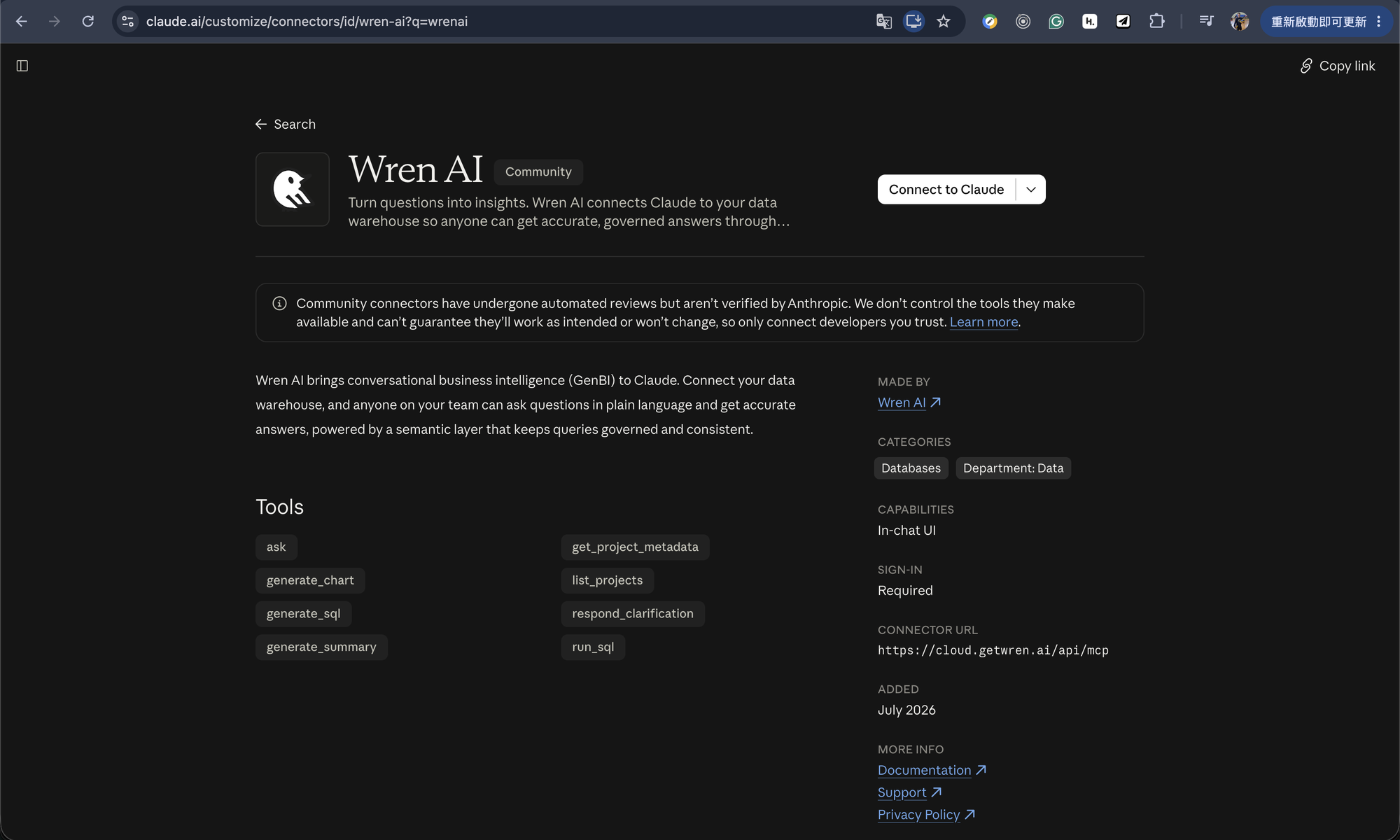
You can also reach the same listing from inside Claude: Settings → Connectors → Add → Browse
connectors, then search WrenAI (or Wren) and open the Wren AI result.
Step 2 - Log in with your Wren AI account.
Claude redirects you to Wren AI Cloud to authenticate over OAuth. Sign in with your own Wren AI account - data permissions are resolved from whoever logs in here.
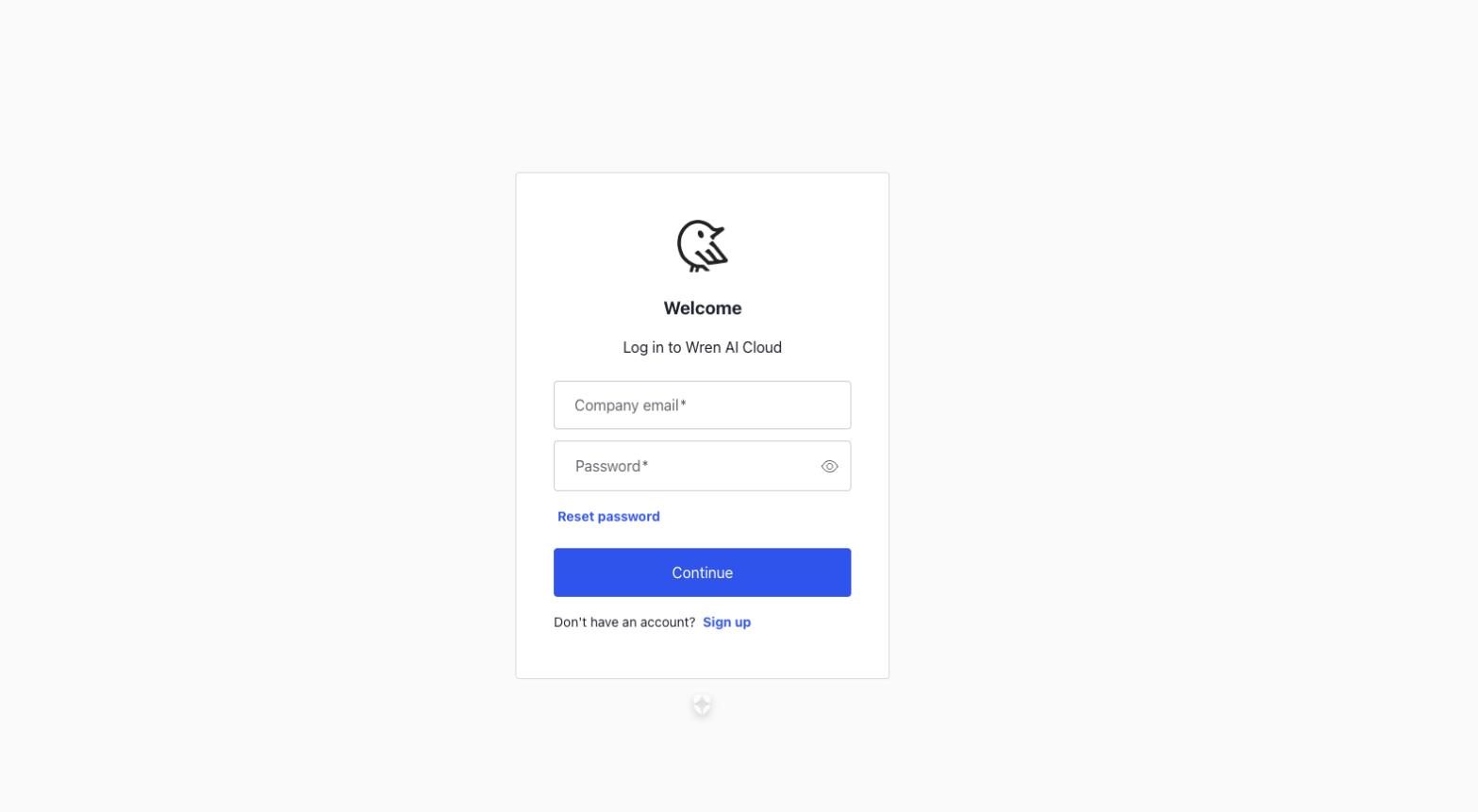
That's it - there's no separate authorization screen for the directory connector. When you're returned to Claude, Wren AI shows up in your connectors list as connected and is ready to use.
Using It
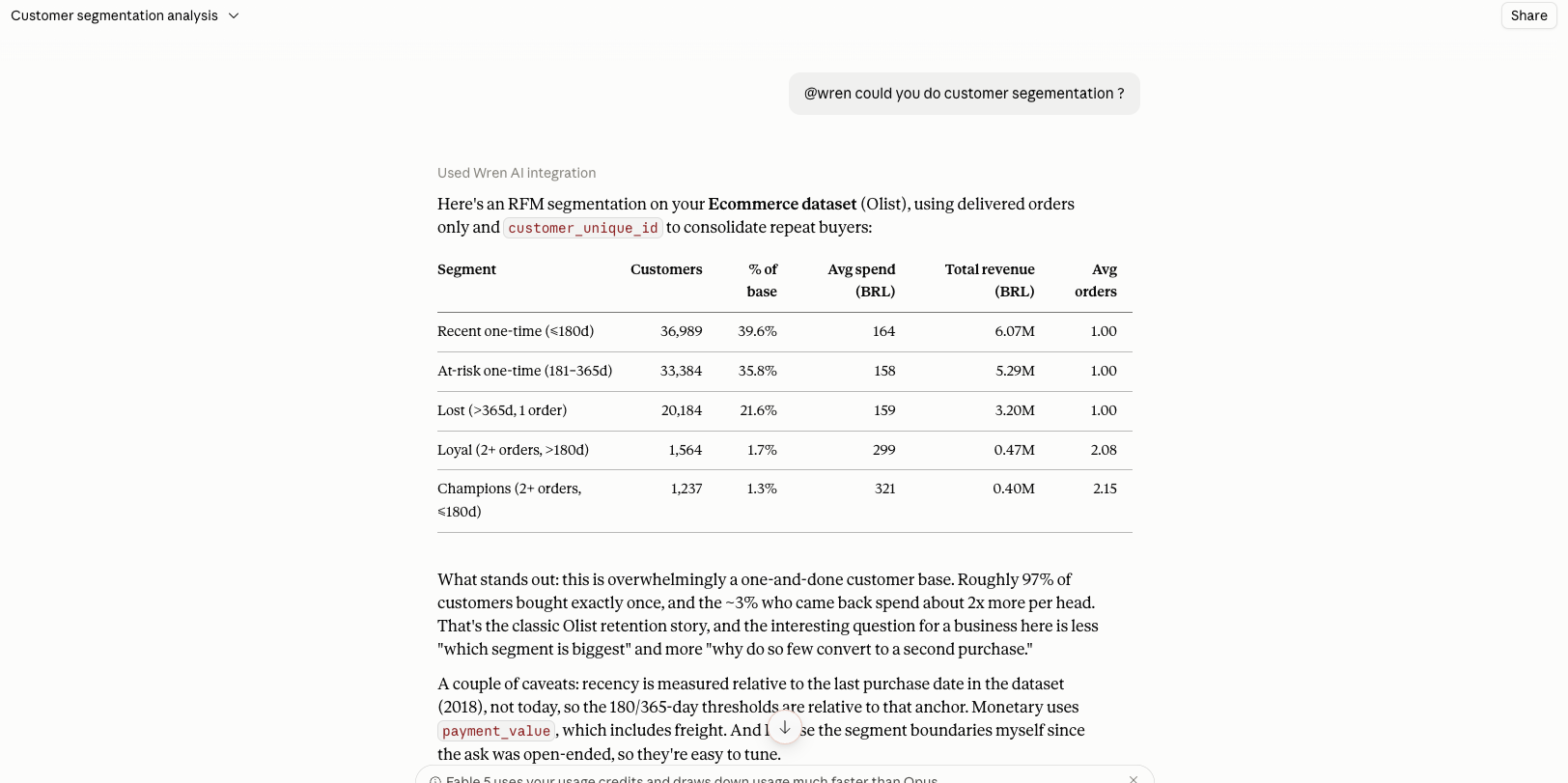
Mention the connector in a conversation (for example @wren) or just ask a data question and let
Claude pick the tool. Claude discovers your projects with list_projects, reads the schema with
get_project_metadata, then answers with ask / generate_sql / run_sql.
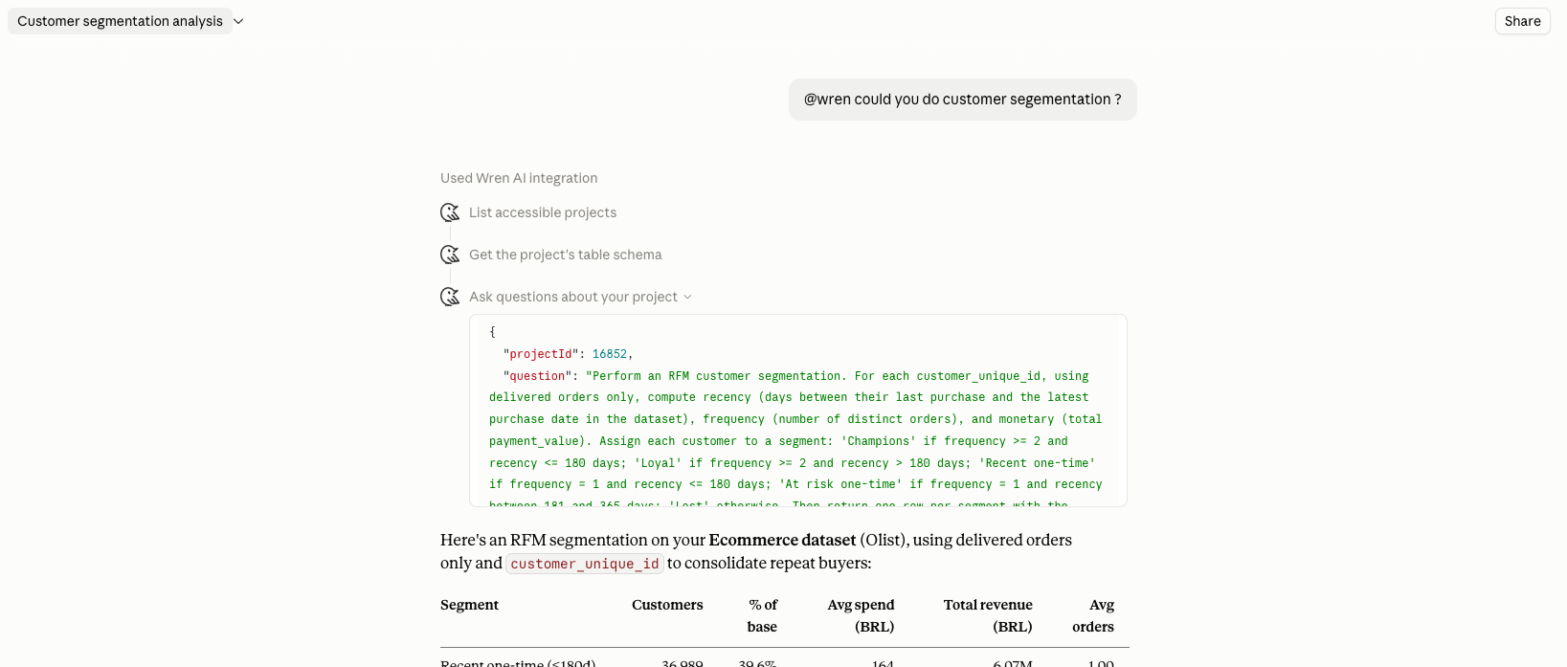
Expand Used Wren AI integration to see exactly which tools ran and what was sent - useful when
you want to check the question Claude actually asked, or the projectId it chose.
Ask Claude to visualize the result and it renders charts from the same governed query - no copying SQL between tools.
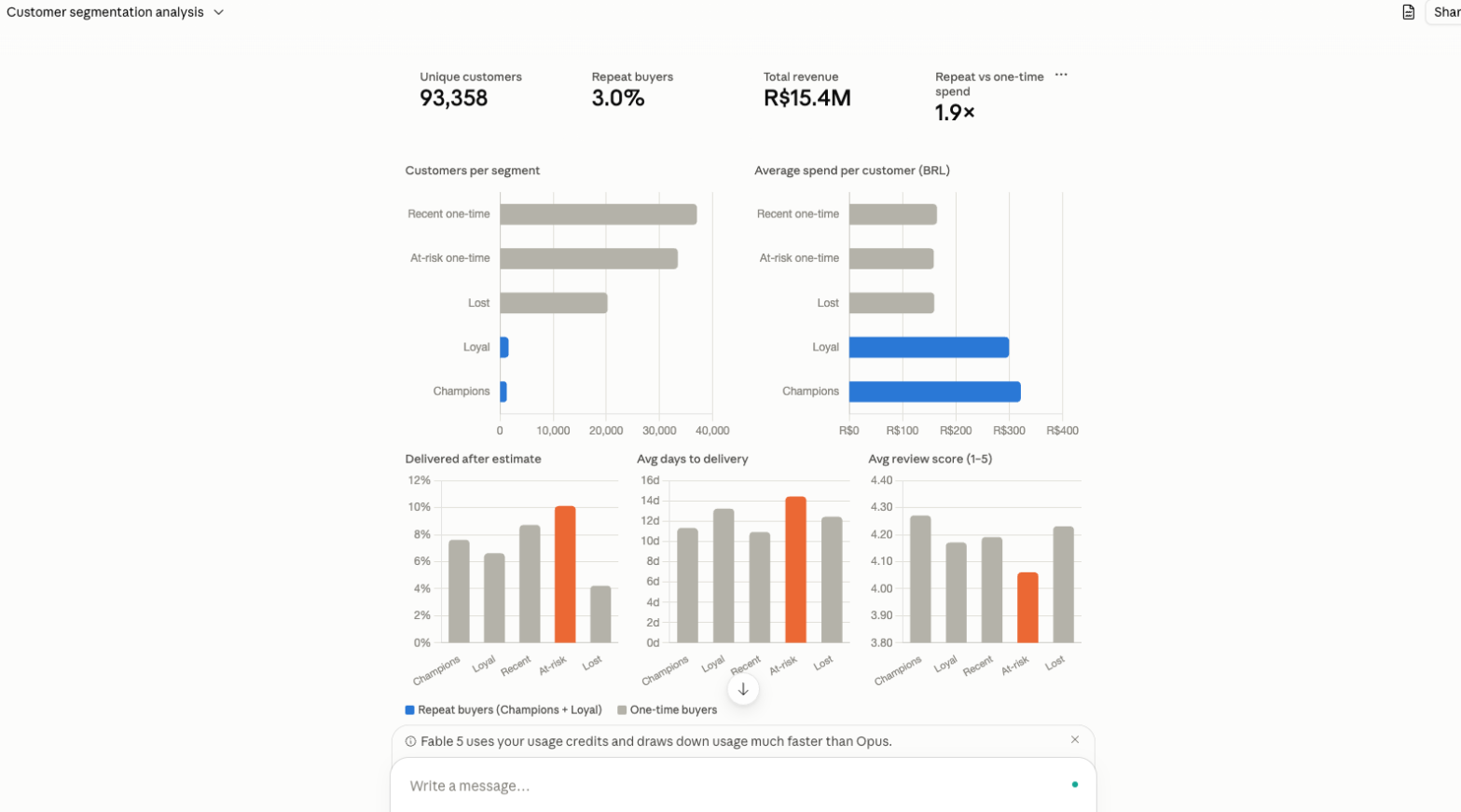
Example prompts:
- "List my Wren AI projects."
- "@wren could you do customer segmentation?"
- "In the Sales project, what were the top 5 products by revenue last quarter? Chart it."
The connector is bound to a single Wren AI organization. list_projects returns only the exposed projects in that organization, even if your account belongs to other MCP-enabled organizations.
Rating an answer
If an answer is wrong, or exactly right, tell Claude in your own words - for example "That total is wrong, it should exclude refunds." Claude records your verdict on that Wren AI answer with submit_feedback without asking you to confirm, though you may need to allow the tool the first time.
A report can't be withdrawn or edited - if you change your mind, say so and it's recorded as a new report. See Rating an answer for what can be rated.
Tools
| Tool | Purpose | Takes projectId |
|---|---|---|
list_projects | Projects you can query | - |
get_project_metadata | Table schema for a project | ✓ |
ask | End-to-end natural-language Q&A | ✓ |
generate_sql | Question → SQL | ✓ |
run_sql | Execute SQL | ✓ |
generate_chart | Vega chart spec | ✓ |
generate_summary | Summarize results | ✓ |
respond_clarification | Answer a follow-up question from Wren AI | ✓ |
submit_feedback | Record whether an answer was right or wrong | ✓ |
ask, generate_sql, generate_summary and generate_chart return an answerId with each answer, which Claude passes to submit_feedback.
Data Security
Row/column-level security (RLS/CLS), an Enterprise Cloud feature, is enforced per user: policies are resolved server-side from the Wren AI account that authorized the connector, and Claude cannot override them.
Anyone connecting with a shared Wren AI account inherits exactly that account's data permissions, so RLS/CLS can't distinguish between the individual people behind it. Have each person connect the connector with their own Wren AI account.
When you rate an answer, the report carries your own words, including any corrected value, and the agent sends it without a confirmation step - leave out anything you wouldn't want the people who review answer quality to see. Reports appear in the project's API History.
Troubleshooting
| Symptom | Likely cause and fix |
|---|---|
The listing page is empty, or searching Wren in Settings → Connectors → Add → Browse connectors returns nothing | On Team/Enterprise, no Owner has added it yet - ask one to add it under Organization settings → Connectors. |
| The login screen in Step 2 shows the wrong Wren AI account | It reuses your browser's Wren AI session. Disconnect in Settings → Connectors and reconnect as the right account - on Enterprise Cloud, RLS/CLS follows whoever authorized it. |
list_projects returns nothing | MCP is off for the org, no project is Exposed, you're not a member of an exposed project, or you connected a different org. |
| Fewer rows or columns than the Wren AI web app shows | On Enterprise Cloud, RLS/CLS of the account that authorized the connector applies. Compare the same question in Wren AI signed in as that account. |
| You need a self-hosted or non-default endpoint | The listing points at Wren AI Cloud. Add it as a custom connector instead - see Wren AI MCP. |
| Claude says it couldn't record your rating | For a temporary failure, Claude offers to retry. If it says the answer can't be rated, the answer came before rating was available or failed before Wren AI started on it - ask the question again and rate the new answer. On self-hosted Wren AI, the deployment may have no feedback storage configured - see Data Security. |
Related
- ChatGPT Integration - the same connector in ChatGPT.
- Wren AI MCP - the underlying endpoint, plus Claude Code setup and the custom-connector flow.