Column-Level Security (CLS)
Use this page to understand how Column-Level Security works and what inputs you need to define a CLS policy.
Data Security is available in Enterprise Cloud and Enterprise Plus plans. Existing Business plan customers keep access.
Column-Level Security ensures that users only see the columns they are authorized to view. This protects sensitive attributes (e.g., PII, salaries, costs) while still allowing broader analysis on non-sensitive fields.
How CLS Works
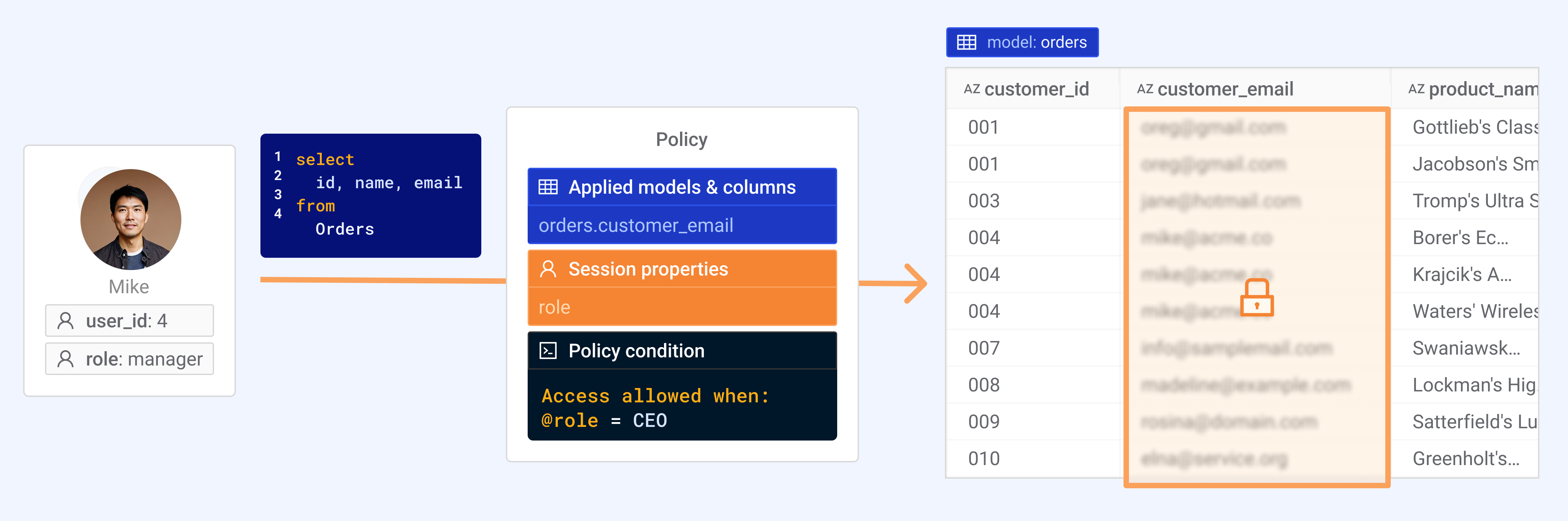
CLS makes the same query return different columns for different users, based on their identity and assigned permissions.
What you define
- Applied models and columns: The models and specific columns the policy covers. All selected columns are protected by this policy.
- Access rule: Compares a single session property to a value using a selected operator. If the rule is not satisfied, the selected columns are inaccessible and any query referencing them will fail with a permission error.
- Session property: The property used by the access rule (e.g.,
country). It can be Required or Optional (Optional requires a default value).
What happens at runtime
- A user asks a question or generates a chart in Wren AI.
- Wren AI collects the user’s session properties.
- Wren AI evaluates the CLS access rule for each protected column.
- If the rule is not satisfied, access to those columns is denied and queries referencing them fail with a "Restricted by policy" error.
Defining a Policy
1. Go to the policy page
Navigate to: Data Security → Column-Level Security → Add Policy
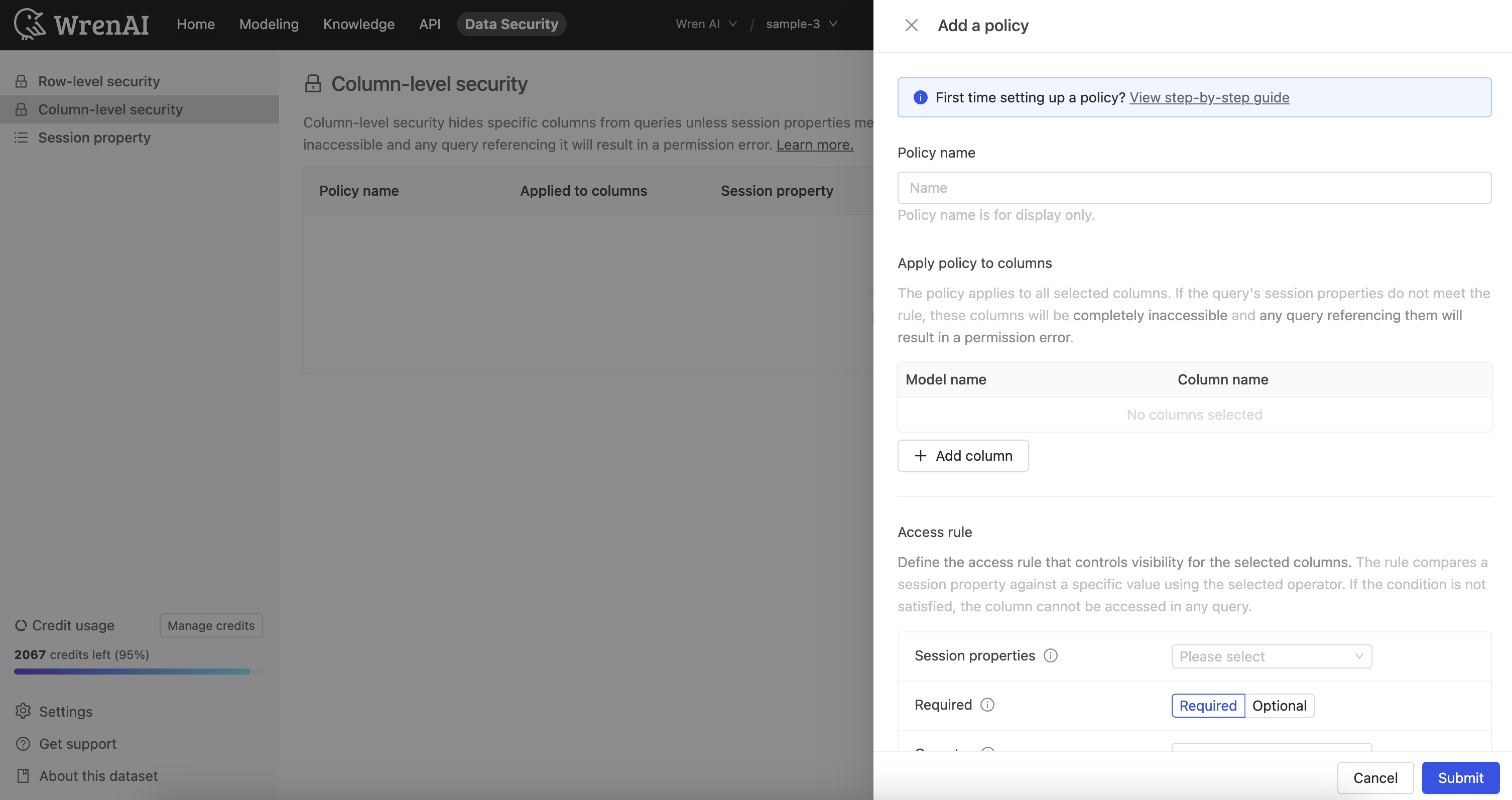
Enter a policy name and select the models and columns to which the policy will apply.
2. Define the access rule
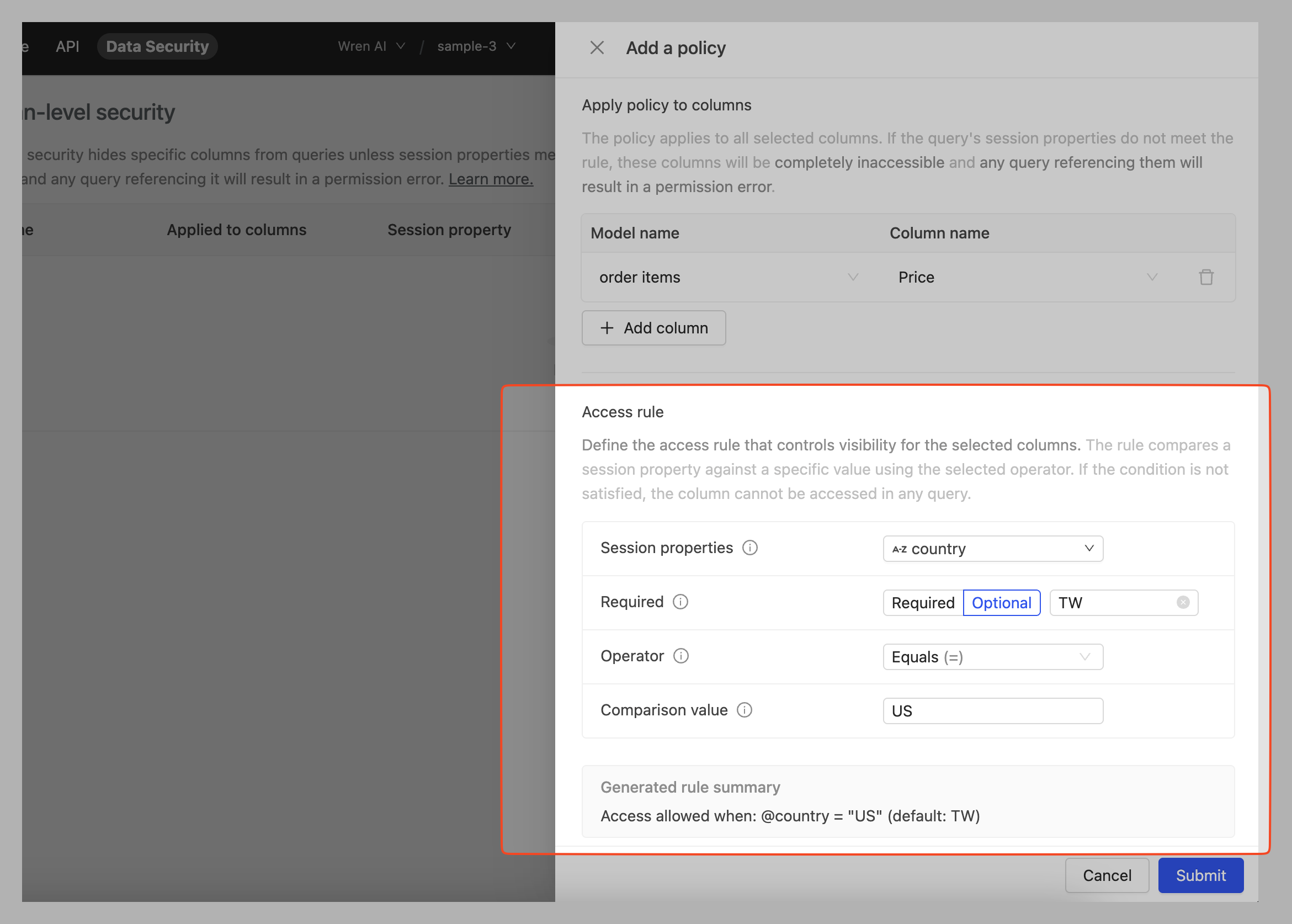
Define the rule that controls visibility for the selected columns. The rule compares a single session property against a value using the selected operator. If the condition is not satisfied, the column cannot be accessed in any query.
- Session property: Pick one or create a new property to evaluate.
- Required: Choose Required or Optional. Optional requires a default value for the property.
- Operator: Select how to compare the property to the value.
- Comparison value: Enter the value to compare against.
After filling in the fields, the page shows a Generated rule summary so you can confirm the logic.
Allow access to the order items → Price column only when @country = "US".
- Choose session property
country - Operator
Equals - Comparison value
US
The summary will read like: Access allowed when: @country = "US".
3. Preview with a simulated session context
After defining the policy, preview it with simulated session properties to confirm the expected column visibility.
- Select a model or a recent question.
- Set the session property value.
- Click Preview to view which columns are shown or masked.
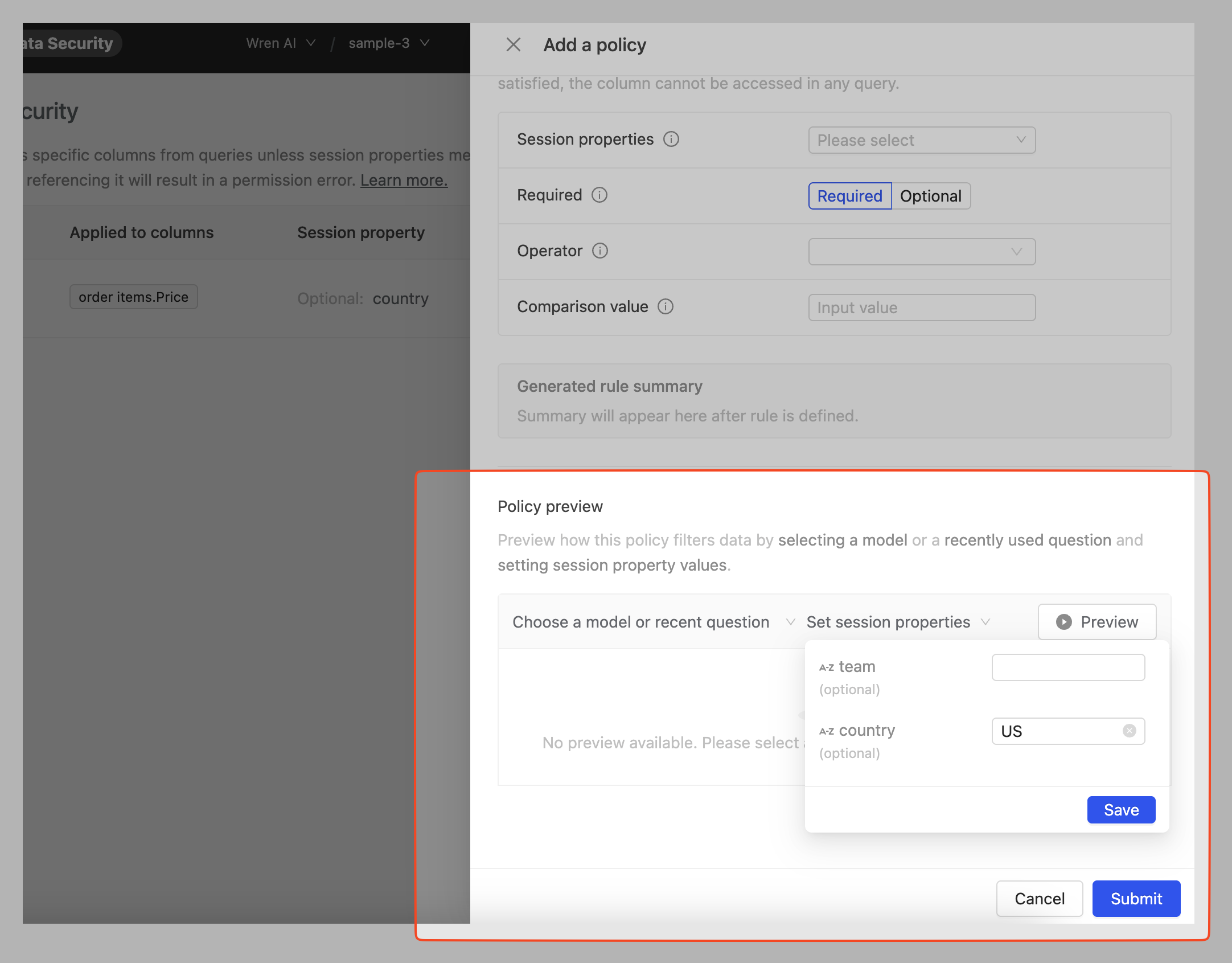
You can set session properties for preview. Choose "Set to null" to test null values.
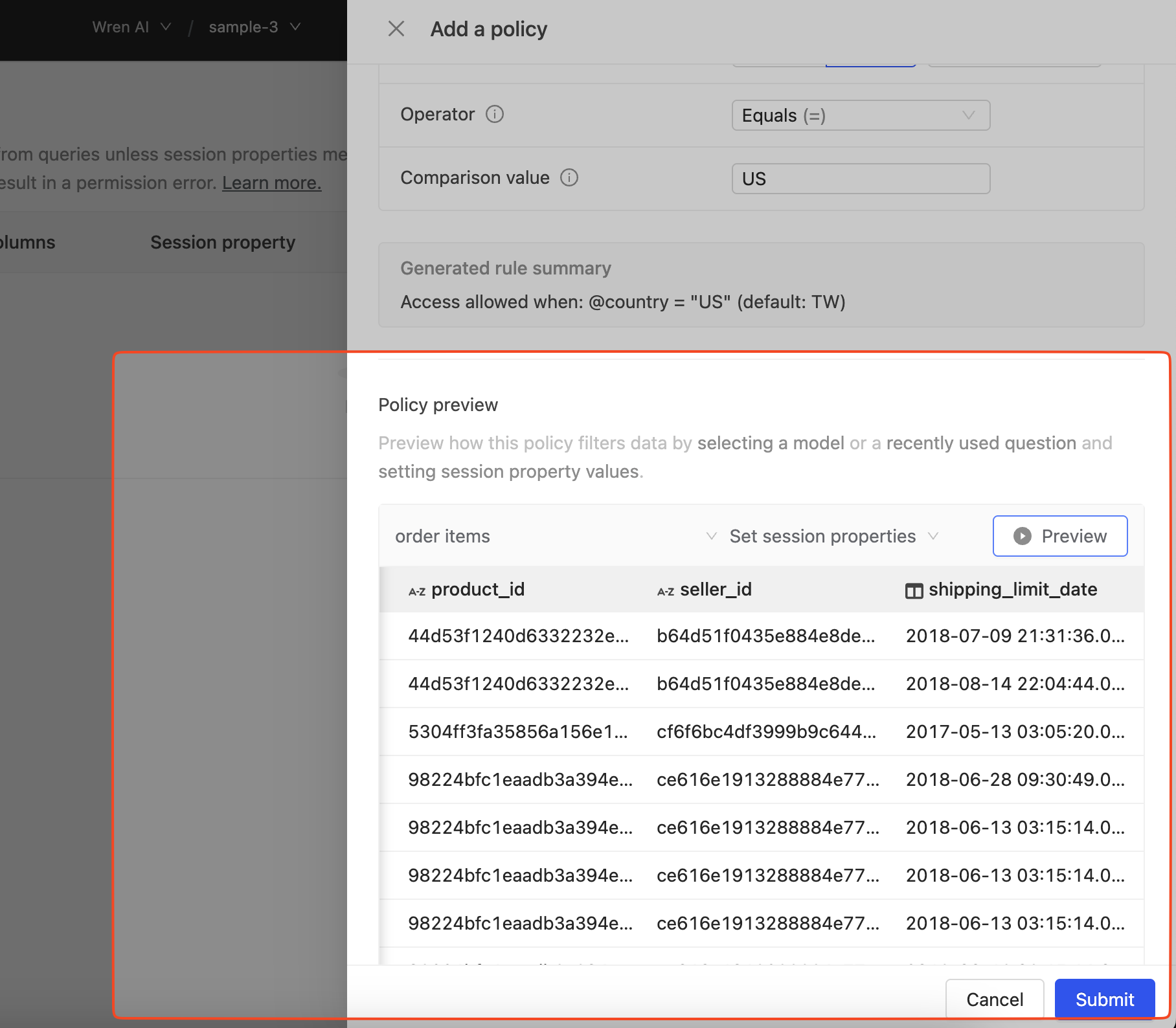
Click "Preview" to see column-level results and verify the generated rule summary.
Click Save to create the policy.
4. Assign session properties to users or groups
To apply a policy to specific users or groups, assign session properties accordingly.
Navigate to: Data Security → Session Properties
Switch to Assign to users or Assign to groups, then select targets and edit property values.
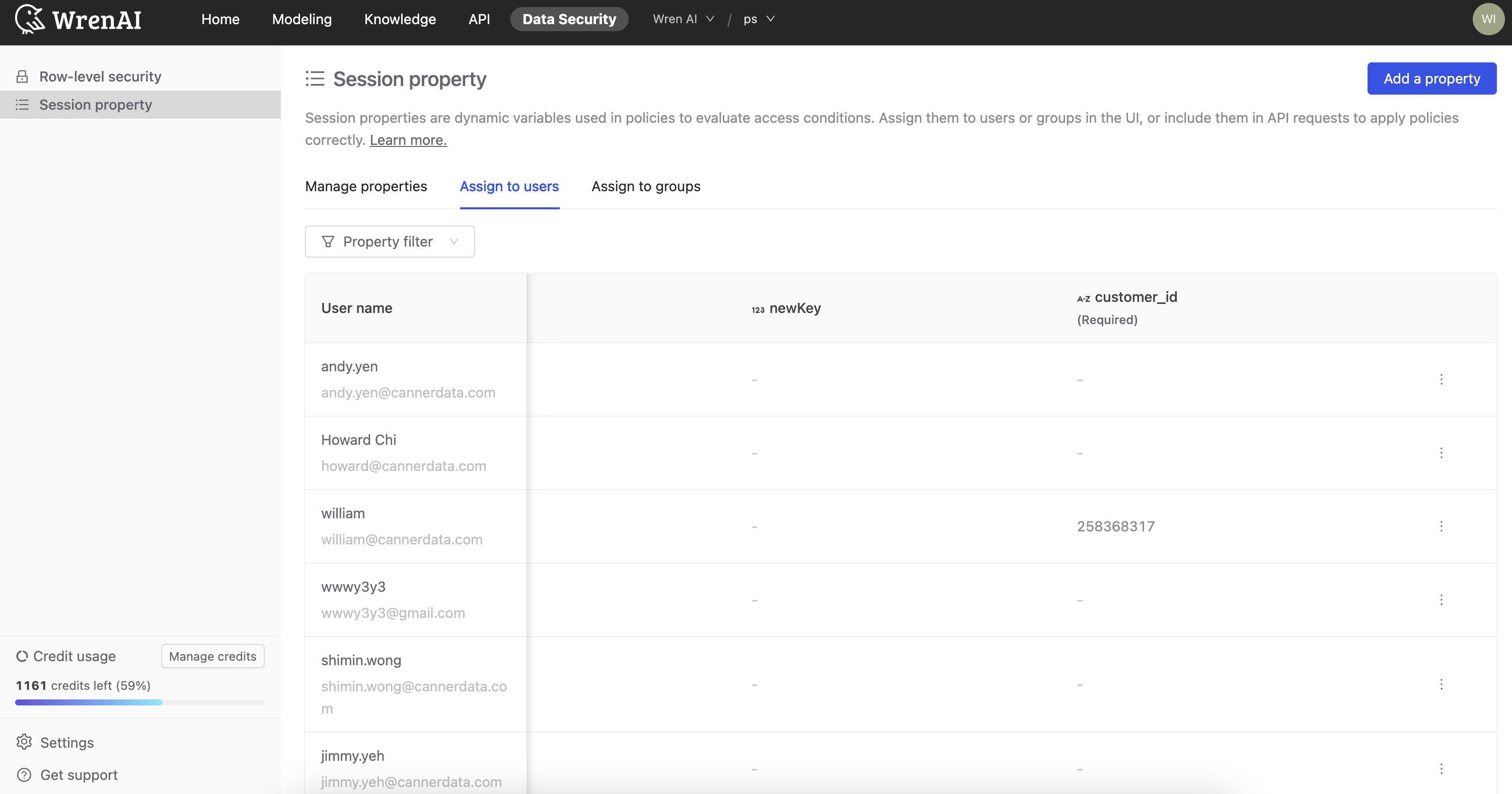
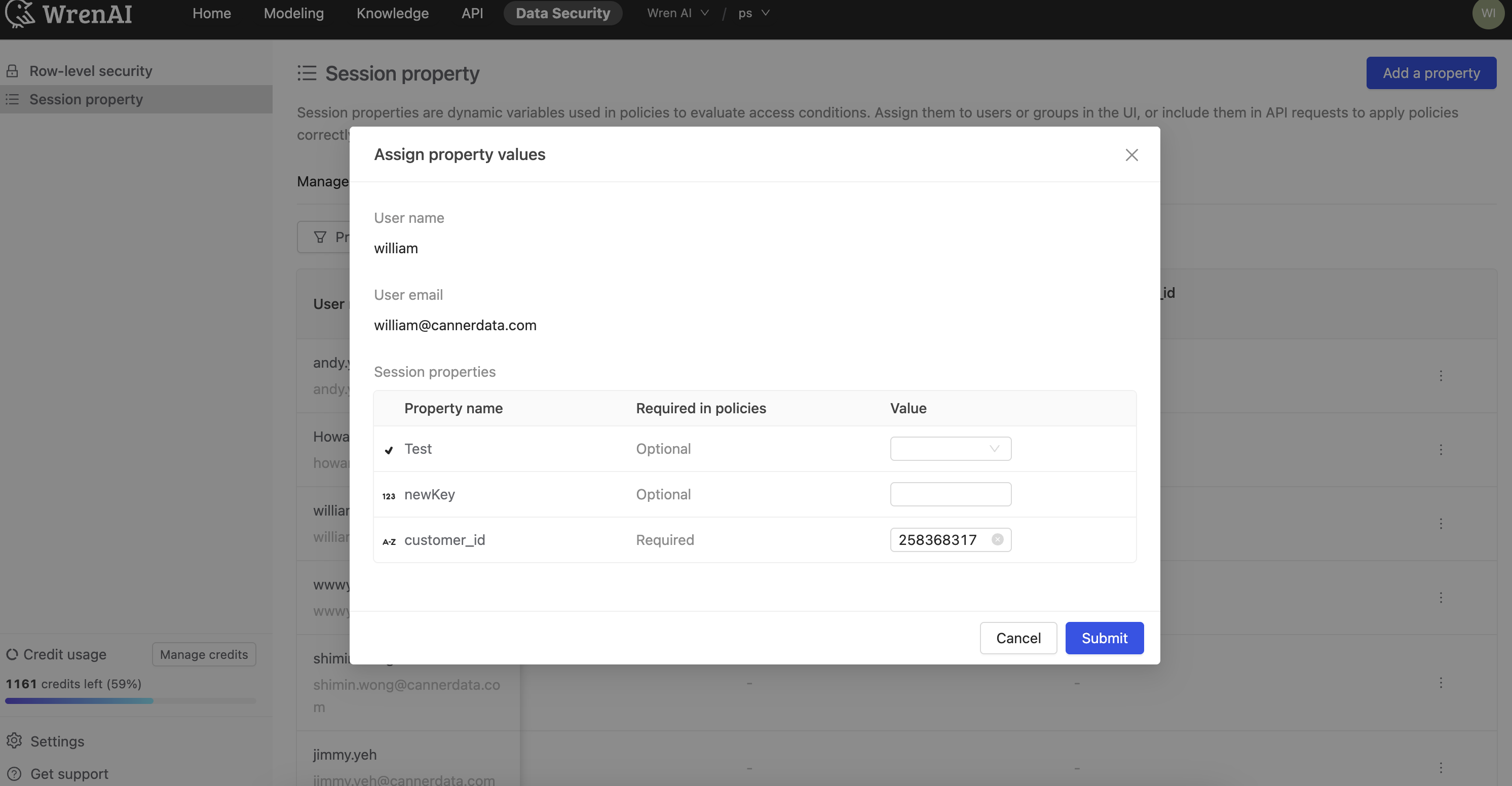
Click Edit on a user to modify their assigned session properties.
5. Verify the policy
Return to Home, start a new thread, and ask a question.
If a query references a protected column and the access rule is not satisfied, you will see a Restricted by policy error that includes the column name.
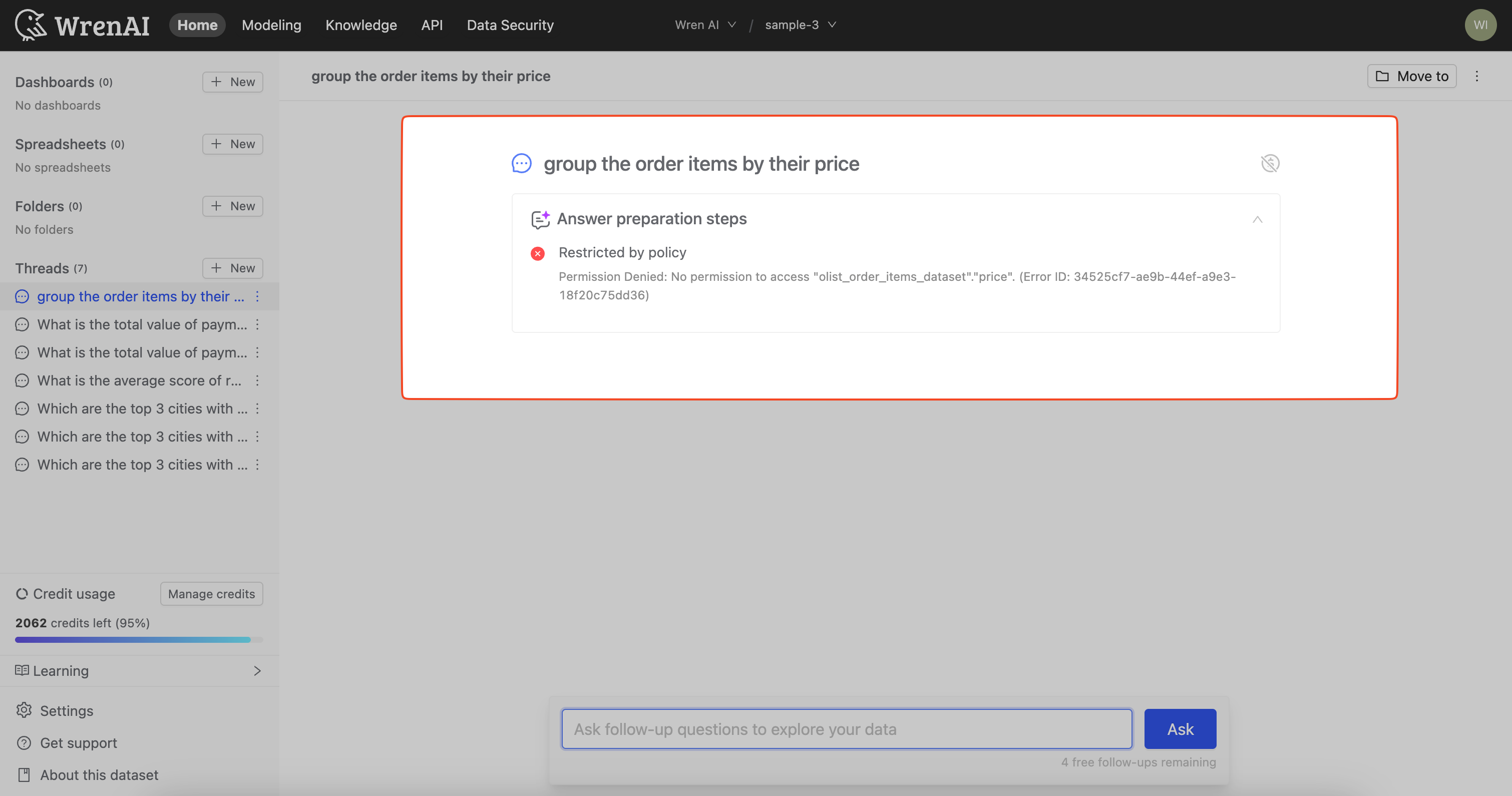
Queries referencing blocked columns fail with a clear permission message.
Next
- Read about CLS Examples.
- Read about Session Properties.
- Explore the Data Security API.