Embedded Threads
Beta — Available for Enterprise plans
Overview
Wren AI Embedded Threads brings natural language data exploration directly to your users. Whether you want to share public insights or provide a secure internal dashboard, our embedding options scale with your security requirements.
Public Mode: Open Access
Public Mode allows open access to your AI threads without requiring backend signing or complex authorization.
When to Use
- Public-facing documentation or blogs.
- Marketing sites showing non-sensitive data insights.
- Content that does not require user identification.
Implementation
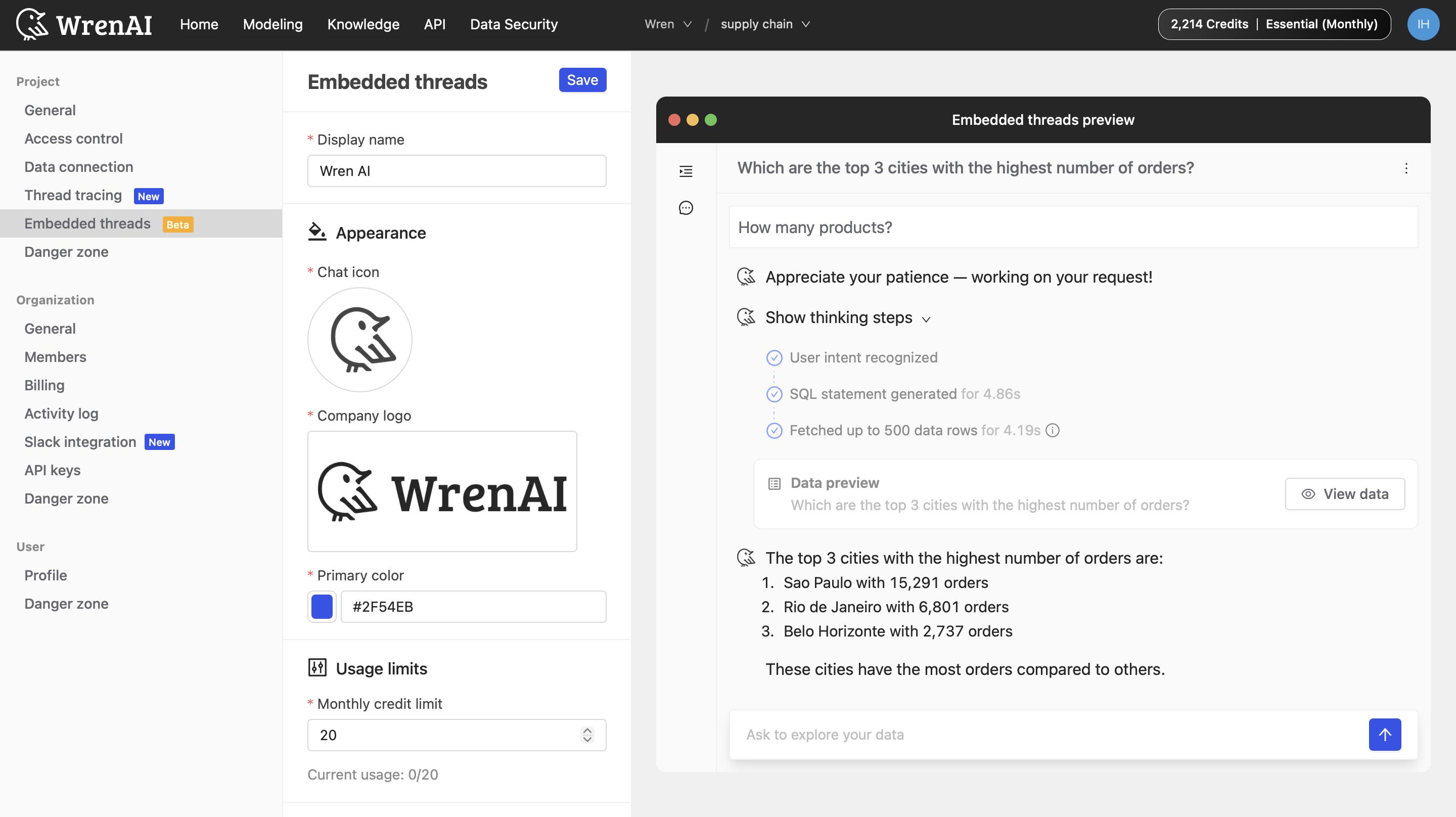
Navigate to Settings → Project → Embedded threads, configure your appearance, then switch to the Public access tab under Embed code to get your iframe snippet.
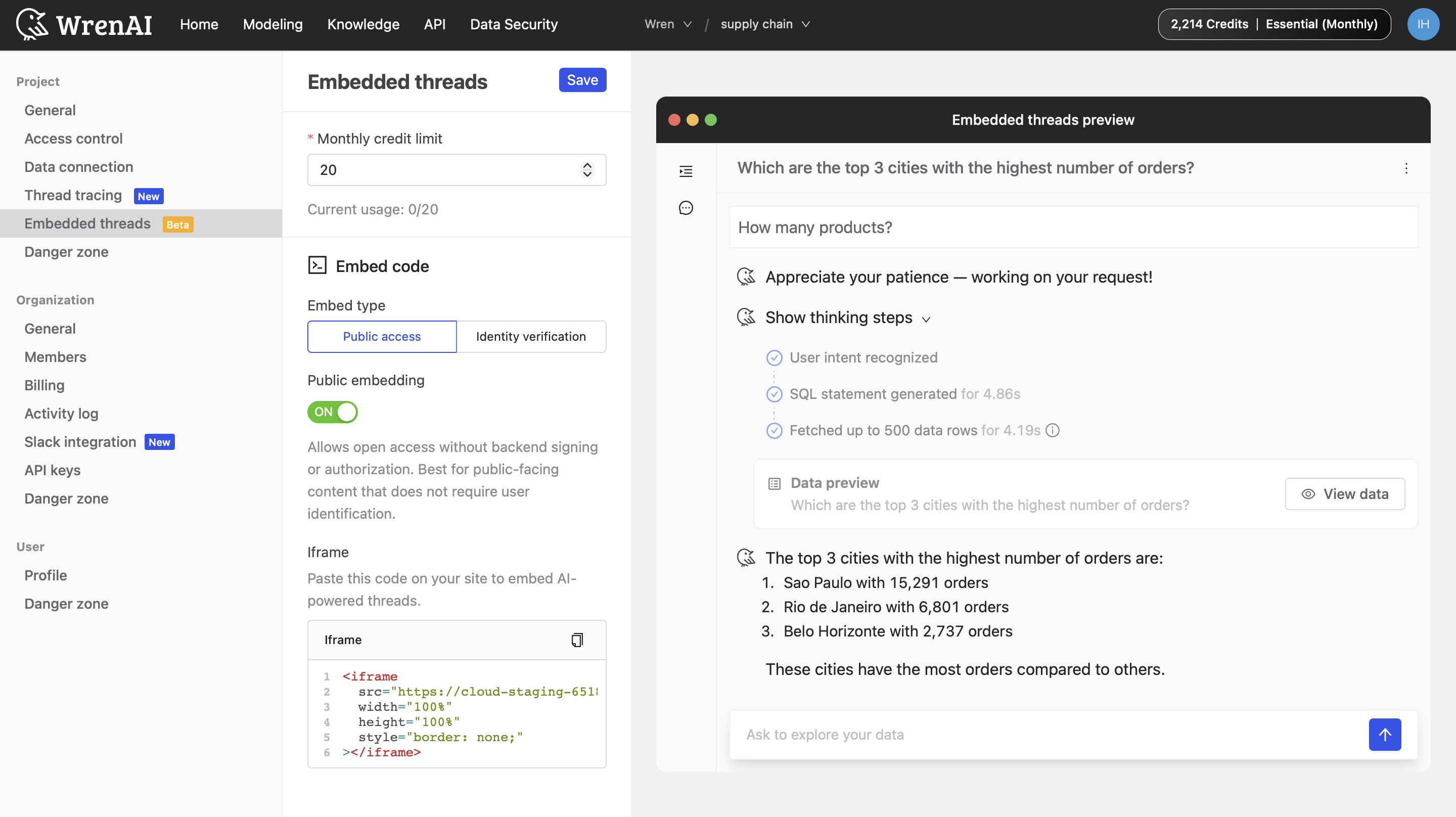
Simply paste this code into your site's HTML where you want the chat to appear:
<iframe
  src="https://cloud-st.getwren.ai/iframe/your-unique-id"
  width="100%"
  height="100%"
  style="border: none;"
></iframe>
Identity Verification: Secure Access
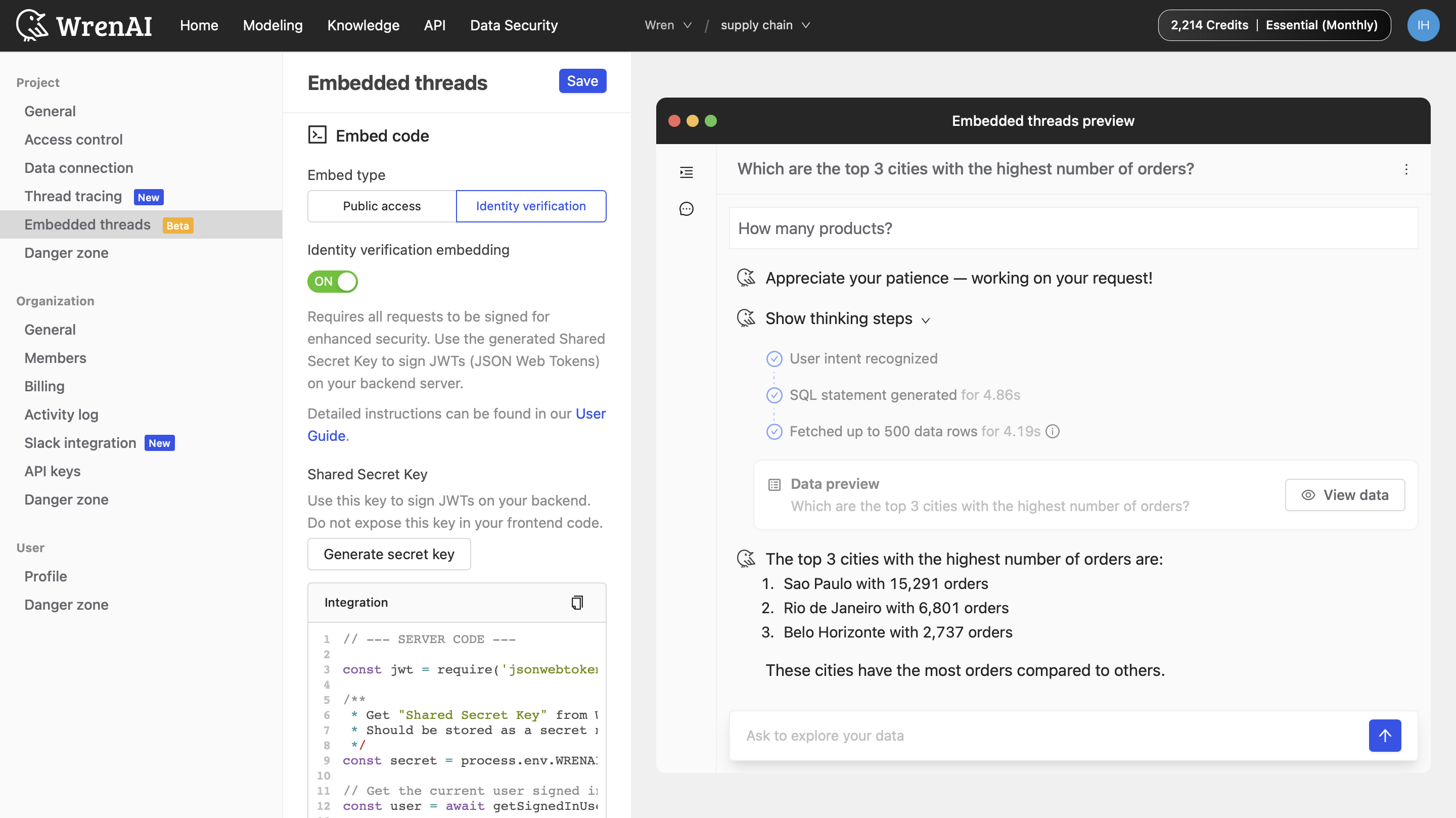
Identity Verification is for applications requiring enhanced security. It ensures that every request is signed by your server, proving the user's identity to Wren AI.
How It Works
- Secure Handshake: Your backend signs a JSON Web Token (JWT) using a Shared Secret Key.
- Personalization: The JWT can include
userIdandsessionProperties(like department or role) to control what data the user sees. - Protected Key: Your Secret Key remains on your server and is never exposed to the frontend.
Switch to the Identity verification tab under Embed code to generate your Shared Secret Key and view the integration code.
Backend Implementation (Node.js)
Use this example to generate a signed token on your server:
const express = require('express');
const jwt = require('jsonwebtoken');
const app = express();

app.post('/signin', async (req, res) => {
  try {
    const user = await authenticateUser(req.body); // Your auth logic

    // Get "Shared Secret Key" from Wren AI settings
    const secret = process.env.WRENAI_EMBED_SECRET;

    const payload = {
      // Required: Unique identifier for the user (UUID format)
      userId: user.id,
      email: user.email,
      name: user.name,
      // Optional: RLS/CLS Session Properties
      sessionProperties: [
        { key: 'department', value: user.department }
      ]
    };

    // Sign using the HS256 algorithm
    const wrenaiToken = jwt.sign(payload, secret, { algorithm: 'HS256' });

    res.json({ wrenaiToken });
  } catch (error) {
    res.status(500).json({ error: 'Internal server error' });
  }
});
Tips and Notes
- Branding: Customize your Chat icon, Company logo, and Primary color in the Wren AI dashboard to match your application's theme.
- Security Critical: Never expose your Shared Secret Key in your frontend code.
- Credit Limits: Monitor your usage in the Usage limits section to ensure your threads remain active throughout the month.