Wren AI OSS
Wren AI OSS is an open-source GenBI agent that helps data, product, and business teams explore data through chat, semantic modeling, and a local UI.
Use this documentation if you want to:
- install Wren AI on your machine
- try Wren AI with sample data
- connect your own data source
- understand how Wren AI, Wren AI Service, and Wren AI Core fit together
Start here
If you are new to Wren AI OSS, follow this path:
What is included in Wren AI OSS
Wren AI OSS includes three main parts:
- Wren UI for connecting data, defining relationships, and asking questions
- Wren AI Service for retrieval, prompting, SQL generation, and validation
- Wren AI Core (previously Wren Engine) for the business context and modeling layer behind the system
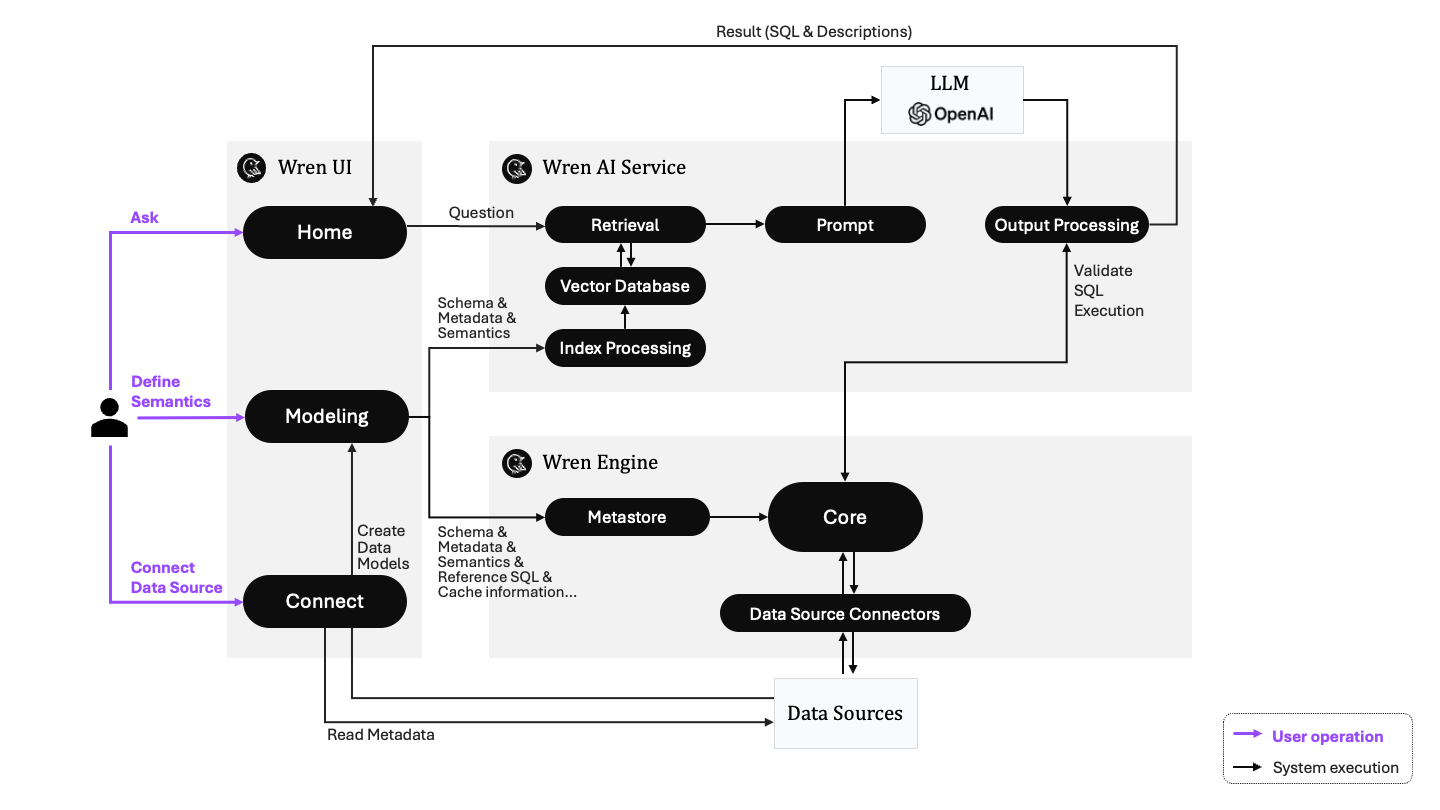
The architecture diagram above still labels the bottom layer as Wren Engine. After the rebrand it is now called Wren AI Core; the role and behavior are unchanged. See the Wren AI Core overview for details.
Why Wren AI uses a context layer
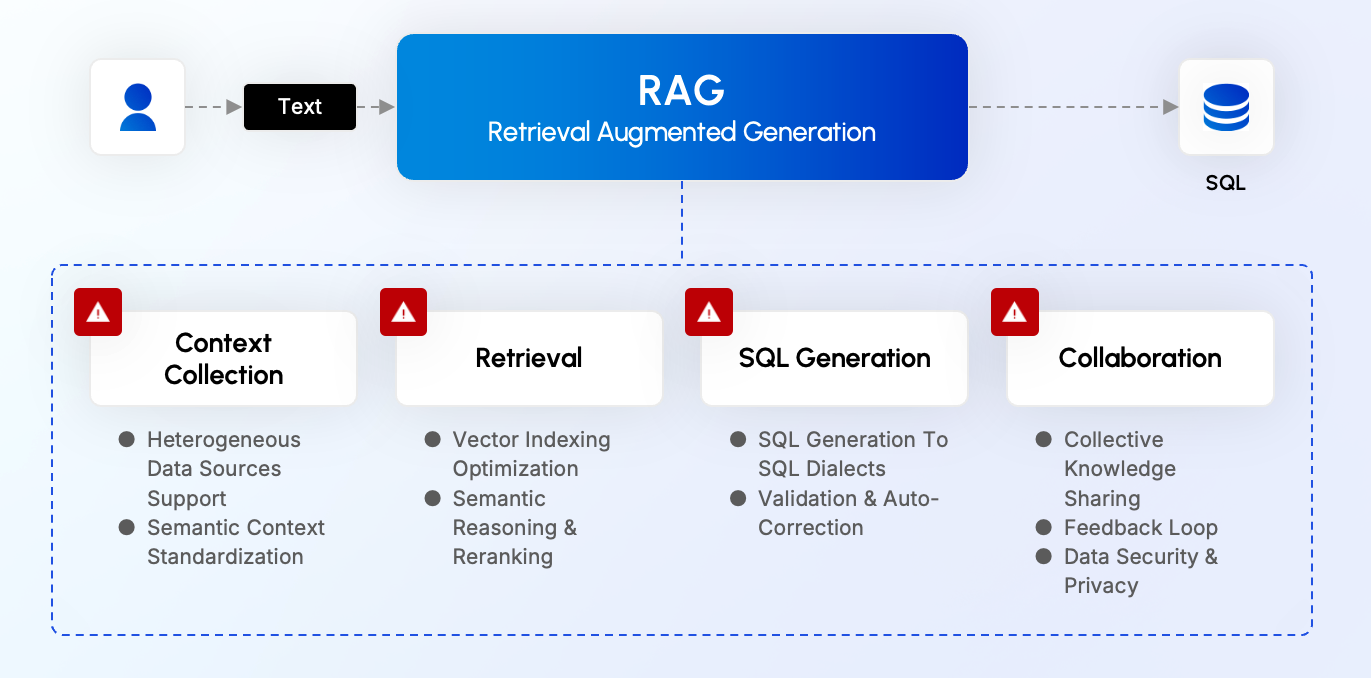
Asking LLMs to query raw database schemas is possible, but it often breaks down when business meaning is not explicit. Wren AI is designed to improve that workflow across four problem areas:
- Context collection for combining metadata, schema, relationships, and business logic
- Retrieval for finding the right context for each question
- SQL generation for producing executable SQL across different engines
- Collaboration for capturing feedback, reuse, and access control
Core product ideas
Talk to your data in natural language
Wren AI supports asking business questions in natural language so teams can explore data without writing every query by hand.
Model business context with MDL
Wren AI uses Modeling Definition Language to describe relationships, calculations, and business-friendly abstractions on top of raw data.
Generate SQL with context
By combining retrieval with the modeled business layer, Wren AI can generate SQL with more grounding than a schema-only prompt.
Explore results through a product workflow
Wren AI helps users move from questions to answers, follow-up prompts, charts, and dashboards in the same workflow.
Learn next
- Understand the architecture in How Wren AI works
- Review the system roles in Wren AI Service and Wren AI Core
- Read about Security