API History
API Reference
For more details on the API endpoints and request/response formats, please refer to the API Reference page.
The API History page provides a comprehensive view of all RESTful API (/api/v1/) requests made to your Wren AI instance. This feature is essential for monitoring usage, debugging issues, and auditing API interactions.
Overview
The API History page displays a chronological record of API calls, allowing you to track:
- Which API endpoints were called
- When each call was made
- The status of each request
- Request and response details
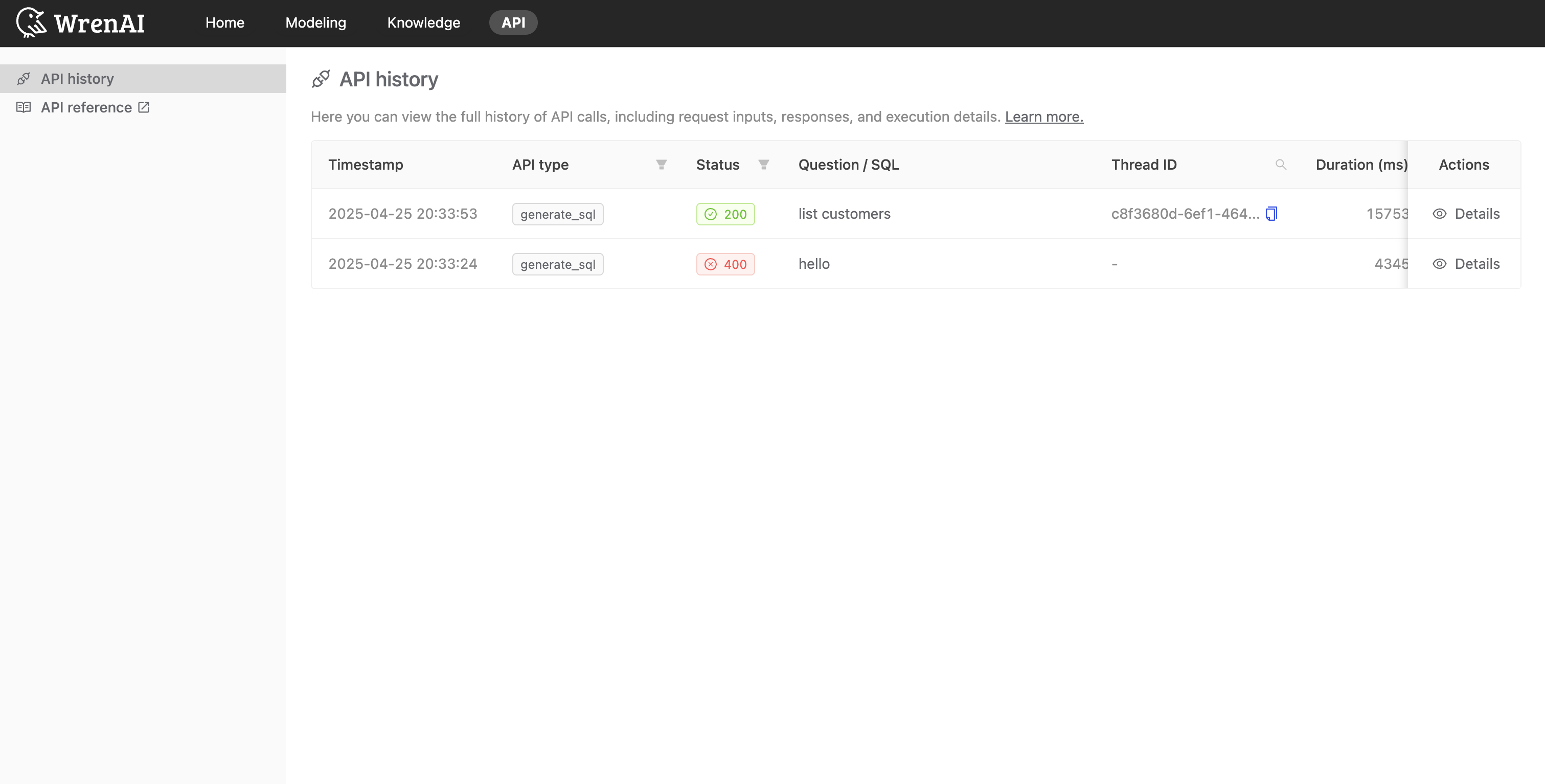
Accessing API History
To access the API History page:
- Navigate to the main dashboard
- Select "API" from the main navigation menu
- Click on the "API history" tab
Features
Filtering and Searching
The API History page includes robust filtering options to help you find specific API calls:
- Status: Filter by success, error, or specific HTTP status codes
- API Type: Filter by specific API endpoints
- Thread ID: Filter by specific thread ID
Detailed Request Information
For each API request, you can view detailed information by clicking on the request row:
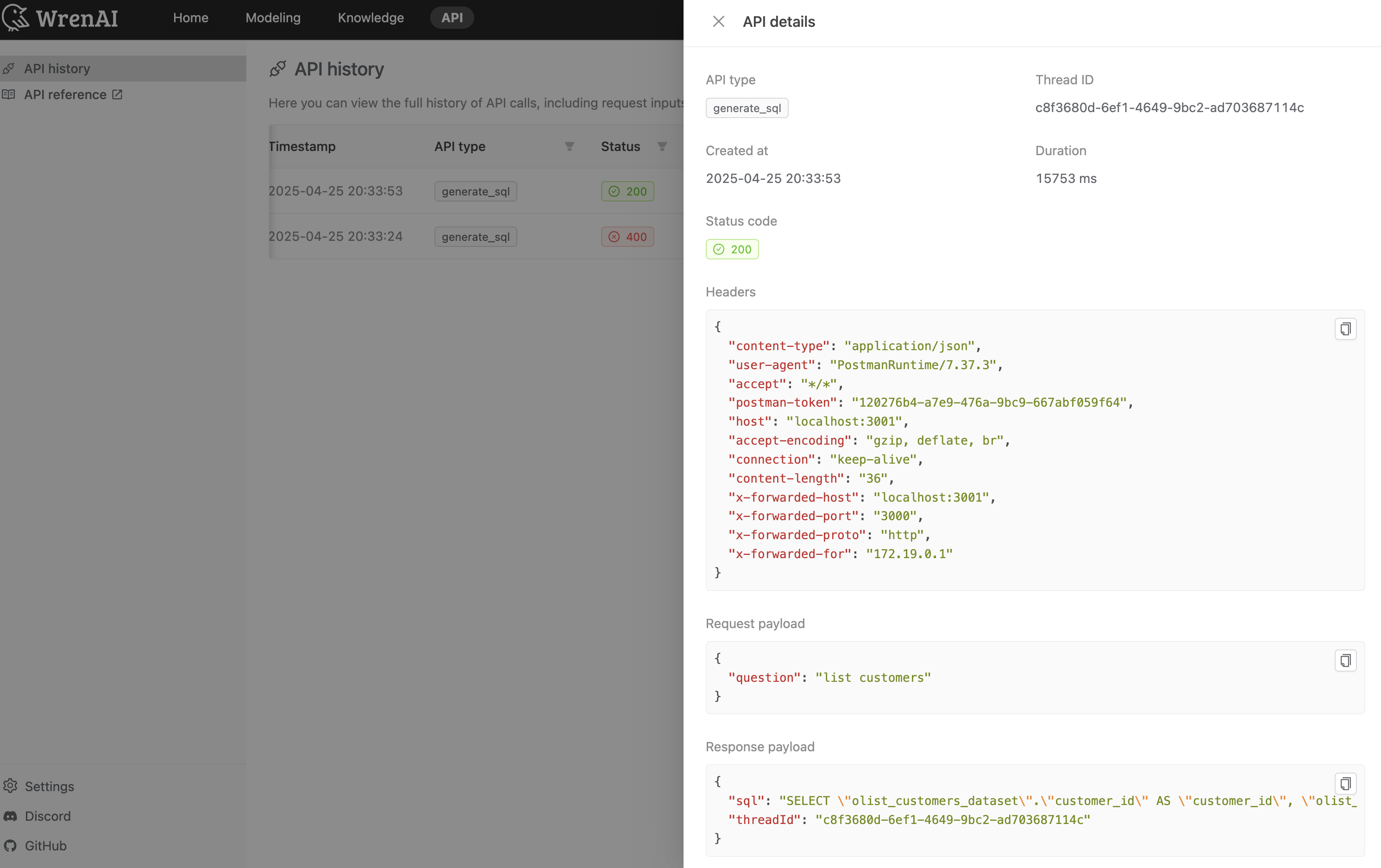
The details view includes:
- API Type: The type of API endpoint called (e.g. generate_sql)
- Thread ID: Unique identifier for the request thread
- Created At: Timestamp when the request was made
- Duration: Time taken to process the request in milliseconds
- Status Code: HTTP status code of the response
- Request Headers: HTTP headers sent with the request, including content-type, user-agent, etc.
- Request Payload: The JSON request body containing the question or parameters
- Response Payload: The complete response returned by the API, including generated SQL and thread ID