MySQL
This page documents a legacy MySQL import path for existing customers only.
Only in Essential Cloud plan and above. No longer available to new users effective immediately. Service ends March 2026.
Our Essential Cloud plan enables you to import MySQL tables to your project, even if you're already using a boilerplate.
Prerequisites
- A project started with a HubSpot Boilerplate
Steps to Set up a MySQL as an Additional Data Source
Go to your project settings by clicking the Settings button on the lower left.

The 'Data Connection' option in your project settings allows you to manage all data sources used in the project. Click the button ‘Connect a data source’ to open the Connect a Data Source menu.
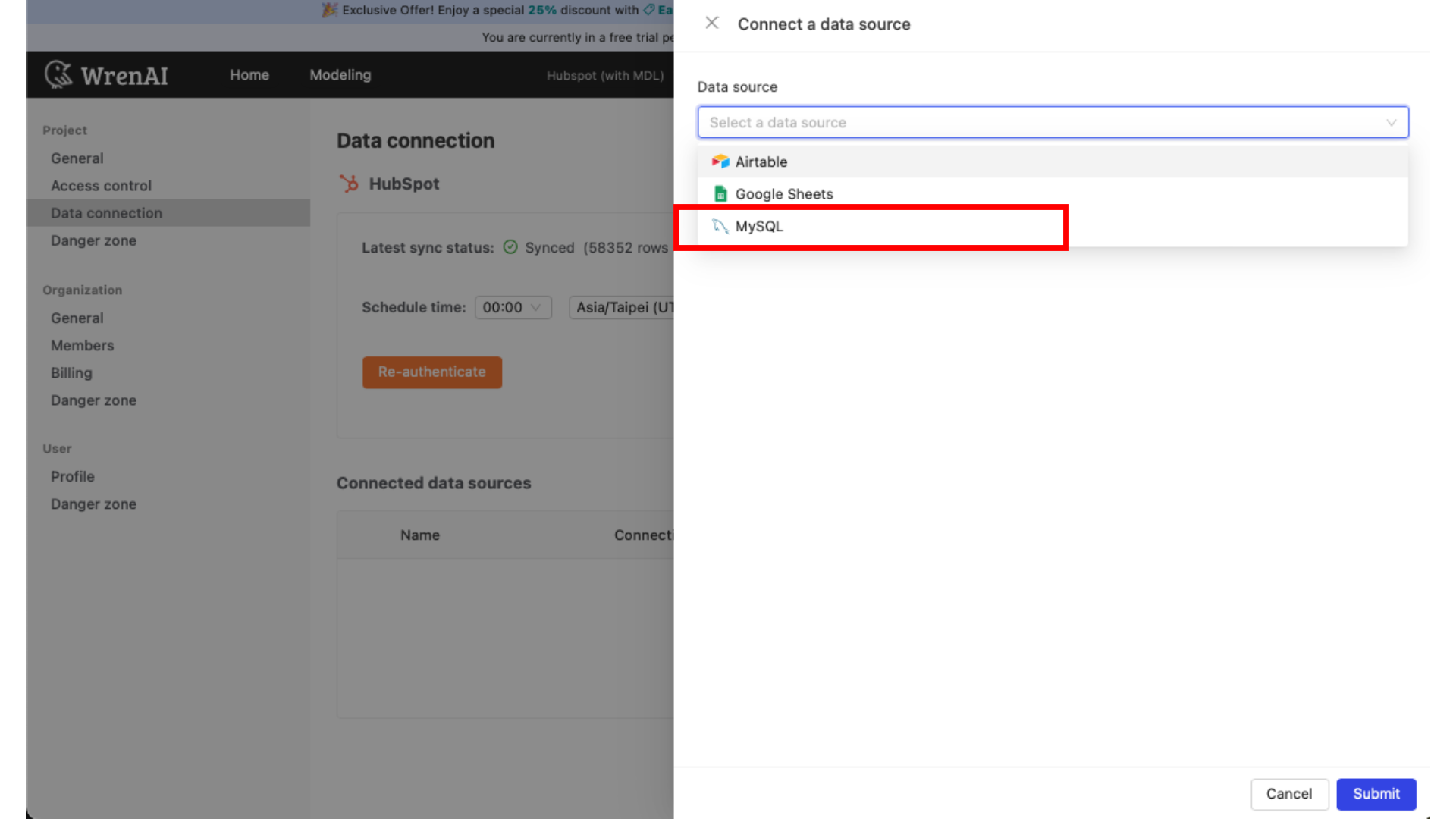
After selecting MySQL, you will be asked to enter the following fields:
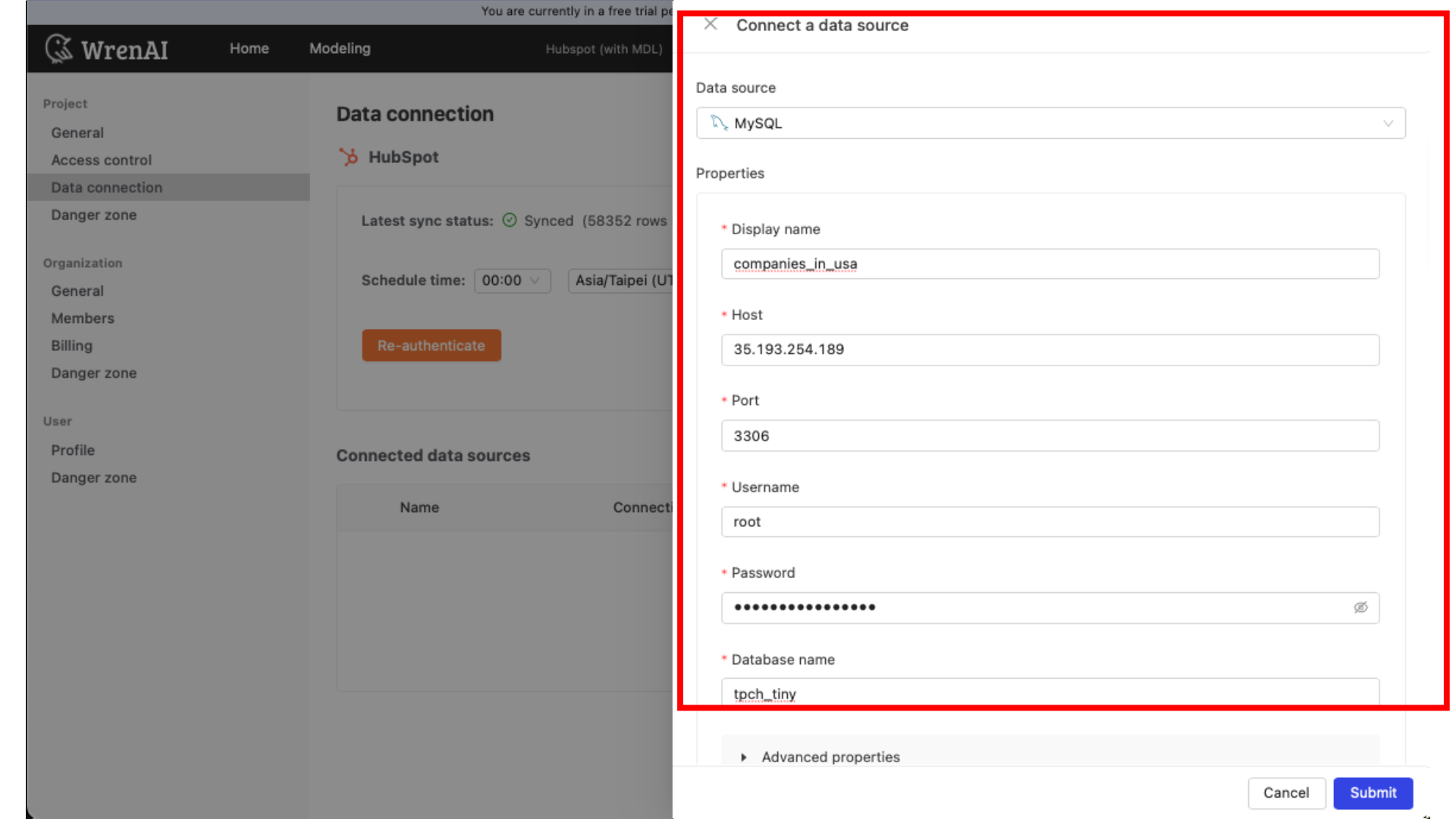
Display name
The display name for the database in the Wren AI interface.
Host
Your MySQL database's IP address or domain name.
Port
Your MySQL database port.
Username
The database username for the account you want to use to connect to your MySQL database.
Password
The password for the username that you use to connect to the database.
Database name
The name of the database you want to connect to.
For more advanced users, you can select the update method of this data source. The methods are:
- Read Changes using Write-Ahead Log (CDC). It incrementally reads new inserts, updates, and deletes using the MySQL binary log. However, this must be enabled in your database.
- Scan changes with User Defined Cursor (enabled by default). Incrementally detects new inserts and updates using the cursor column chosen when configuring a connection (e.g. created_at, updated_at).
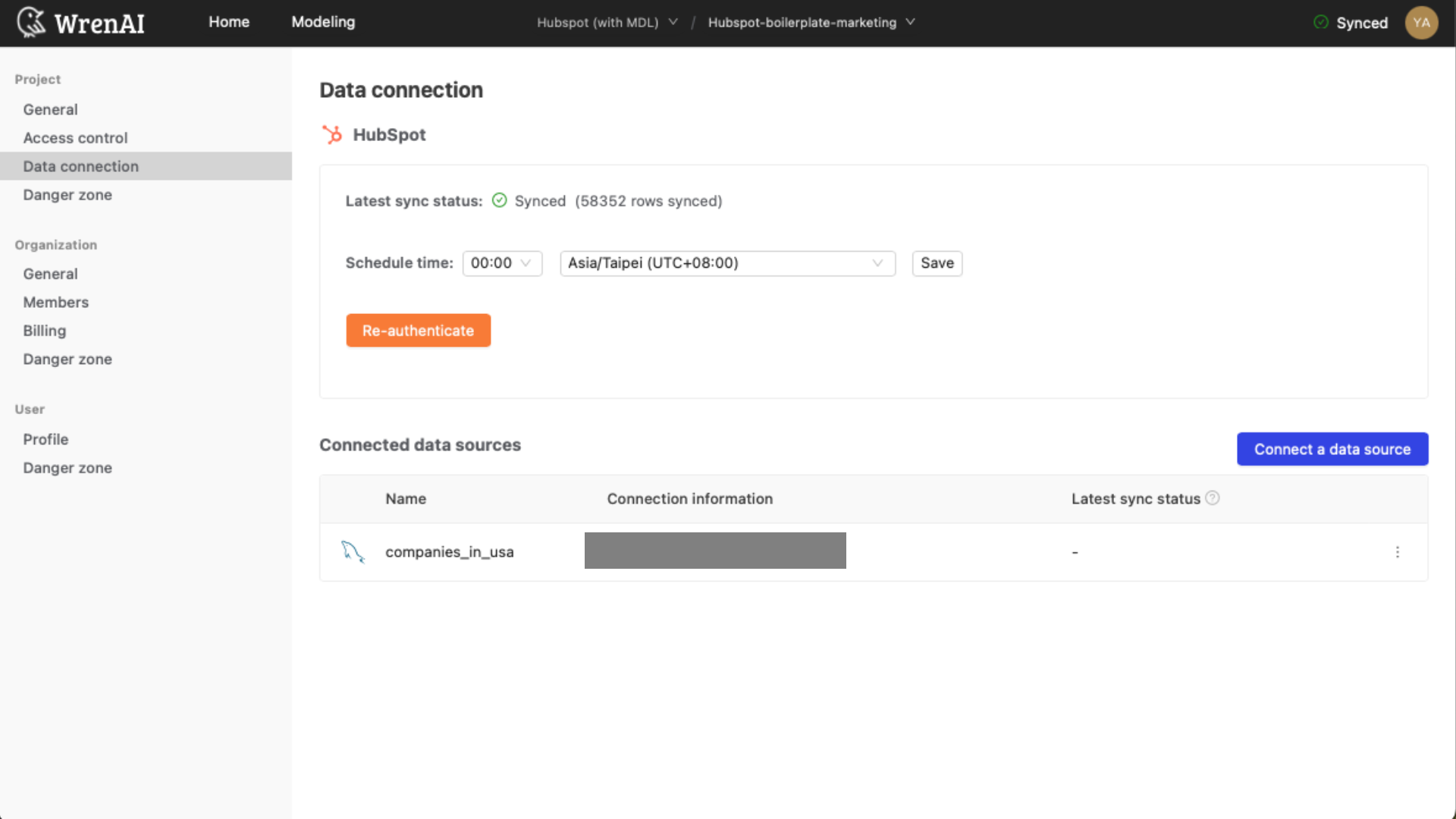
After you click submit, you will see the connected source on the data connection page.
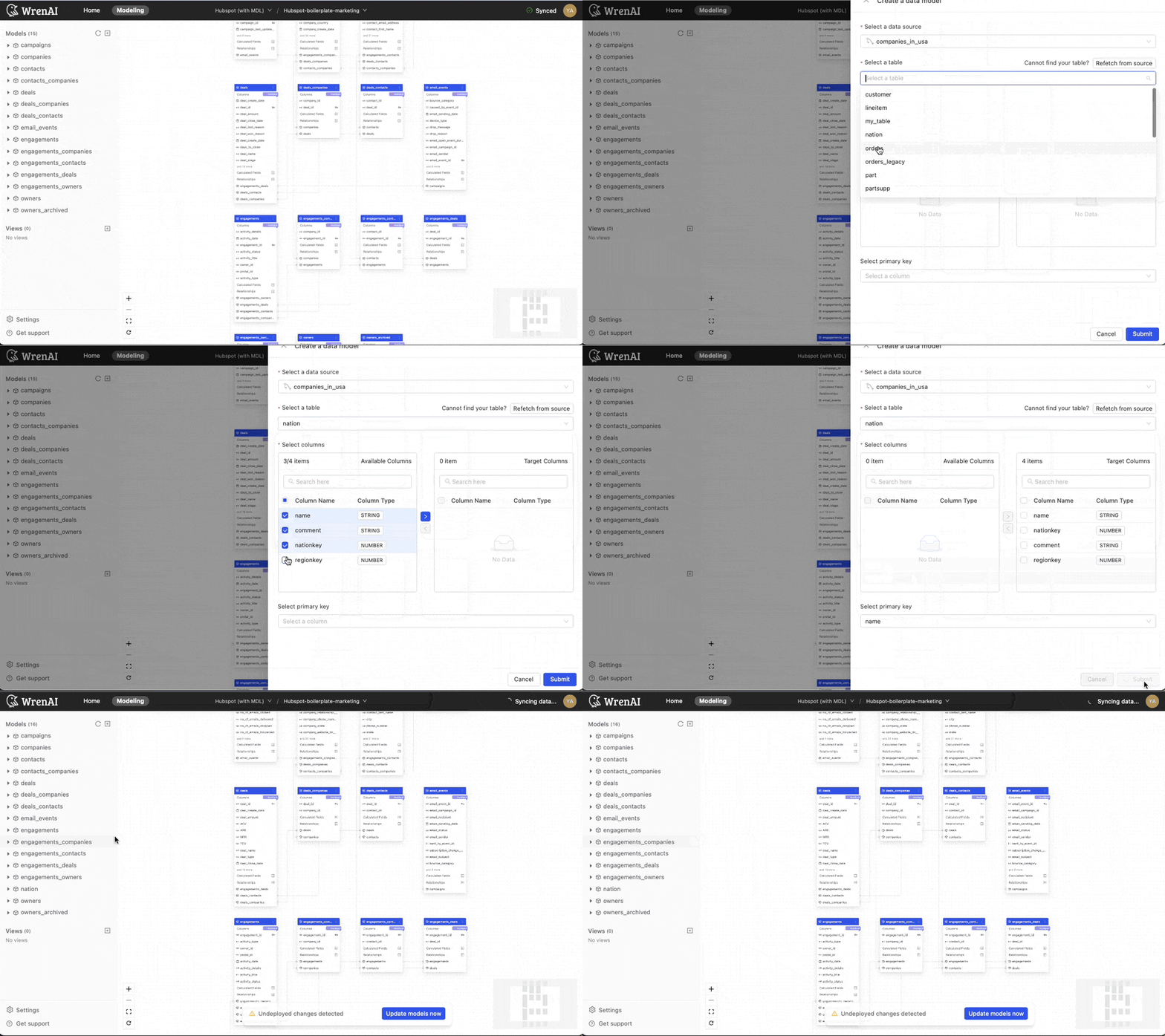
Go to the "Modeling" page to start modeling your MySQL data. Click the "+" button next to "Models" to create a new data model. Select the MySQL table you want to use and choose the specific columns you need. Click the ">" button next to each column you want to include, then click "Create" to finalize your model.
Add a description to each column in your MySQL table for better results. This helps Wren AI understand the data type in the field, leading to more accurate and relevant analysis.
Learn more about data modeling.